Transcription of Step-by-Step User Guide for Physicians to Change Address ...
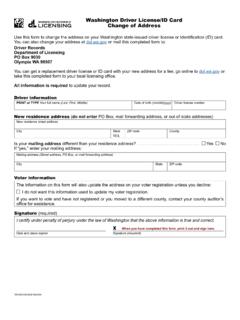
1 Step-by-Step User Guide for Physicians to Change Address / Email Address Online Page 1 Step-by-Step USER Guide FOR Physicians TO COMPLETE A Change OF Address / EMAIL Address ONLINE If y ou previously registered in the BreEZe system, enter your User ID and Password in the Returning User section located on the right column, click the Sign In button NOTE: If you have never registered in the BreEZe system, please go to and view pages 2 through 8 of the Step-by-Step User Guide for Physicians to Renew Online . These pages explain how to create a new user account and connect your license to that account. Step-by-Step User Guide for Physicians to Change Address / Email Address Online Page 2 Change of Address : Once you have successfully logged onto the BreEZe system, you should see the Quick Start Menu screen. the left hand side of the screen, under the section License Activities, subsectionManage your license information, click the down arrow of the Choose Applicationbox and select Change of Address .
2 Click the Select button next to the User Guide for Physicians to Change Address / Email Address Online Page 3 of Address IntroductionRead the information then proceed to the bottom of the page/screen and click theNext User Guide for Physicians to Change Address / Email Address Online Page 4 of Address Information Privacy ActPlease read the information then click the Agree User Guide for Physicians to Change Address / Email Address Online Page 5 of Address Name and Personal DetailsVerify information is correct then click the Next User Guide for Physicians to Change Address / Email Address Online Page 6 of Address Address Detail SummaryTo Change the Address of Record: Click the blue link, Address of Record(Required) To Change the Confidential Address : Click the blue link, Confidential Address NOTE: A Confidential Address is not required unless your Address of Record is a PO Box.
3 Step-by-Step User Guide for Physicians to Change Address / Email Address Online Page 7 of Address Maintain Contact DetailsFill in the required field (designated by red asterisks) for the Address of include your telephone number and email Address , which are not publicinformation. Then click the Continue User Guide for Physicians to Change Address / Email Address Online Page 8 of Address Address Detail SummaryReview the changes, then click the Next : A Confidential Address is not required unless your Address of Record is a PO Box. C hoose the Add button to add the required Confidential Address . Step-by-Step User Guide for Physicians to Change Address / Email Address Online Page 9 of Address Maintain Contact DetailsFill in the appropriate boxes for the Confidential Address . Make sure the Countryfield is filled in. Then click the Continue User Guide for Physicians to Change Address / Email Address Online Page 10 of Address Application SummaryVerify that the Address information is correct, then click the Next User Guide for Physicians to Change Address / Email Address Online Page 11 of Address AttestationPlease read the information, select the YES radio button then click theSubmit User Guide for Physicians to Change Address / Email Address Online Page 12 of Address Fee and Summary ReportThere is no fee to Change your Address .
4 At this point, your Address Change (s) arecompleted. Click the Back button to return to the Quick Start Menu.