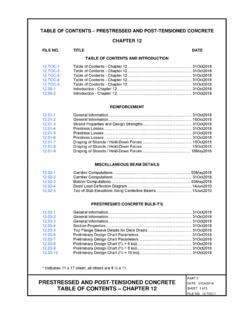
Transcription of Table of Contents - NTREIS
1 Getting Started with NTREIS Matrix RETS Updated: 10/18/2018 Page 1 of 24 Table of Contents section 1) Communication with NTREIS Staff about RETS .. 3 section 2) Access to NTREIS RETS .. 4 section 3) System Performance .. 4 section 4) Resources for RETS .. 4 section 5) NTREIS RETS Servers .. 5 section 6) RETS Clients .. 6 ) 6 ) Corelogic RETS Connector .. 6 section 7) Viewing the NTREIS RETS Metadata .. 7 section 8) Classes in RETS .. 7 section 9) Linking Classes .. 8 section 10) Media and RETS .. 8 ) Working with MEDIA .. 8 ) Downloading Photos .. 8 ) Notes on Virtual Tours and URL Links .. 9 ) High Resolution Images .. 11 ) Hot Link to images .. 12 section 11) RETS Names .. 12 section 12) Look Ups .. 13 ) Compact and Compact De-coded .. 13 section 13) Keeping Your Data/Website Current .. 13 Getting Started with NTREIS Matrix RETS Updated: 10/18/2018 Page 2 of 24 ) Two Basic RETS profiles.
2 13 ) IDX Profile .. 14 section 14) RETS Download Limits and Recommendations .. 17 ) Initial Download .. 18 ) Recommendation for downloading large amounts of data .. 19 ) Keeping up to date with listings.. 20 section 15) Important Date Fields .. 20 section 16) Miscellaneous Information .. 21 section 17) Searching by geocodes .. 22 section 18) Basic Troubleshooting .. 22 ) Viewing the fields you can download .. 22 ) Verify your credentials and connection .. 23 Getting Started with NTREIS Matrix RETS Updated: 10/18/2018 Page 3 of 24 section 1) Communication with NTREIS Staff about RETS All emails in regards to NTREIS RETS should be addressed to which are forwarded to the entire NTREIS RETS team: Nadia Zazharskaya, RETS Technical Lead; Daniel Price, NTREIS Senior Database Administrator; David Blake, Senior Network Administrator; and Pam Rendall-Bass, Product Manager This ensures there is always someone to respond to your questions.
3 Sending the email to an individual at NTREIS or any other email address may delay our response to your question. Emails to NTREIS should always include your RETS login. o NTREIS Staff often has to look up a user s data package or login. With the large number of users accessing NTREIS RETS, including your RETS Login will expedite your request. In addition, o Do not share your RETS Credentials with anyone. o Keep your RETS password confidential. Do not share in an unsecured manner such as sending it via email. Do not send your password to NTREIS . If you do, your password will be changed. NTREIS asks that you keep your contact information current with a minimum of two contacts and alternate phone numbers and email if possible. If NTREIS needs to contact you or your firm, there will be two attempts made by email and two attempts made by phone. If NTREIS does not receive a response in a reasonable time, your access to RETS will be turned off until you contact NTREIS .
4 NTREIS will only communicate with the contacts you have furnished. Check the NTREIS RETS Bulletin Board for the latest information on NTREIS RETS at: Getting Started with NTREIS Matrix RETS Updated: 10/18/2018 Page 4 of 24 section 2) Access to NTREIS RETS All access to RETS requires a RETS login and password issued by NTREIS . To receive your RETS credentials, contact requesting the required forms and documents. The RETSID (RETS Login) and password are both case sensitive. Do not share your RETS Credentials with anyone. section 3) System Performance The NTREIS MLS/RETS Systems are resources shared by real estate professionals and RETS users. The primary function of the NTREIS MLS System is to provide current information to real estate professionals in a timely manner and the function of RETS is to provide MLS data to MLS users and third parties. NTREIS is very concerned about RETS downloads creating a system performance slow down not only for RETS, but possibly MLS resulting in a poor experience for both real estate agents and RETS users.
5 NTREIS would prefer not to impose limits on RETS users, either on the amount of data or when data can be accessed. If it is determined that a RETS user is consistently running either large downloads or has improper/inefficient RETS queries, NTREIS reserves the right to impose limits either on when the queries are allowed to run, or how much data can be downloaded within a certain time. To ensure the experience is optimal for all users, NTREIS requests all RETS users refrain from running large downloads between 8 am and 6 pm on Monday through Friday. During these hours, please run incremental searches. Large or full downloads can be run after 6 pm and before 8 am. If your RETS queries return a large amount of data, NTREIS requests that you run incremental searches at least 15 minutes apart. If you have any questions, please contact section 4) Resources for RETS Your main resource for information about RETS is.
6 The RETS Specification can be found at Getting Started with NTREIS Matrix RETS Updated: 10/18/2018 Page 5 of 24 Documentation specific to NTREIS RETS can be found at: section 5) NTREIS RETS Servers NTREIS is running RETS Production on multiple load-balanced servers. The URL for the RETS Servers is: This server points directly to the MLS Production Database and Media Server. The MLS Database is approximately 60 GB in size. In the production environment, any changes made in MLS appear instantly in this Database and/or Media Server. New listings or changes to existing listings will be available to RETS within a few milliseconds of the data being added or modified to MLS. You can login to RETS useful information with these URL s: This URL will take you to the metadata If your RETS Client or script requires a port, the correct port is 80. The Corelogic Client, RETS Connector , is programmed to use port 80.
7 Be sure your firewall allows Port 80. The RETS Server uses GMT. The data is in Central Time. All times referenced in the NTREIS documentation are in Central Time. The MLS SQL Server and RETS servers reboot between 2 and 3 am. If you are downloading data during this window, be sure your client/script has the ability to automatically re-try in case the server is not available due to the server s rebooting. Getting Started with NTREIS Matrix RETS Updated: 10/18/2018 Page 6 of 24 section 6) RETS Clients A RETS Client or script is required to access data from the RETS Server. Two popular clients that are available without charge are: ezRETS from the Center for Realtor Technology at the National Association of REALTORS and RETS Connector from Corelogic ) ezRETS The ezRETS ODBC driver, from the Center for Realtor Technology (CRT) at the National Association of REALTORS , was designed to allow ODBC-aware applications to easily query data from any Multiple Listing Service that supports the RETS standard.
8 Many of the programs in Microsoft Office can utilize ezRETS to integrate real estate listing data directly into your own custom documents. See this link for more information on ezRETS: ) Corelogic RETS Connector The Corelogic RETS Client, RETS Connector , is available for free at RETS Connector only works in Windows operating systems. It does not work in Linux or Macintosh operating systems. Previous versions of RETS Connector are not compatible with the current NTREIS MLS System. Please read all documentation associated with RETS Connector The help file is available on NTREIS does not provide training on using the Corelogic RETS Client, RETS It does come with an excellent Help Manual that will answer your questions. If you suspect RETS is not functioning correctly, contact NTREIS Staff will investigate the functionality and, if necessary, report the problem to CoreLogic.
9 Getting Started with NTREIS Matrix RETS Updated: 10/18/2018 Page 7 of 24 section 7) Viewing the NTREIS RETS Metadata There are several ways to view the RETS Metadata. One method is by using your RETS Login and Password and pasting these links into your browser: This URL will take you to the metadata In RETS Connector , click on View and Metadata Browser to view the metadata. section 8) Classes in RETS The RETS Metadata is based on these Resources and Classes: Resource Class Approximate Number of Records Agent Agent 1,600,000 Office Office 76,000 Media Media 8,000,000 Listing Cross Property Cross Property Listings Sub Table : Units Units 22,000 Listings Sub Table : Rooms Rooms 14,000,000 OpenHouse Open House 80,000 All data exported from RETS must be from one of these classes. Getting Started with NTREIS Matrix RETS Updated: 10/18/2018 Page 8 of 24 NTREIS Matrix RETS has one class, Cross Property, which contains five property types: Residential Multi-Family Land (Lots and Acreage) Commercial Residential Lease section 9) Linking Classes The MATRIX_UNIQUE_ID in the Cross Property class links to the Listing_MUI in the Rooms and Units Classes.
10 The MATRIX_UNIQUE_ID in the Cross Property class links to the TABLE_MUI in the Media Class. section 10) Media and RETS RETS accesses the media servers on the NTREIS MLS System. Media added to the MLS system is immediately available to RETS users. ) Working with MEDIA Every listing has a MLS Number and MATRIX_UNIQUE_ID in the Cross Property Class. The MATRIX_UNIQUE_ID in each Property Class links to the TABLE_MUI in the Media class. The MATRIX_UNIQUE_ID in the Cross Property Class does not link to the MATRIX_UNIQUE_ID in the Rooms, Units, Media, or Open House Classes Classes. The MATRIX_UNIQUE_ID in the Cross Property Class links to the TABLE_MUI in the Media Class. You can download media from the media servers using GETOBJECT . Currently, the media is approximately 400GB (and growing) in size. ) Downloading Photos Getting Started with NTREIS Matrix RETS Updated: 10/18/2018 Page 9 of 24 Downloading photos in RETS is done through the GETOBJECT request.