Transcription of Tier 1:KRONOS Timekeeping and Exception Time
1 KRONOS Timekeeping and Exception Time HR Policy No: Page 1 of 5 Policy No: Subject: KRONOS Timekeeping and Exception Time Supersedes: All existing corporate and business unit policies on this subject Effective: Oct. 20, 2010 Reviewed March 1, 2016, Nov. 1, 2013 Revised: March 1, 2016, June 15, 2014, March 9, 2014, Feb. 23, 2014 Page(s): 5 Approved by: Human Resources Executive Team (HRET) Philosophy/Purpose: The purpose of this policy is to establish unity among all Henry Ford Health System business units by providing a uniform time and attendance system that collects actual time entered by the employee swiping their badge or sign in with PC using KRONOS software.
2 Scope: This policy applies to all employees at all business units of Henry Ford Health System using a KRONOS Timekeeping system. Responsibility: The interpretation, administration and monitoring for compliance of this policy shall be the responsibility of HFHS Human Resources Executive Team (HRET) and Operational Leadership. Policy: At Henry Ford Health System badge swiping is required for non-exempt employees to ensure consistent Timekeeping and documentation of hours worked. KRONOS Exception Logs and Exception Time Report Forms will be used to document employee Exception time. This KRONOS Timekeeping and Exception Time Policy will be adhered to through the consistent application of procedures related to: A.
3 Attendance B. Badge Swiping Process C. Exception Time D. Employee Responsibilities E. Manager and Timekeeper Responsibilities F. Equipment and Forms Procedure A. Attendance 1. Henry Ford Health System employees will be held to the attendance standards in the HFHS Attendance Policy, No. 2. All employees in non-exempt job classifications are required to swipe the time clock or sign in with PC entry in their designated area. Employees will swipe in at the start of the shift, and swipe out at the end of the shift. 3. Employees are required to adhere to the following time keeping rules: KRONOS Timekeeping and Exception Time HR Policy No: Page 2 of 5 a.
4 Employees shall not swipe/sign no more than six (6) minutes before the start of each shift and swipe out no later than six (6) minutes after the shift ends unless the employee has authorization from their manager or supervisor for the early arrival or late departure. b. Employees swiping in one minute or later after their scheduled start time will be recorded as tardy. An employee is considered tardy when she/he is not at their assigned work area, in uniform, and ready to work, at the start of their scheduled shift. There is no grace period for tardy arrivals. c. Employees shall not swipe out before their scheduled ending time, unless authorized to do so by their manager or supervisor.
5 4. All overtime must be authorized in advance by a manager or supervisor. Employees failing to swipe within six (6) minutes before the start of their shift and no later than six (6) minutes after their shift (unless a manager or supervisor has specifically requested the employee start early or stay late) will receive a verbal warning on the first incident and advance to documented counseling or the next step in corrective action every two (2) incidents thereafter, up to and including termination. 5. Employees failing to swipe IN or OUT ( missed punch ) three (3) times in a rolling three (3) month period will be subject to corrective action, up to and including termination.
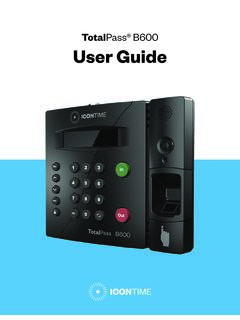
6 B. Badge Swiping Process 1. When coming in for a shift, the employee will either swipe in at a clock or with PC entry. 2. Employees may use the clock in the closest proximity to their department or workstation. A department may designate a KRONOS clock specific to their department for employees to swipe in an out. Please refer to your department policy and procedure for the swiping location. 3. Employees who are swiping in at a clock will swipe their ID badge with their picture facing their body from top to bottom on the right hand side of the KRONOS machine. 4. After swiping, if the device reads the badge successfully, the LED flashes green, and the speaker emits a tone.
7 5. If the KRONOS clock does not read the badge, the LED flashes red, the speaker emits a different tone, and an error message appears on the screen. Wait until the message times out or tap the X to close the message. The badge should be swiped again. If repeated attempts to swipe do not succeed, the employee must contact the department manager, supervisor or designee immediately so the ID badge or clock issue can be investigated. The employee also must complete an entry in the KRONOS Exception Log on the day of the event to record the actual start and/or end time. 6. The employee will repeat the same badge swiping process when the shift is completed.
8 7. Employees who have forgotten their ID badge are required to inform the manager or supervisor immediately and prior to the start of their shift. A forgotten ID badge will be considered a single missed punch occurrence (section ). C. Exception Time 1. Employees are responsible for completing an entry in the KRONOS Exception Log (prior to the end of the shift) anytime worked hours are different from the original schedule or anytime there is a missed swipe. 2. When completing an entry in the KRONOS Exception Log: print name and department along with actual start and end times, the reason for the Exception , and the date of the Exception (for midnight shift use the date the shift started).
9 KRONOS Timekeeping and Exception Time HR Policy No: Page 3 of 5 3. All Exception time must be approved daily by the manager or designee with a signature. Incomplete or unapproved entries will not be paid or entered into KRONOS. 4. KRONOS automatically deducts 30 minutes for any shift over six and a half ( ) hours for an unpaid meal period break. If an employee is unable to take a meal period break or is not provided a meal period break, the employee is responsible for informing the manager or supervisor. The manager must cancel the deduction is Kronos. D. Employee Responsibilities 1. Employees are required to wear their ID badges at all times while on duty.
10 Any lost badges must be immediately reported to the manager, supervisor or designee and the employee must immediately report to Security Services in order to obtain a replacement ID badge. Employees may be charged for a replacement ID badge in accordance with HFHS Employee Identification Program Policy, No Excessive damage of ID badges may be cause for corrective action up to and including termination. 2. Employees unable to swipe due to a forgotten ID badge, an ID badge issue or clock malfunction are required to notify the department manager, supervisor, or designee of the issue at the time of the event and/or prior to the start of the shift. Due to the nature of the service provided, the employee may not be permitted to work without an badge.