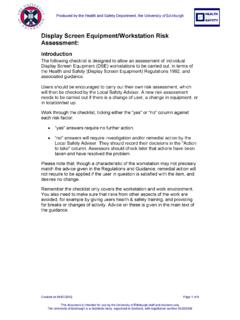
Transcription of TRAINING FOR COMPUTER WORKSTATION ASSESSORS
1 TRAINING FOR COMPUTER WORKSTATION . ASSESSORS . Course Notes May 2016. TRAINING FOR COMPUTER WORKSTATION . ASSESSORS . Course Notes Contents Page 1 Display Screen Equipment - Possible Effects on Health 2. 2 Health and Safety (Display Screen) Regulations 4. 3 What (and who) are Users 6. 4 Costs of Compliance with the Regulations 7. 5 assessment Checklist 8. 6 Posture 9. 7 Guidance on Assessments 10. 8 TRAINING for Users 11. 9 Eye Tests 12. 10 Laptops 13. 11 Further Information and Assistance 14. Appendix A 15. NOTE: WHAT'S THE DIFFERENCE BETWEEN A VDU, A VDT, A MONITOR AND DISPLAY. SCREEN EQUIPMENT (DSE)?
2 There isn't one. All these terms mean the same thing - a display screen, usually forming part of a COMPUTER and showing text, numbers or graphics. 1. 1) DISPLAY SCREEN EQUIPMENT - POSSIBLE. EFFECTS ON HEALTH. Display screen equipment has been blamed - often wrongly - for a wide range of health problems. In fact, only a small proportion of COMPUTER users actually suffer ill health as a result of their work. Where problems do occur, they are generally caused by the way in which the COMPUTER is being used, rather than by the COMPUTER itself. So problems can be avoided by good workplace and job design, and by the way you use your COMPUTER WORKSTATION .
3 A) Pains and discomfort A range of conditions of the arm, hand and shoulder areas linked to work activities are now described as work related upper limb disorders (WRULDs). These range from temporary fatigue or soreness in the limbs to chronic soft tissue disorders like peritendinitis or carpal tunnel syndrome. Peritendinitis is basically the inflammation of the sheath that surrounds the tendon. Some keyboard operators have suffered occupational cramp. The contribution to the onset of any disorder of individual risk factors (eg keying rates) is not clear. It is likely that a combination of factors is concerned.
4 Prolonged static posture of the back, neck and head are known to cause musculoskeletal problems. Awkward positioning of the hands and wrist (eg as a result of poor working technique or inappropriate work height). are further likely factors. Outbreaks of soft tissue disorders among keyboard workers have often been associated with high workloads combined with tight deadlines. This variety of factors contributing to display screen work risk requires a risk reduction strategy which embraces proper equipment, furniture, TRAINING , job design and work planning. B) Eye and eyesight effects Medical evidence shows that using display screen equipment is not associated with damage to eyes or eyesight; nor does it make existing defects worse.
5 But some workers may experience TEMPORARY visual fatigue, leading to a range of symptoms such as impaired visual performance, sore eyes and headaches, or the adoption of awkward posture which can cause further discomfort in the limb. These may be caused by: (a) staying in the same position and concentrating for a long time;. (b) poor positioning of the display screen equipment;. (c) poor legibility of the screen or source documents;. (d) poor lighting, including glare and reflections;. (e) a drifting, flickering or jittering image on the screen. Like other visually demanding tasks, COMPUTER work does not cause eye damage but it may make workers with pre-existing vision defects more aware of them.
6 Such uncorrected defects can make work with a display screen more tiring or stressful than would otherwise be the case. 2. The health risks associated with COMPUTER work can be greatly reduced by Providing the right equipment and setting it up correctly Assuming the right posture and in particular sitting upright ensuring straight wrists sitting face in to the WORKSTATION The correct use of the equipment and self-management of the correct posture adopted by the user Organising work so that there are short periods spent away from the WORKSTATION doing other things 3. 2) HEALTH AND SAFETY (DISPLAY SCREEN.
7 EQUIPMENT) REGULATIONS. WHO IS AFFECTED? The Regulations affect staff who habitually use computers for a significant part of their normal work (Defined in the Regulations as Users ). WHAT DO EMPLOYERS HAVE TO DO TO COMPLY? The Regulations do not contain detailed technical specifications or lists of approved equipment. Instead, they set more general objectives. Employers have to: 1) ANALYSE WORKSTATIONS OF EMPLOYEES COVERED BY THE. REGULATIONS AND ASSESS AND REDUCE RISKS. They need to look at the hardware, the environment, and factors specific to the individuals using the equipment. The views of those individuals may be sought as part of the assessment .
8 Where risks are identified, the employer must take steps to reduce them. 2) ENSURE WORKSTATIONS MEET MINIMUM REQUIREMENTS. These are good features that should be found in a WORKSTATION . For example, the screen should normally be able to tilt and swivel in all directions. This allows individuals to find a comfortable position for the screen, helping to avoid muscular problems in the upper part of the body. 3) PLAN WORK SO THERE ARE BREAKS OR CHANGES OF ACTIVITY. The length or number of these is not specified precisely in the Regulations, as the need for breaks depends how intensely and for how long the employee has been using the WORKSTATION .
9 But short, frequent breaks are better than longer, less frequent ones, and ideally the individual should have some discretion over when they are taken. 4) ON REQUEST ARRANGE EYE AND EYESIGHT TESTS, AND. PROVIDE SPECTACLES IF SPECIAL ONES ARE NEEDED. Employees who are covered, or about to become covered, by the Regulations can ask their employer to provide and pay for an eye and eyesight test. These employees are also entitled to further tests at regular intervals - the person doing the first test can recommend when the next should be. If in the meantime an individual has visual problems which may be related to work with computers, the employer has to provide another test on request.
10 (In Scotland, as opposed to England and Wales, eye tests are free for everyone so staff can make their own arrangements for eye tests.). 4. 5) PROVIDE HEALTH AND SAFETY TRAINING . This is to make sure employees can use all aspects of their WORKSTATION equipment safely, and know how to make best use of it to avoid health problems, for example by adjusting the chair. 5. 3) WHAT (AND WHO) ARE USERS? The Regulations apply to a class of people called users . A user is defined in the Regulations as an employee who habitually uses display screen equipment as a significant part of his normal work . This can be difficult definition to apply to the workplace.