Example: air traffic controller

Training Kit For new version of E-Procurement …

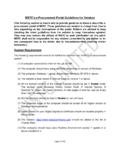
Training Kit For new version of E-Procurement Centralised Supplier registration Module Note: This is the updated Training as per the new version available for end users Training manual will be updated once in 3 months and as Software Developers Vupadhi Techno services wont be responsible if there are any changes in live application and the Training manual. User can contact helpdesk mentioned in the new E-Procurement portal for any clarifications version . Last updated on 09/05/2016. On the Homepage : , Click on Register' Link Read all the Terms and Conditions of registration and Click on I Agree'. In this page : click on select digital certificate and select the certificate after inserting the DSC and click on ok Upload the certificate and enter your primary contact information along with login credentials click on next step Upload the certificate and enter your Business information details along with login credentials like User ID and a new password click on next step Enter your Business registration information details click on next step On successful submission, a Confirmation message is displayed and your supplier ID will be registered An email alert will be sent to the registered email and as a supplier you have to cont

PROCURE Support Reports Contact Us Home Training Orders I Notices Contractor / Supplier Registration step 1 : Primary Contact Information Digital Certificate Details

Tags:

  Registration, Procurement

Information

Domain:

Source:

Link to this page:

Please notify us if you found a problem with this document:

Other abuse

Advertisement

Transcription of Training Kit For new version of E-Procurement …

1 Training Kit For new version of E-Procurement Centralised Supplier registration Module Note: This is the updated Training as per the new version available for end users Training manual will be updated once in 3 months and as Software Developers Vupadhi Techno services wont be responsible if there are any changes in live application and the Training manual. User can contact helpdesk mentioned in the new E-Procurement portal for any clarifications version . Last updated on 09/05/2016. On the Homepage : , Click on Register' Link Read all the Terms and Conditions of registration and Click on I Agree'. In this page : click on select digital certificate and select the certificate after inserting the DSC and click on ok Upload the certificate and enter your primary contact information along with login credentials click on next step Upload the certificate and enter your Business information details along with login credentials like User ID and a new password click on next step Enter your Business registration information details click on next step On successful submission, a Confirmation message is displayed and your supplier ID will be registered An email alert will be sent to the registered email and as a supplier you have to contact Helpdesk Support for Activation of the User ID click on logi

Related search queries