Transcription of UB-04 CLAIM FORM INSTRUCTIONS
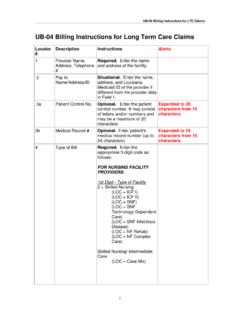
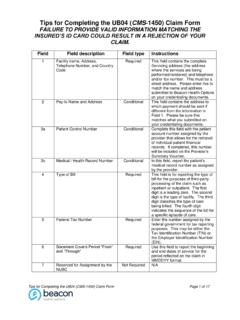
1 PR0041 01/25/18 UB-04 CLAIM form INSTRUCTIONS FIELD NUMBER FIELD NAME INSTRUCTIONS 1 Billing Provider Name & Address Enter the name and address of the hospital/facility submitting the CLAIM . 2 Pay to Address Pay to address if different than field 1. 3a Patient Control Number Enter your facility's unique account number assigned to the patient, up to 20 alpha/numeric characters. This number will be printed on the RA and will help you identify the patient. 3b Medical Record Number Number assigned to patient s medical record by provider. Up to 30 alpha/numeric characters. (see above) 4 Type of Bill Enter the four digit code that identifies the specific type of bill and frequency of submission. The first digit is a leading zero.
2 See National Uniform Billing Committee for guidelines. 5 Federal Tax Number Enter the facility's tax identification number. 6 Statement Covers Period Enter the beginning and ending service dates of for the period covered on the CLAIM in MMDDYY format. PR0041 01/25/18 7 Administrative Necessary Days Not required 8 b Patient Name Enter the patient's name exactly as it is spelled on the Medicaid ID card using the Last, First name, MI format. 9 Patient Address Enter the patient s mailing address including street address, city, state and zip code. 10 Birth Date Enter the patient's date of birth in MMDDCCYY format. 11 Sex Enter "M" for Male, "F" for Female or "U" for unknown. 12 Admission Date Enter the start date of this episode of care.
3 Use the MMDDCCYY format. 13 Admission Hour Enter the hour (using a two-digit code below) that the patient entered the facility. 1:00 - 01 2:00 - 02 3:00 - 03 4:00 - 04 5:00 - 05 6:00 - 06 7:00 - 07 8:00 - 08 9:00 - 09 10:00 - 10 11:00 11 12:00 noon - 12 1:00 - 13 2:00 - 14 3:00 - 15 4:00 - 16 5:00 - 17 6:00 - 18 7:00 - 19 8:00 - 20 9:00 - 21 10:00 - 22 11:00 - 23 12:00 00 14 Admit Type Enter one of the following primary reason for admission codes: 1 = Emergency 2 = Urgent 3 = Elective PR0041 01/25/18 4 = Newborn 5 = Trauma 9 = Information Not Available 15 Source of Admission Enter one of the following source of admission codes.
4 1 = Physician Referral 2 = Clinic Referral 3 = HMO Referral 4 = Transfer from Hospital 5 = Transfer from SNF 6 = Transfer From Another Health Care Facility 7 = Emergency Room 8 = Court/Law Enforcement 9 = Information Not Available In the Case of Newborn 1 = Normal Delivery 2 = Premature Delivery 3 = Sick Baby 4 = Extramural Birth 16 Discharge Hour Enter the hour (using a two-digit code below) that the patient was discharged from the facility. 1:00 - 01 2:00 - 02 3:00 - 03 4:00 - 04 5:00 - 05 6:00 - 06 7:00 - 07 8:00 - 08 9:00 - 09 10:00 - 10 11:00 - 11 12:00 noon - 12 1:00 - 13 2:00 - 14 3:00 - 15 4:00 - 16 5:00 - 17 6:00 - 18 7:00 - 19 8:00 - 20 9:00 - 21 10:00 - 22 11:00 - 23 12:00 00 17 Patient Discharge Status Enter the two-digit code for the patient's status (as of the "through" date).
5 See NUBC manual for specific codes. PR0041 01/25/18 18-28 Condition Codes Enter two digit alpha numeric codes up to eleven occurrences to identify conditions that may affect processing of this CLAIM . See NUBC manual for specific codes. 29 Accident State Enter two-digit state abbreviation, if applicable. 30 Accident Date Date accident occurred, if applicable in MMDDYY 31-34 Occurrence Codes and Dates Enter up to four code(s) and associated date(s) for any significant event(s) that may affect processing of this CLAIM in format MMDDYY. See NUBC manual for specific codes. 35-36 Occurrence Span Enter the span of occurrence dates as indicated in 31 35 in MMDDYY format. 37 Not Required 38 Responsible Party Name and Address Enter the responsible party name and address.
6 Name should be entered in Last name, First name, MI format. 39 - 41 Value Code and Amount Enter up to three value codes to identify special circumstances that may affect processing of this CLAIM , if applicable. See NUBC manual for specific codes. In the Amount box, enter the number, amount, or UCR value associated with that code. 42 Revenue Code Maximum allowed lines per CLAIM is 92. 42 Revenue Code Enter a four digit Revenue Code beside each service described in column 43. The first digit is a leading zero. See NUBC manual for specific codes. After the last Revenue Code, enter "0001" corresponding with the Total Charges amount in column 47. (PAPER CLAIMS ONLY) PR0041 01/25/18 43 Description Enter a brief description that corresponds to the Revenue Code in column 42.
7 List applicable NDC if field 44 is a J code which requires an NDC (see current J Code table). Report the N4 qualifier in the first two (2) positions, left justified, followed immediately by the 11 character NDC number. Immediately following the last character of the NDC (no space) the Unit of Measurement Qualifier immediately followed by the quantity with a floating decimal with a limit of 3 characters to the right of the decimal point. Unit of Measurement: F2 - International Unit GR - Gram ML - Milliliter UN - Unit To report more than one NDC per HCPC use the NDC attachment form . 44 HCPC Utilized for outpatient bills. If billing for an injectable code must display an NDC in field 43, if J code entered requires an NDC (see J code table).
8 45 Service Date Enter the date this service was provided in MMDDYY format. 46 Service Units Enter the number of hospital accommodation days or units of service (such as pints of blood) which were rendered. PR0041 01/25/18 47 Total Charges Enter the total amount charged for each line of service. Also, enter the total of all charges after the last amount in this column. 48 Non-Covered Charges Enter the amount, if any that is not covered by the primary payer for this service. 50 Payer Enter the three-digit carrier code and name of the primary payer on line A and other payers on lines B and C. (Medicaid is always the payer of last resort.) If the patient has Medicaid only, enter RI Medicaid on line A.
9 If Medicare is the primary payer, indicate Part A or Part B coverage. Carrier codes are found at: 51 Health Plan ID The number used by the health plan to identify itself. Carrier codes are found at: 52 Release of Information Enter "Y" for yes or "N" for no. 53 Assignment of Benefits Enter "Y" for yes. 54 Prior Payments Enter the amounts paid by the other insurance payers listed in field 50, if applicable. If payment is made by other insurance, proof of payment ( , EOB) must be attached to the CLAIM form . 55 Estimated Amount Due The amount estimated to be due. 56 National Provider Identifier Billing Provider (NPI) Unique identifier assigned to the provider. Seven digit RI Medicaid Provider ID if not submitting NPI.
10 PR0041 01/25/18 57 Other Provider Identifier Taxonomy must be entered if NPI is entered in field 56. This ID must be entered in line A,B,C that corresponds to the line in which the RI Medicaid payer information is entered in field 50. 58 Insured's Name If other health insurance is involved, enter the insured's name. 59 Patient's Relationship to Insured Enter the code for the patient's relationship to the insured. 01 = Spouse 18 = Self 19= Child 20 = Employee 21 = Unknown 39 = Organ Donor 40 = Cadaver Donor 53 = Life Partner G8 = Other Relationship 60 Insured s Unique Identifier Enter recipient's Medicaid ID. This ID must be entered in line A,B,C that corresponds to the line in which the RI Medicaid payer information is entered in field 50.