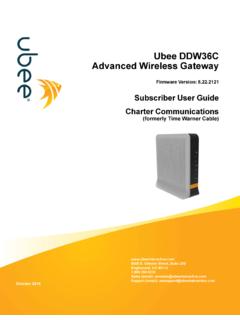
Transcription of Ubee DDW3611 Wireless Cable Modem Gateway
1 E. Nichols Ave, Suite 220 Englewood, CO (email): (email) 2016 ubee DDW3611 Wireless CableModem Gateway Firmware Version: User E. Nichols Ave, Suite 220 Englewood, CO (email): (email) 2016 Notices and CopyrightsCopyright 2016 ubee Interactive. All Rights Reserved. This document contains proprietary information of ubee and is not to bedisclosed or used except in accordance with applicable agreements. This material is protected by the copyright laws of the UnitedStates and other countries. It may not be reproduced, distributed, or altered in any fashion by any entity (either internal or external toUbee), except in accordance with applicable agreements, contracts, or licensing, without the express written consent of ubee and thebusiness management owner of the device is Wi-Fi Alliance Introduction.
2 Understanding safety and Regulatory Information .. Understanding Connections and Applications .. Requesting Support .. Checking Device Package Components .. Understanding the Device Rear Panel .. Understanding Specifications, Standards, and Firmware .. Understanding Default Values and Logins .. Understanding LED Operations.. 82 Installing the DDW3611 .. Setting Up and Connecting the DDW3611 .. Connecting Devices to the Network .. Troubleshooting the Installation .. 143 Using the Web User Interface .. Accessing the Web Interface .. Logging Out of the Web Interface .. Understanding Operation Modes and the Web User Interface.
3 194 Understanding the Modem Menu .. Using the Information Option .. Using the Status Option .. Using the Downstream Option .. Using the Upstream Option .. Using the Operation Config Option .. Using the Event Log Option .. 275 Understanding the Gateway Menu .. Using the Information Option .. Using the Setup Option .. Using the DHCP Option .. Using the DHCP Static Lease Option .. Using the DDNS Option .. Using the Time Option .. Using the Advanced Gateway Options .. Using the MAC Filtering Option .. Using the IP Filtering Option .. Using the Port Filtering Option .. Using the Forwarding Option .. Using the Port Triggering Option.
4 Using the Pass Through Option.. Using the DMZ Host Option .. 536 Understanding the Wireless Menu .. Using the Wireless Radio Option .. Using the Primary Network Option .. Using the Access Control Option .. Deploying and Troubleshooting the Wireless Network .. 667 Understanding the Firewall Menu .. Using the Content Filter Option .. Using the Event Log Option .. Using the Remote Log Option .. 748 Understanding the Parental Control Menu .. Using the Parental Control User Setup Option .. Using the Basic Option .. Using the Tod Filter Option .. Using the Event Log Option .. 809 Understanding the Tools Menu .. Using the Ping Option.
5 Using the Trace Route Option .. Using the Client List Option .. Using the User Defaults Option .. 8510 Glossary .. 87 ubee InteractiveUnderstanding safety and Regulatory InformationUbee DDW3611 Wireless Cable Modem Gateway Subscriber User Guide November 201211 IntroductionWelcome to the ubee family of data networking products. This guide is specific to the ubee DDW3611 Wireless Cable Modem Gateway and serves the following purposes: Provides multiple system operators (MSOs) for Cable systems with the information necessary to operationally stage, deploy, and support the DDW3611 . Provides the technical details needed to locally and remotely manage deployed devices.
6 This can involve setting up configuration files, downloading the files to the device, and obtaining information from the device for support and troubleshooting. Defines all relevant device compliance standards and physical specifications. Provides information used by the following MSO entities: Office of the CTO Procurement, Network Engineering, and Test Organizations Physical and Environmental Engineers Technical Operations Installation and Repair Customer Care Training Organizations Provides installation instructions and device Web interface instructions to configure and manage the device. TopicsSee the following topics: Understanding safety and Regulatory Information on page 1 Understanding Connections and Applications on page 3 Requesting Support on page 3 Checking Device Package Components on page 4 Understanding the Device Rear Panel on page 5 Understanding Specifications, Standards, and Firmware on page 6 Understanding Default Values and Logins on page 7 Understanding LED Operations on page safety and Regulatory InformationThe following information provides safety and regulatory standards to install, maintain.
7 And use the DDW3611 Wireless Modem safety and Regulatory InformationUbee Interactive2 ubee DDW3611 Wireless Cable Modem Gateway Subscriber User Guide November Understanding SafetyWARNING: The following information provides safety guidelines for anyone installing and maintaining the DDW3611 . Read all safety instructions in this guide before attempting to unpack, install, operate, or connect power to this product. Follow all instruction labels on the device itself. Comply with the following safety guidelines for proper operation of the device:Always follow basic safety precautions to reduce the risk of fire, electrical shock, and injury. To prevent fire or shock hazard, do not expose the unit to rain, moisture, or install this product near water.
8 Never spill any form of liquid on or into this product. Do not use liquid cleaners or aerosol cleaners on or close to the product. Use a soft dry cloth for not insert any sharp object into the product s module openings or empty slots. Doing so can accidentally damage its parts and/or cause electric discharge (ESD) can permanently damage semiconductor devices. Always follow ESD-prevention guidelines for equipment handling and only the power adaptor supplied with the device. Do not attach the power supply Cable to building surfaces or floorings. Rest the power Cable freely without any obstacles. Do not place heavy items on top of the power Cable . Refrain from abusing, stepping or walking on the Cable .
9 Do not place heavy objects on top of the device. Do not place the device on an unstable stand or table; the device can drop and become damaged. To protect the equipment from overheating, do not block the slots and openings in the module housing that provide ventilation. Do not expose this device to direct sunlight. Do not place any hot devices close to this device, as it may degrade or cause damage to Understanding Eco-Environmental StatementsThe following eco-environmental statements apply to the Collection and Recovery Requirements:Countries, states, localities, or other jurisdictions may require that systems be established for the return and/or collection of packaging waste from the consumer, or other end user, or from the waste stream.
10 Additionally, reuse, recovery, and/or recycling targets for the return and/or collection of the packaging waste can be established. For more information regarding collection and recovery of packaging and packaging waste within specific jurisdictions, contact ubee Interactive at Understanding Regulatory StatementsThe following regulatory statements apply to the InteractiveUnderstanding Connections and ApplicationsUbee DDW3611 Wireless Cable Modem Gateway Subscriber User Guide November 20123 Industry North America Statement:This device complies with RSS-210 of the Industry North America Rules. Operation is subject to the following two conditions:(1) This device may not cause harmful interference.