Example: bankruptcy

USER GUIDE: e-TICKET CANCELLATION

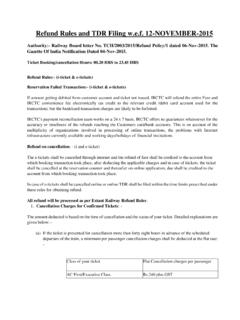
USER GUIDE: e-TICKET CANCELLATION Access IRCTC e-Ticketing website by providing correct Username and Password on Login screen. If user wishes to cancel his e-TICKET , go to 'My Transactions' and Click 'Booked Ticket History' link under My Account menu. Your booked tickets will be displayed, select the ticket to be cancelled and click on 'Cancel Ticket . Initiate the CANCELLATION by selecting the passengers to be cancelled User has to select only those passengers who are to be. In case of partial CANCELLATION , the passenger should get a fresh printout of the ERS for the passengers continuing their journey. Select the check box before the traveler s name and click on Cancel Ticket button. Confirmation pop up will display, select the OK button to confirm the CANCELLATION . On successful CANCELLATION , CANCELLATION amount deducted and Refund amount to be refunded will be displayed on screen.

NEW DELHI (NDLS) —LUCKNOW NR (LKO) Gende r 55m - Tue, 15 Jun Boarding Station: New Delhi (NDLS) Transaction ID : 200000072442219 Train No . : 09098 22 Jun 2021 07:05 Hrs - 22 Jun 2021 11:00 Hrs Vikalp Status : No Class: SL Convenience Fee (Incl. of GST) : 17.7 Charting Status : Chart Not Prepared Issue Date . Current Status CNF Booking Date .

Tags:

  Ndls

Information

Domain:

Source:

Link to this page:

Please notify us if you found a problem with this document:

Other abuse

Advertisement

Transcription of USER GUIDE: e-TICKET CANCELLATION

1 USER GUIDE: e-TICKET CANCELLATION Access IRCTC e-Ticketing website by providing correct Username and Password on Login screen. If user wishes to cancel his e-TICKET , go to 'My Transactions' and Click 'Booked Ticket History' link under My Account menu. Your booked tickets will be displayed, select the ticket to be cancelled and click on 'Cancel Ticket . Initiate the CANCELLATION by selecting the passengers to be cancelled User has to select only those passengers who are to be. In case of partial CANCELLATION , the passenger should get a fresh printout of the ERS for the passengers continuing their journey. Select the check box before the traveler s name and click on Cancel Ticket button. Confirmation pop up will display, select the OK button to confirm the CANCELLATION . On successful CANCELLATION , CANCELLATION amount deducted and Refund amount to be refunded will be displayed on screen.

2 Confirmation message for CANCELLATION will be sent on mobile number (provided at the time of booking). Confirmation mail for CANCELLATION will be sent on Email ID (registered with IRCTC User ID). If the ticket is partially cancelled, a fresh Electronic Reservation Slip needs to be carried by the Passenger. Sample CANCELLATION Receipt

Related search queries