Transcription of User Guide - MERCUSYS
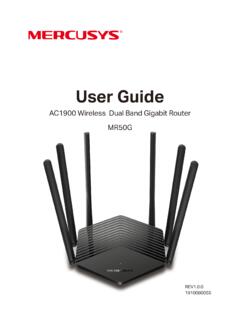
1 user Guide 300 Mbps Wireless N Router MW301R 1910080037 COPYRIGHT & TRADEMARK Specifications are subject to change without notice. is a registered trademark of MERCUSYS TECHNOLOGIES CO., LTD. Other brands and product names are trademarks or registered trademarks of their respective holders. No part of the specifications may be reproduced in any form or by any means or used to make any derivative such as translation, transformation, or adaptation without permission from MERCUSYS TECHNOLOGIES CO., LIMITED. Copyright 2018 MERCUSYS TECHNOLOGIES CO., LIMITED. All rights reserved. CE Mark Warning This is a class B product.
2 In a domestic environment, this product may cause radio interference, in which case the user may be required to take adequate measures. OPERATING FREQUENCY (the maximum transmitted power) 2400 MHz MHz(20dBm) EU declaration of conformity MERCUSYS hereby declares that the device is in compliance with the essential requirements and other relevant provisions of directives 2014/53/EU, 2009/125/EC and 2011/65/EU. The original EU declaration of conformity may be found at RF Exposure Information This device meets the EU requirements (2014/53/EU Article ) on the limitation of exposure of the general public to electromagnetic fields by way of health protection.
3 The device complies with RF specifications when the device used at 20 cm from your body. Продукт сертиф ковано зг дно с правилами системи УкрСЕПРО на в дпов дн сть вимогам нормативних документ в та вимогам, що передбачен чинними законодавчими актами Укра ни. Safety Information Keep the device away from water, fire, humidity or hot environments. Do not attempt to disassemble, repair, or modify the device. Do not use damaged charger or USB cable to charge the device. Do not use any other chargers than those recommended Do not use the device where wireless devices are not allowed. Adapter shall be installed near the equipment and shall be easily accessible.
4 Use only power supplies which are provided by manufacturer and in the original packing of this product. If you have any questions, please don't hesitate to contact us. Please read and follow the above safety information when operating the device. We cannot guarantee that no accidents or damage will occur due to improper use of the device. Please use this product with care and operate at your own risk. Explanation of the symbols on the product label Symbol Explanation DC voltage Indoor use only RECYCLING This product bears the selective sorting symbol for Waste electrical and electronic equipment (WEEE).
5 This means that this product must be handled pursuant to European directive 2012/19/EU in order to be recycled or dismantled to minimize its impact on the environment. user has the choice to give his product to a competent recycling organization or to the retailer when he buys a new electrical or electronic equipment. CONTENTS Conventions .. 1 Chapter 1. Introduction .. 2 Product Overview .. 2 Product Appearance .. 2 The Front Panel .. 2 The Rear Panel .. 3 Chapter 2. Connecting the Router .. 4 Position Your Router .. 4 Connecting the Router .. 4 Chapter 3. Quick Installation Guide .. 5 Chapter 4. Basic Configuration.
6 8 Device Management .. 8 Network .. 10 Wireless .. 12 Chapter 5. Advanced Configuration .. 13 Network .. 13 WAN Settings .. 13 LAN Settings .. 21 IPv6 .. 22 IPTV .. 24 MAC Address Settings .. 25 DHCP Server .. 26 IP & MAC Binding .. 27 Wireless .. 28 Host Network .. 28 Guest Network .. 30 WDS Bridging .. 31 Network Control .. 32 Parental Controls .. 32 Access Control .. 34 Advanced 37 Virtual Server .. 38 - I - DMZ Server .. 39 UPnP Settings .. 39 Advanced Routing .. 40 Dynamic DNS .. 41 System Tools .. 42 Web Management .. 43 Time 44 Firmware Upgrade .. 45 Backup & Restore .. 46 Reboot .. 47 Change Login Password.
7 47 Diagnostic 48 System Log .. 50 Appendix A: FAQ (Frequently Asked Questions) .. 51 Appendix B: Configuring the PC .. 53 - II - MW301R 300 Mbps Wireless N Router user Guide Conventions The router or MW301R, or device mentioned in this user Guide stands for MW301R 300 Mbps Wireless N Router without any explanations. Parameters provided in the pictures are just references for setting up the product, which may differ from the actual situation. You can set the parameters according to your demand. More Info Specifications and the latest software can be found at the product page at the official website The Quick Installation Guide can be found where you find this Guide or inside the package of the router.
8 Speed/Coverage Disclaimer *Maximum wireless signal rates are the physical rates derived from IEEE Standard specifications. Actual wireless data throughput and wireless coverage are not guaranteed and will vary as a result of 1) environmental factors, including building materials, physical objects, and obstacles, 2) network conditions, including local interference, volume and density of traffic, product location, network complexity, and network overhead, and 3) client limitations, including rated performance, location, connection, quality, and client condition. - 1 - MW301R 300 Mbps Wireless N Router user Guide Chapter 1. Introduction Product Overview The router integrates 3-port Switch, Firewall, NAT-Router and Wireless AP.
9 Powered by 2x2 MIMO technology, the router delivers exceptional range and speed, which can fully meet the need of Small Office/Home Office (SOHO) networks and the users demanding higher networking performance. Product Appearance The Front Panel The router s LEDs are located on the front panel (View from left to right). Name Status Indication (Power) Off Power is off. On Power is on. (Wi-Fi) Off The Wireless function is disabled. On The Wireless function is working properly. (WAN) Off The WAN port is not connected. On The WAN port is connected. Flashing The WAN port is transmitting/receiving data. (LAN) Off The corresponding port is not connected.
10 On The corresponding port is connected. - 2 - MW301R 300 Mbps Wireless N Router user Guide The Rear Panel The following items are located on the rear panel (View from left to right). Items Description LAN Ports These ports connect the router to the local devices. WAN Port This port is where you will connect the router to the DSL/cable Modem, or Ethernet. POWER Socket The power socket is where you will connect the power adapter. Please use the power adapter provided with this router. RESET Button Press and hold this button for more than 5 seconds to reset the router. Wireless Antennas To receive and transmit the wireless data.