Transcription of USER MANUAL - Challenger
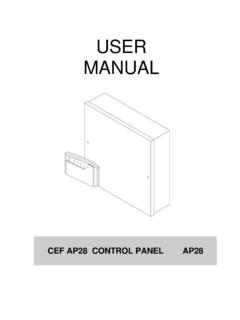
1 USERMANUALCHALLENGER VIII CONTROL PANEL5-051-718-00 WARNINGS1 This product has mains voltage present within the housing. Please take the necessary precautions innot allowing any liquid to spill on or into the are no user serviceable parts inside this unit conforms to ECD 89/336/EEC & LVD 73/23/EEC. This unit has been tested to the requiredstandards for emission, immunity and LVD regulations as set out by the EEC. This unit complies withEN50131-1 which relates to security control DESCRIPTIONThe Control panel is an 8 zone programmable microprocessor control panel using state of the arttechnology and building techniques. The Control panel has many advanced features that can onlybe found in more expensive control panels such as two user codes, Chime, Fire, and Keypad are many options in the programming functions to allow the control panel to be versatile anduser friendly.
2 This allows the Control panel to be the ideal choice of your product has been carefully designed and tested to give many reliable years of service, pleasemake sure the Control panel is regularly serviced at least once a year by your INFORMATIONNAMECOMPANYINSTALLATION DATETELEPHONEFAXMOBILEOTHER INFORMATIONM anufactured For City Electrical Factors By C&K Systems :0. FULL fully arm the system insert your user code, then leave the premises bythe authorised exit route. The continuos exit tone will sound from the controlpanel and from any remote keypads fitted. Any pulsed tones should return toa continuous tone once you have left the building and the sensors havecleared. The control panel will arm after the exit timer has run out, at thispoint the tone should cease. If for any reason the tone does not gocontinuous after all the sensors have cleared, return back to the panel orremote keypad and press # to abort the setting procedure.
3 If the internalsounder activates after the timer has expired, return back to the controlpanel or any remote keypad and insert your user code and press #. Nowrefer to fault clearing. (section 15:0)2:0. NIGHT night set the system insert your user code and then press * then 0. Thezones pre-programmed to be isolated will start to flash and the internalspeaker and any remote keypads will emit a low pitch continuos tone. If anyzones are activated while leaving the protected area the sound will changeto a pulsed tone. These should return to a continuous tone once you haveleft the protected area and the sensors have cleared. The control panel willarm after the exit timer has run out and the tone should cease. If for anyreason the tone does not change to continuous after you have left theprotected area press # to abort the setting procedure.
4 If the internal soundertriggers after the panel has set, return back to the control panel or anyremote keypad and insert your user code and press #. Now refer to faultclearing.(section 15:0)2:1. HOME home set the panel enter your code followed by * 8. This will isolate anychosen zones programmed for isolation. Please note that this settingmethod can allow the isolation of ALL entry routes. Follow the aboveparagraph for guidance regarding exit tones :0. MANUAL ISOLATION OF ALARM ZONES .There maybe occasions when you need to isolate zones other than thezones pre-programmed, arm the system as in 1:0. or 2:0. then press * thenthe zone number you wish to isolate. That zone will flash indicating asuccessful isolation, if you want more zones isolated press * and anotherzone. If any zone is barred from isolation an error tone will be that cannot be isolatedFirePATamperZone 1 in Full SetZone 8 FULL SETNIGHT SETHOMESETZONEISOLATION34:0.
5 DISARMING THE the protected area by the authorised entry route, a single continuous tonewill be made from the speaker and from any remote keypads fitted. Proceeddirectly to the control panel or keypad and insert your user code whereby thesystem will disarm. If the entry tone from the speaker changes to rapid pips thenyou have less than 10 seconds to disarm the :0. TAMPER control panel is equipped with a common tamper circuit giving protectionfrom unauthorised handling. If the tamper circuit is broken during any unsetperiod the internal sounder will trigger and the tamper light will directly to the panel or any remote keypads and insert your user code,the internal sounder will stop and revert to a low two tone sound. Press the # keythe panel will reset, if the tamper light continues to flash then the cause of thetamper condition is still present.
6 Now refer to fault clearing. (section 15:0)6:0. DISARMING AFTER AN ALARM6:0:1. AFTER THE PANEL HAS AUTO the protected area by the authorised entry route, an intermittent tone will be made from the speaker, proceed directly to the control panel or keypad and insert your user code, the system will disarm, the zone/s will light on the control panel to indicate the cause of the alarm, refer to panel reset section 14:0 to clear the first to alarm will show a constantly illuminated alarms are shown as fast flashing that were isolated are shown as slow flashing :0:2. WHILE PANEL IS IN ALARMGo directly to the control panel or remote keypad and insert your user code, the system will disarm, the zone/s will light on the control panel to indicate the cause of the alarm, refer to panel reset to clear.(section14:0)The lights follow the same descriptions as above in section 6:0 :0.
7 PERSONAL your system has a personal attack button fitted this will be linked into the alarmsystem as a 24hr device. This means the PA button will be live all the the PA is pressed all the sounders will operate and bring up the zone lightprogrammed as PA. Proceed directly to the panel or any remote keypads andinsert your user code, the sounders will stop and revert to a low two tone the # key the panel will reset, if the zone light continues to flash then thecause for the personal attack condition is still present. Go to the personal attackbutton/ s and reset with the special key provided, the zone light should go out. Ifthe light continues to flash refer to fault clearing.(section 15:0)Note: If the panel is armed and a PA is activated, you will need to disarm thesystem as explained in section 6 DISARMINGTAMPERDISARMINGAFTER ANALARMWHILE PANELIS IN ALARMPERSONALATTACK47:0:1.
8 PERSONAL ATTACK FROM REMOTE KEYPADIf your installer has fitted you a remote keypad then the * & # key can beprogrammed by the installer for personal attack. If this is the case thenpressing and holding the * & # key together will activate the alarm systemas in 7:0. The only difference is that the tamper light will illuminate. Insertyour user code, the sounders will stop and revert to a low two tone the # key and the panel will :0. installer may have linked some smoke detectors to the control panel, theseact very similar to PA devices with the exception that when activated in an unsetcondition, the internal sounder will give a loud whooping sound and the externalsounder will pulse in 2 second intervals. When the panel is set, the externalsounder will constantly sound. Make sure that every one exits the you are sure that it is safe to return back, proceed directly to the panel orany remote keypads and insert your user code.
9 The sounders will stop and revertto a low two tone sound. Press the # key the panel will FUNCTIONS & OPTIONS9:0. CODE maybe times that you need to change your user code. There are 2 usercodes that can be utilised. To help you remember your new code, write it downbefore changing it and after you have successfully changed and memorised thecode destroy the written code. Remember, try not to use obvious codes such as1066 or the current year. To change user code 1 from the panel or remotekeypad enter your existing user 1 code then press * then 9 then (1), four lightswill illuminate, enter your new 4 digit code. For every digit pressed of your newcode, one light will extinguish. Once your new code is entered the panel will giveyou an accept tone, if the panel does not accept your code then you may be inconflict with user code 2 or the engineering code, the panel will abort the codechange and retain your old code.
10 Try again with a different code. Check your newcode is functioning correctly by performing a full or night set then abort bypressing #.To change user 2 code go through the above procedure but press* then 9 then (2).Panel Default Code is 1,2,3,4 for user 1 2 code is disabled by FROMREMOTEKEYPADFIRECODE CHANGE5 user code access 1 code can alter both user 1 code can disable user 2 code . ( To disable user 2 code changed user 2 code to 0000) user 2 code has the same setting rights as the user 1 codeUser 2 code cannot alter the user 1 codeIf for any reason you loose your code or mistype in a code when changing it, theinstaller will need to be contacted to default the panel :0. SOUNDER TESTSIt is advisable to check the system is working correctly every week and especiallythe sounders. To do this go to the panel or remote keypad enter a user codethen press * then 9.