Transcription of v4.0.1 1 - Rev
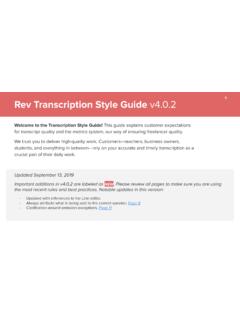
1 1. Rev caption Style Guide Welcome to the caption Style Guide! This guide explains customer expectations for captioning quality and the metrics system, our way of ensuring freelancer quality. We trust you to deliver high-quality work. Customers teachers, business owners, students, and everything in between rely on your accurate and timely captions as a crucial part of their daily work. Updated May 20, 2019. Important additions in are labeled as NEW. Please review all pages to make sure you are using the most recent rules and best practices. Notable updates in this version: - Always re- caption pre-existing captions.
2 (Page 8). - Lyrics must always be captioned if they are heard. (Page 12). - Exceptions for pre-existing on-screen text. (Page 21). Overview of Rules 2. Quality expectations fall into three categories: Accuracy, Formatting, and Alignment. Accuracy - Can you correctly hear and caption what words were said and who said them? Formatting - Can you correctly apply guidelines to caption groups? Alignment - Can you correctly sync the start of caption groups to when the sound or dialogue is heard? Each category has major errors* and minor errors which are the most common reasons customers return les to be re-done.
3 Errors in your work may lead to lowered metrics. Rev requires captioners to maintain certain metrics to remain active on Rev. Take special care in proo ng your work before submission. * The presence of major errors in a captions le can cause the le to be rejected by video platforms and cost customers large amounts of money. Grading Scale 3. A grade consists of scores on three categories: Accuracy, Formatting, and Alignment. 5 - Excellent Near perfect May contain a few errors that do not alter the meaning of the original video. 4 - Good Customer ready Noticeable number of minor errors that do not detract or alter the meaning of the video content.
4 3 - Fair Not customer ready One or more major errors present. 2 - Poor Not customer ready caption re ects severe carelessness or lack of understanding of the style guide. 1 - Very Poor Unusable caption is a poor representation of the video content or is incomplete.*. One or more major errors may result in a 1 - 4. One or more minor errors may result in a 2 - 5. Read this article for more information about how metrics work and a ect your account. * If you submit incomplete work your pay for the job will be removed, the project graded 1's for accuracy, formatting, & alignment, and your account may be closed after Support review.
5 Rev caption Terms 4. Captions - The audio content of a video in written form, appearing on screen for the viewer to read. Dash - Rev's online tool you use to caption videos. Find the Dash User Guide here. caption Groups - A unit of text that is shown on-screen, which may include dialogue or atmospherics. A caption group includes the timing of when to display its text during the video. caption Group Splitting - This refers to when you create a new caption group. caption Group Length - The number of characters, including spaces, in a caption group. Maximum is 60 characters, including spaces, per group.
6 Atmospherics - The non-dialogue sounds you hear during a video such as music or sound e ects. Homophones - Two words that sound alike but have di erent meanings and spellings. See page 9. Speaker Labels - The notation used to indicate the voice that is speaking. Pre-Existing On-Screen Text - Text that has been added by the lmmakers in post-production that contains important information for the viewer. Unclaim - If you do not wish to complete a caption project, or cannot for any reason, you can return it for others to work on. See page 6 for rules of when to unclaim. Deadlines - Read this article to understand project deadlines.
7 Browser Compatibility - Rev recommends that you use the most up-to-date version of Google Chrome when working with Dash. Index of Errors 5. Major Errors Minor Errors Precision Punctuation Wrong Words (Terminology/Homophones) Time / Numbers Accuracy Spelling Math / Graphing / Web Omission of Content Acronyms / Symbols / Technical Terms Lyrics Indicating Speaker Changes Speaker Labeling Pre-Existing On-Screen Text (Up-Arrow Carets) Using Atmospherics Formatting caption Group Formatting / caption Group Length Advanced caption Formatting Alignment Syncing Unworkable Projects Other Project-Speci c Instructions Unworkable Projects 6.
8 Certain types of projects are considered unworkable . Unclaim projects if they meet the criteria below. If you submit a project that has no meaningful English audio content captured, you will not be paid for NEW. the job and you may receive a grade of 1's for accuracy, formatting, & alignment. If Then There is no And all audio content Unclaim the project as English audio is foreign language Foreign language . content And there is video Unclaim the project as without sound Missing audio . And the entire video caption the video using consists of only appropriate atmospherics. sound e ects or instrumental music * Note: Sporadic English does not indicate a project should be worked on.
9 More information Project-Speci c Instructions 7. Occasionally a project may have special instructions that deviate from our normal guidelines. These instructions will appear in a yellow box in Dash. Only instructions in the yellow box are to be followed. Customers may include separate instructions that go against our Style Guide in the customer glossary or a provided script. Any requests in these resources that go against our style guidelines should be ignored. This error will be graded based on the instructions in either accuracy or formatting. NEVER copy and paste scripts you may nd online without thoroughly reviewing.
10 By submitting a project you are stating that you have watched and captioned the entire video accurately. Precision Major Accuracy Error 8. Always caption exactly what is said. Although spoken word is not always grammatically correct, your captions must preserve the integrity of the original speech. Do not write what you think the speaker meant to say. 1. Never omit words. NEW a. ALWAYS caption what is heard, even if there are pre-existing captions or subtitles on the video. b. EXCEPTIONS: see page 11. 2. Never add content, paraphrase, or rearrange the order of speech. a. Never translate or caption a foreign language.




![[CAPTION] MOTION TO WITHDRAW AS COUNSEL Comes …](/cache/preview/e/7/4/e/9/c/3/5/thumb-e74e9c350bc8b0326805d7e9e56b823f.jpg)