Transcription of Vendor Contract Compliance Forms - The Official …
1 1 NEW JERSEY OFFICE OF THE PUBIC DEFENDER Vendor Contract Compliance Forms Revised and correct as of: 04/05/2016 (Waivered Services for Pool Attorneys, Experts and All Other Professional Services Vendors) In order to conduct business with the New Jersey Office of the Public Defender (OPD), the State of New Jersey Department of the Treasury requires that all vendors possess a valid New Jersey Business Registration Certificate, register as a Vendor in NJSTART and be Vendor Contract compliant . To be eligible to provide services to the OPD, you must provide the OPD with the signed, dated, and fully completed Vendor Contract Compliance Forms and certificates as outlined below.
2 This is a 4-step process: Step 1: Register as a business in the State of New Jersey to obtain your Business Registration Certificate (if you are not currently registered) Step 2: Register as a Vendor in NJSTART (if you are not currently registered) Step 3: Review and complete the required Waivered Services Vendor Contract Compliance Forms listed below (11 documents in total) Step 4: Complete a current Vendor CONTACT INFORMATION SHEET and send to the OPD with your Vendor Contract Compliance documents packet. Please read carefully the instructions for each of the steps listed on the following pages.
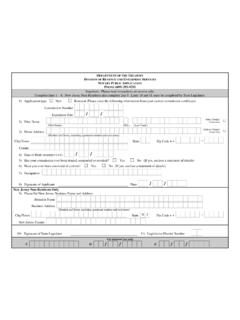
3 _____ Step 1: State of New Jersey Business Registration Certificate To conduct business with the State of New Jersey, you must possess a valid NJ Business Registration Certificate and provide a photocopy of your certificate to the OPD as part of your Vendor Contract Compliance packet. A. New Vendors: New Business Formation and Registration Applications: You can file your application directly on-line with the Division of Revenue. For detailed Information, click on the web link below: Sole Proprietorships Only (New Applications): Complete and use form NJ-REGA (Rev.)
4 12/06) 2 Corporations, Partnerships, LLC s, and All Others (New Applications): Complete and use form NJ-REG (03-11) B. Existing Vendors: Previously Registered: If you have previously registered to do business with the State of New Jersey, you can obtain a printable copy of your certification at the following web link: Business Registration Updates and Changes: All other Forms required by the Division of Revenue in order to make any changes or updates to your current Business Registration can be found at: Step 2.
5 NJSTART All vendors who conduct business with the State of New Jersey must register on-line with NJSTART. This process replaces the previously used New Jersey W9 Vendor Questionnaire form . The Tax Identification Number (TIN) that is used to obtain your Business Registration Certificate is the Tax Identification Number that must be used when registering in NJSTART. When entering your Tax Identification Number, be sure to enter numbers only, do not use spaces, hyphens, commas, or symbols of any kind. During the registration process, it is important to note that Vendor Legal Name in NJSTART refers to the Taxpayer Name listed on your Business Registration while Vendor Company Name refers to the Trade Name (or Doing Business ) used on your Business Registration Certificate.
6 Once you have registered successfully, NJSTART will automatically generate a unique 9-digit Vendor Number* (or V number, for example: V0000 XXXX). Please make a note of this V number as this will be your Vendor Identification Number when doing business with the State of New Jersey regardless of your TIN (FEIN or SSN). This V number will be also be used in the Pool Attorney Timekeeping System (PATS) and in the Expert Timekeeping System (ETS) when generating a Payment Voucher for billing. Treasury s accounting system will link your V number directly to your Tax Identification Number.
7 *New vendors doing business with the State of New Jersey will use only their V number as their Vendor ID Number and not their TIN. *Vendors who have previously registered as a Vendor with the State of New Jersey using their Tax Identification Number, but have not yet registered in NJSTART, still must register as a Vendor in NJSTART but may continue to use their original TIN as their Vendor ID Number on Payment Vouchers and will also retain their original TIN in the Pool Attorney Timekeeping System (PATS) or Expert Timekeeping System (ETS).
8 3 In the event that you make changes to your NJSTART Vendor record, you must send an e-mail notification to the OPD s Vendor Contract Compliance Unit so that we can update your information in the Pool Attorney Timekeeping System (PATS) or Expert Timekeeping System (ETS) accordingly. Please send all change notifications to: New vendors who intend to provide services to the OPD as an employee of an existing business entity (or law firm) that is currently providing services to the OPD must do the following: 1.
9 Ensure that the law firm or business entity is registered as a Vendor in NJSTART. 2. Contact the NJSTART Help Desk with the business entity s TIN and the NJSTART V Number to request their assistance in assigning a 2-digit location code as an identifier that is specific to that business entity s Vendor ID Number (be it their TIN or V number). In speaking with the NJSTART Help Desk, you must advise them that your name (as the additional employee to that business entity s TIN), must appear on the first address line. NJ Start Registration & Vendor Support: Visit the State of New Jersey, Department of the Treasury s Division of Purchase and Property website below.
10 Under the heading of NJSTART, select Enroll Now to begin t he registration process. This website provides full Vendor support for the registration process. You will find useful information such as Vendor Reference Guides, access to Vendor Forms and Help Desk Support for NJSTART. You can contact NJSTART s Help Desk Support directly by way of e-mail or telephone if assistance is needed. NJSTART Help Desk Support NJSTART E-mail Support: NJSTART Phone Support: (609) 341-3500 (Staffed Monday to Friday 8:30 am to 4:30 pm) Once you have registered in NJSTART, you should print and retain a copy of your registration confirmation.