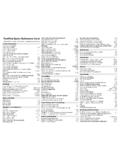
Transcription of VIM QUICK REFERENCE CARD - Free
1 VIM QUICK REFERENCE CARDB asic movementh l k j..character left, right; line up, downb w..word/token left, rightge e..end of word/token left, right{ }..beginning of previous, next paragraph( )..beginning of previous, next sentence0 gm..beginning, middle of line^ $..first, last character of linenGngg..linen, default the last, firstn%..percentagenof the file(nmust be provided)n|..columnnof current line%..match of next brace, bracket, comment,#definenHnL..linenfrom start, bottom of windowM..middle line of windowInsertion & replace insert modei a..insert before, after cursorI A..insert at beginning, end of linegI..insert text in first columno O..open a new line below, above the current linerc ..replace character under cursor withcgrc ..liker, but without affecting layoutR..replace characters starting at the cursorgR..likeR, but without affecting layoutcm.
2 Change text of movement commandmccorS..change current lineC..change to the end of lines..change one character and insert~..switch case and advance cursorg~m ..switch case of movement commandmgumgUm ..lowercase, uppercase text of movementm<m >m ..shift left, right text of movementmn<< n>> ..shiftnlines left, rightDeletionx X..delete character under, before cursordm ..delete text of movement commandmdd D..delete current line, to the end of lineJ gJ..join current line with next, without space:rd ..delete rangerlines:rdx ..delete rangerlines into registerxInsert mode Vc Vn ..insert charcliterally, decimal valuen A..insert previously inserted text ..same as Aand stop insert command mode Rx R Rx ..insert content of registerx, literally N P..text completion before, after cursor W..delete word before cursor U..delete all inserted character in current line D T.
3 Shift left, right one shift width Kc1c2orc1 c2..enter digraph{c1, c2} Oc ..executecin temporary command mode X E X Y..scroll up, down esc or [..abandon edition command modeCopying"x ..use registerxfor next delete, yank, put:reg ..show the content of all registers:regx ..show the content of registersxym ..yank the text of movement commandmyyorY..yank current line into registerp P..put register after, before cursor position]p [p..likep,Pwith indent adjustedgp gP..likep,Pleaving cursor after new textAdvanced insertiong?m ..perform rot13 encoding on movementmn An X..+n, nto number under cursorgqm ..format lines of movementmto fixed width:rcew ..center lines in rangerto widthw:rlei ..left align lines in rangerwith indenti:rriw ..right align lines in rangerto widthw!mc .filter lines of movementmthrough commandcn!!c ..filternlines through commandc:r!]
4 C ..filter rangerlines through commandcVisual modev V V..start/stop highlighting characters, lines, blocko..exchange cursor position with start of highlightinggv..start highlighting on previous visual areaaw as ap..select a word, a sentence, a paragraphab aB..select a block ( ), a block{ }Undoing, repeating & registersu U..undo last command, restore last changed line. R..repeat last changes, redo last ..repeat last changes with count replaced bynqcqC ..record, append typed characters in registercq..stop recording@c ..execute the content of registerc@ ..repeat previous@command:@c ..execute registercas anExcommand:rg/p/c ..executeExcommandcon rangerbwhere patternpmatchesComplex movement- +..line up, down on first non-blank characterB W..space-separated word left, rightgE E..end of space-separated word left, rightn..downn 1 line on first non-blank characterg0.
5 Beginning ofscreenlineg^ g$..first, last character ofscreenlinegk gj..screenline up, downfcFc ..next, previous occurence of characterctcTc ..before next, previous occurence ofc; ,..repeat lastfFtT, in opposite direction[[ ]]..start of section backward, forward[] ][..end of section backward, forward[( ])..unclosed (, ) backward, forward[{ ]}..unclosed{,}backward, forward[m ]m..start of backward, forwardJavamethod[# ]#.unclosed#if,#else,#endifbackward, forward[* ]*..start, end of/* */backward, forwardSearch & substitution/s ?s ..search forward, backward fors/s/o ?s?o ..search fwd, bwd forswith offsetonor/ ..repeat forward last searchNor? ..repeat backward last search# *..search backward, forward for word under cursorg# g*..same, but also find partial matchesgd gD..local, global definition of symbol under cursor:rs/f/t/x.
6 Substitutefbytin rangerbx:g all occurrences,c confirm changes:rsx ..repeat substitution with newr&xSpecial characters in search patterns. $..any single character, start, end of line\<\> ..start, end of word[c1-c2]..a single character in [ c1-c2]..a single character not in range\i \k \I \K..an identifier, keyword; excl. digits\f \p \F \P..a file name, printable char.; excl. digits\s \S..a white space, a non-white space\e \t \r \b.. esc , tab , , \= * \+..match , , of preceding atoms\|..separate two branches ( or)\( \)..group patterns into an atom\& \n ..the whole matched pattern,nth()group\u \l..next character made upper, lowercase\c \C..ignore, match case on next patternOffsets in search commandsnor+n .. nline downward in column 1-n .. nline upward in column 1e+ne-n .. ncharacters right, left to end of matchs+ns-n.
7 Ncharacters right, left to start of match;sc ..execute search commandscnextMarks and motionsmc ..mark current position with markc [ ] c C ..go to markcin current,Cin any file ..go to last exit position "..go to position before jump, at last edit [ ]..go to start, end of previously operated text:marks ..print the active marks list:jumps ..print the jump listn O..go tontholder position in jump listn I..go tonthnewer position in jump listKey mapping & abbreviations:mapc e ..mapc7 ein normal & visual mode:map!c e ..mapc7 ein insert & cmd-line mode:unmapc :unmap!c ..remove mappingc:mkf ..write current mappings, to filef:abc e ..add abbreviation forc7 e:abc ..show abbreviations starting withc:unac ..remove abbreviationcTags:tat ..jump to tagt:nta ..jump tonthnewer tag in list ] T..jump to the tag under cursor, return from tag:tst.
8 List matching tags and select one for jump:tjt ..jump to tag or select one if multiple matches:tags ..print tag list:npo :n T ..jump back from, tontholder tag:tl ..jump to last matching tag W} :ptt ..preview tag under cursor, tagt W]..split window and show tag under cursor Wzor:pc ..close tag preview windowScrolling & multi-windowing E Y..scroll line up, down D U..scroll half a page up, down F B..scroll page up, downztorz ..set current line at top of ..set current line at center of windowzborz-..set current line at bottom of windowzh zl..scroll one character to the right, leftzH zL..scroll half a screen to the right, left Wsor:split ..split window in two Wnor:new ..create new empty window Woor:on ..make current window one on screen Wj Wk..move to window below, above Ww W W..move to window below, above (wrap)Ex commands ( ):ef.
9 Edit filef, unless changes have been made:e!f ..edit filefalways (by default reload current):wn :wN..write file and edit next, previous one:n :N..edit next, previous file in list:rw..write rangerto current file:rwf ..write rangerto filef:rw>>f ..append rangerto filef:q :q!..quit and confirm, quit and discard changes:wqor:xorZZ..write to current file and exit up down ..recall commands starting with current:rf ..insert content of filefbelow cursor:r!c..insert output of commandcbelow cursor:args..display the argument list:rcoa:rma..copy, move rangerbelow lineaEx ranges, ;..separates two lines numbers, set to first linen..an absolute line numbern. $..the current line, the last line in file% *..entire file, visual area t ..position of markt/p/ ?p?..the next, previous line wherepmatches+n-n ..+n, nto the preceding line numberFoldingzfm.
10 Create fold of movementm:rfo..create fold for rangerzd zE..delete fold at cursor, all in windowzo zc zO zC..open, close one fold; recursively[z ]z..move to start, end of current open foldzj zk..move down, up to start, end of next foldMiscellaneous:sh :!c ..start shell, execute commandcin shellK..lookup keyword under cursor withman:make ..startmake, read errors and jump to first:cn :cp ..display the next, previous error:cl :cf ..list all errors, read errors from file L G..redraw screen, show filename and positiong G..show cursor column, line, and character positionga..show ASCII value of character under cursorgf..open file which filename is under cursor:redir>f ..redirect output to filef:mkview[f]..save view configuration [to filef]:loadview[f]..load view configuration [from filef] @ K \ Fn Fn..unmapped keysThis card may be freely distributed under the terms of the GNUgeneral public licence Copyrightc by Laurent Gr egoire The author assumes noresponsibility for any errors on this card.