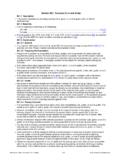
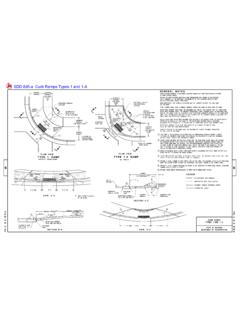
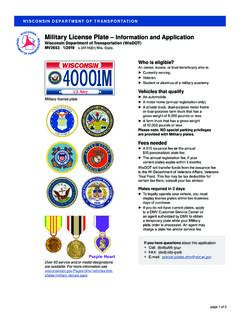
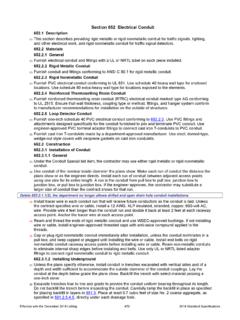
Transcription of WI IRP Application - Schedule B New Operation
1 WI IRP Application Schedule B NEW Operation Wisconsin department of transportation MV2854. INSTRUCTIONS. Page 3 13. Contact Person (Area Code) Telephone Number: Enter 25. Check one of the four boxes to describe the mileage in 1. Operation Start Date: Enter the date that you intend to the telephone number where the contact person can be each jurisdiction. If the vehicle(s) for which you are start operations . This date holds you accountable for reached if there are questions regarding your Application . obtaining IRP plates did not previously have IRP plates filing requirements and cannot be back-dated. If you are 14. Permit Service Name (Power of Attorney required if while you were the owner, you will be assigned miles applying at the end of the month, you may want to permit service is used): Enter the name of the permit based on Wisconsin's Estimated Mileage Chart.
2 If the consider a start date at the beginning of the next month service that will be providing service for the applicant and vehicle for which you are obtaining IRP plates previously as you will be billed for the entire month in which you submit the Power of Attorney document. had IRP plates and you were the vehicle owner at that apply. 15. Permit Service (Area Code) Telephone Number: Enter time, you need to provide actual miles for the applicable the phone number of the permit service. report period even if someone else provided the IRP. 2. Federal Employer ID # (FEIN)/SSN: Enter your own plates. Write these miles in the Mileage box next to the Federal Employer ID Number. This is the licensee's 16. Permit Service Address, City, State, ZIP Code: Enter the applicable jurisdiction.
3 All jurisdictions will be on your cab 9-digit number issued by the Internal Revenue Service. address of the permit service. card per full reciprocity. Individuals and corporations can obtain a FEIN at 17. Permit Service Email Address or Fax No.: Enter either If applying as an individual, you may use the email address or the fax no. of the permit service. Page 5. your Social Security Number if you don't have a FEIN If you have a truck that pulls a separately registered trailer 18. Fleet Type: Check the box of the Operation classification Number. you need to indicate the unladen weight, the gross weight that applies to you. Your US DOT Number should also 3. US DOT Number or Owner Operator: Enter your own US reflect the same classification.
4 If you check and the combination gross weight. If you have a straight DOT Number if you have your own authority or are a owner/operator, that means you are leased onto another truck, indicate the unladen weight and the gross weight. If private carrier. If you are leased to another carrier's carrier and you will need to submit a Lease Verification you have a tractor trailer (semi) indicate the unladen weight authority enter their US DOT Number. You can obtain a between Owner/Operator and Lessee. and the combined gross weight. The unladen weight is the US DOT Number at empty weight of the power unit. The gross weight is the 19. Commodity Type: Check the box that describes your 4. If you currently have or were previously issued a cargo classification.
5 Check All if your commodity type is weight of the power unit fully loaded and the combination WI # for IRP, please list your WI #. If not, leave blank. not listed. gross weight is the weight of the power unit and trailer fully 5. Registrant Name: Enter your exact full legal name in loaded. 20. Business Type: Check the box that describes your which you are applying. (Not your DBA Name) If you business type for which you are applying. Remember to sign and date your Application . are applying as a Corporation or LLC/LLP, this name 21. Do you operate in Wyoming under a Wyoming Operating Electronic Credential Waiver: If an individual voluntarily must match how it is registered with the Wisconsin Authority? Check the appropriate box if you have a license chooses to prove credentials by presenting the traffic officer, department of Financial Institutions and your US DOT.
6 Issued by the Federal Motor Carrier Safety Administration or other government employee, with an electronic device, Number. or state agency granting permission to haul for hire then the individual waives all claims for any damage caused, 6. Registrant Email Address: Enter email address of intrastate within the state of Wyoming. or believed to be caused, by the traffic officer, or other registrant. government employee, to the electronic device. 7. Street Address, City, State, ZIP Code: Enter complete Page 4 Notwithstanding this waiver, if the traffic officer, or other physical address of registrant. This must be a Wisconsin 22. Have you ever had IRP registration in any state or government employee, causes damage to the electronic address.
7 Province? Check the correct box indicating if you have device by acting willfully, maliciously, fraudulently, in bad 8. Registrant (Area Code) Telephone Number: Enter the ever had IRP registration. If you have had IRP faith, or beyond his or her authority, then the traffic officer, or registrant's phone number. registration in the past, write the account number in the other government employee, shall be liable for damage to 9. Mailing Address, City, State, ZIP Code: Enter your space provided. the electronic device. The Applicant agrees to inform any mailing address only if different from the physical 23. Vehicle(s) Previously Registered: Check the box that individual to whom this waiver applies of the liability imposed address. All letters and reporting forms will be sent to the describes how the vehicles you are registering have on them by this waiver.
8 Mailing address. been licensed in the past. Invisible disability notice to law enforcement form: 10. Registrant (Area Code) Fax Number: Enter the 24. International Fuel Tax Agreement, IFTA Are you or at DMV Service Centers. registrant's fax number. responsible for filing Fuel Tax reports? Check the box 11. Contact Person (Regarding Application ): Enter the name that indicates if you are submitting an IFTA Application . If of the individual filing your Application in case there are you are applying for IRP and IFTA, send both questions regarding your Application . applications together and send to either the IRP or IFTA. address. You must include payment for IFTA with the 12. Contact Person Email Address: Enter the email Application . address of the individual filing your Application in case there are questions regarding your Application .
9 Page 1 of 5. WI IRP NEW operations (INTERSTATE) CHECKLIST Wisconsin department of transportation MV2854. If you are a For Hire Carrier, your MC Authority must be Active before submission, or your Application may be returned. We allow for a minimum 10-day turnaround for processing. Your Application may be delayed or returned if any items on this checklist are not provided. Your IRP bill will be emailed or faxed upon completion. After payment is made, you can request a temporary cab card to be emailed. Plates and Cab Cards will be mailed to the physical address the following business day after payment is made. 1. Eligibility for IRP in Wisconsin: Applicants must submit a minimum of 3 of the following proofs in order to obtain IRP registration in WI.
10 Federal Tax showing WI Address Registered with WiDFI Utility Bill Showing WI Address Personal Tax showing WI Address Property Tax showing WI Address Active MC Showing WI Address Other (indicate): 2. Driver License: If you are applying as an individual (not a corporation or LLC), you must have a valid Wisconsin driver license if you are the primary driver. The driver license can be one of the 3 items needed for proof of residency. 3. Title: Vehicles must be titled in Wisconsin. Exception: if vehicle is leased from out of state, owner's name must be entered on IRP Application with owner's purchase price and date. [Trans ; & (3)]. 4. Previous IRP Registration: If you previously had IRP, you must provide us with the previously issued account number.