Transcription of WorldShip 2021 - UPS
1 2006-2021 United Parcel Service of America, Inc. UPS, the UPS brandmark and the color brown are trademarks of United Parcel Service of America, Inc. All rights reserved. 01/20Wo r l d S h i p 2021 User GuideThe WorldShip software provides an easy way to automate your shipping tasks. You can quickly process all your UPS shipments, print labels and invoices, electronically transmit daily shipping information to UPS and track your shipments. 2006-2021 United Parcel Service of America, Inc. All rights reserved. 01/21 User Guide iTable of packages or of , classifying and reconciling and and rating features and Goods 2006-2021 United Parcel Service of America, Inc. All rights reserved. 01/21 User Guide 1 Processing shipmentsProcessing shipmentsProcessing a single-piece . : Once you have processed all your packages and shipments, complete the End of Day a shipment with.
2 (s). (s). a multiple-piece shipment single address/consignee ( , Puerto Rico and Canada) ,. ,. : If a procedure does not reference a command, the ribbon is minimized in the screen samples. Use the and in the top right corner to maximize and minimize the 2006-2021 United Parcel Service of America, Inc. All rights reserved. 01/21 User Guide 2 Processing shipments Processing shipments (continued)(continued)Processing larger shipmentsFor larger shipments to a single consignee from the , Puerto Rico or Canada, follow these steps: ,. ,. Total Shipment Weight,. Package Weights on Shipping Window,. ( ).Shipment.( ),. ,. 2006-2021 United Parcel Service of America, Inc. All rights reserved. 01/21 User Guide 3 Processing international shipmentsProcessing international shipmentsWhen you process a package to an international destination, WorldShip can generate the necessary export a customs.
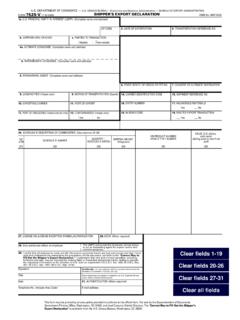
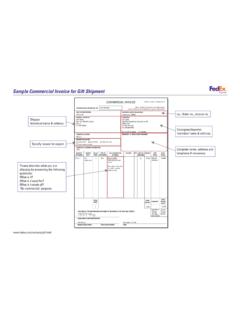
3 ,. My Documentation export ,. ,. ,. ,. file my EEI for export Information,. (s). 2006-2021 United Parcel Service of America, Inc. All rights reserved. 01/21 User Guide 4 Processing international shipments Processing international shipments (continued)(continued) ,. ,. an : If you disable the invoice creation feature in WorldShip , you should type the customs value for shipments from the to Canada and Puerto Rico in order to speed up customs : International Shipments whose contents are NOT documents must have three (3) copies of the invoice and any other required export documentation attached to the lead electronically file Electronic export Information (EEI) with the Census Bureau, you must first register and become an authorized user of the AESD irect Web site. Then follow these steps:Enabling the AES pre departure ,. Editor,. export Information.
4 With AES Direct (AES option 2). ,. an international shipment using the AES pre departure To,. ,. ,. ,. Reference Transaction to ,. Submit EEI to ,. ,. WorldShip Help;. Shipper Agreement/Power of AttorneyFor and Puerto Rico Origin Shippers ,. WorldShip Help;. Shipper of 2006-2021 United Parcel Service of America, Inc. All rights reserved. 01/21 User Guide 5 Processing shipments with future pickup datesProcessing shipments with future pickup datesWith WorldShip Future Date Processing, you can process shipments with a pickup date of up to 183 calendar days in the Future Date ,. ,. Preferences Select Pickup Date 2006-2021 United Parcel Service of America, Inc. All rights reserved. 01/21 User Guide 6 Processing shipments with future pickup dates Processing shipments with future pickup dates (continued)(continued)Selecting an Active Pickup.
5 ,. ,. ,. ,. ,. ,. A . : If you do not require the ability to process shipments with a future date, no action is needed. Your system is already configured to process shipments for the current an Active Pickup ,. ,. Active Pickup . ,. ,. ,. ,. Pickup ,. ,. (s). ,. WorldShip Help;. Date Processing returnsProcessing returnsUPS offers a comprehensive portfolio of return services to streamline your merchandise return process. Repeat a shipment in the Shipment History as a return or create a new return package in the Shipping a ,. ,. ,. : Return Services may be limited in your area. Please visit for a complete list of valid a forward shipment with a corresponding return Return ,. : To set a preference for the With Return Services check box, go to the Shipping tab in the System Preferences 2006-2021 United Parcel Service of America, Inc. All rights reserved.
6 01/21 User Guide 7 Editing packages and shipmentsEditing packages and shipmentsWorldShip allows you to edit packages and shipments you have already processed, but for which you have not yet run the End of Day a Package or UPS Pickups ,.. ,.. ( )Deleting a single package in a multiple-piece shipment1.. ,. ,. Shipment,. ( ) Only: For billing problems, call our Billing Department at 1-800-811-1648 and provide the tracking number(s) and pickup record number(s).Shipping 2006-2021 United Parcel Service of America, Inc. All rights reserved. 01/21 User Guide 8 Processing freight shipmentsProcessing freight shipmentsAbout Ground Freight ,. ( ),.Canada,. ,.Guam,. Air Freight ,. a freight ,. ,. ,. ,. ,. ,. ,. commodity ,. ,. ( ).. Draft . ,. ,. ,. : You can set a shipper setting to print a specific number of labels per handling unit and loose item. On the Tools tab, select Shipper Editor, highlight shipper information and then click Modify.
7 Select the Freight tab and then enter the number of labels to print per handling unit and per loose 2006-2021 United Parcel Service of America, Inc. All rights reserved. 01/21 User Guide 9 Processing freight shipments Processing freight shipments (continued)(continued)Entering commodity ,. ,. : As an alternative to manually adding commodities to the commodity list, click Commodity Search and use the Commodity Search window to access commodities entered previously in the Commodity Editor. This search is useful when entering many commodities in a freight 2006-2021 United Parcel Service of America, Inc. All rights reserved. 01/21 User Guide 10 Processing freight shipments Processing freight shipments (continued)(continued)Scheduling a pickup of a single Ground Freight ,. Freight Pickup : You can also schedule a pickup request during shipment processing if you set a system preference.
8 On the Tools tab, select System Preferences and then Shipping; select the Schedule Pickup during Freight Processing check ,. ,. ,. ,. a pickup of multiple Ground Freight ,. ,. Pickup ,. 2006-2021 United Parcel Service of America, Inc. All rights reserved. 01/21 User Guide 11 Processing freight shipments Processing freight shipments (continued)(continued)Scheduling a pickup or drop off of an Air Freight Off ,. : Shipped As,. Off,. ,. : Shipped As,. Off,. Note: Your choice determines the remaining active and inactive fields in this window. Off,. ,. ,. ,. Location,. : All other fields show the Ship From address and cannot be updated. 2006-2021 United Parcel Service of America, Inc. All rights reserved. 01/21 User Guide 12 Processing freight shipments Processing freight shipments (continued)(continued)Viewing your freight shipment(s) in Shipment (s).
9 2006-2021 United Parcel Service of America, Inc. All rights reserved. 01/21 User Guide 13 Profile EditorProfile EditorUse the Profile Editor to add, delete or modify a profile, which is a saved collection of predefined preferences, including various service options, package options, shipment options and reference numbers. Then you can assign the profile to one or more a profileAdding a ,. ,. ,. Save As window,. ,. ,.. : If you want to base a new profile on an existing profile, select the existing profile name, modify the fields, and in the ribbon, click Save As. In the , type a unique name, up to 35 characters, and then click a profile to a shipperAssigning a profile to a ,. ,. Profile to : ,. ,. Profile To All Profile 2006-2021 United Parcel Service of America, Inc. All rights reserved. 01/21 User Guide 14 Assigning a profile to a customer in the address bookAssigning a profile to a customer in the address.
10 Or Book Search window,. New Address ,. : You can also assign a profile using the Shipper Editor or you can select the profile from the Shipping 2006-2021 United Parcel Service of America, Inc. All rights reserved. 01/21 User Guide 15 Printing reportsPrinting reportsEach time you complete the End of Day process, the following reports may print automatically:Daily Shipment Detail Preferences Editor,.Shipment Detail Report ,. Value ,. ,. ,. : Be sure to give this report to your UPS driver when he or she picks up the high value packages. The UPS driver signs the report and records the pickup time and the total number of high value packages on the last line of this report. Since these pickup details are on the report the driver takes with the packages, make a copy of the driver s report with the pickup details if you want pickup confirmation for your records. Since pickup details include driver s signature and handwritten information, it cannot be Driver Transmission Control ( Rico/ Canada Origins) : Be sure to give this report to your UPS driver when he or she picks up the Summary Barcode Report ( Rico/Canada Origins)/ UPS Manifest Summary ( Rico/Canada Origins).