Transcription of WS5100 Series Switch - Isis Integration Ltd
1 WS5100 Series Switch Installation Guide 2007 Motorola, Inc. All rights reserved. MOTOROLA and the Stylized M Logo are registered in the US Patent & Trademark Office. Symbol is a registered trademark of Motorola, Inc. All other product or service names are the property of their respective owners. Contents Chapter 1. Introduction Package Contents .. 1-1. Document Conventions .. 1-2. Warnings .. 1-2. Site Preparation.. 1-3. Chapter 2. Specifications Physical Specifications .. 2-1. Power Cord Specifications .. 2-1. Power Protection .. 2-2. Cable Requirements .. 2-2.
2 LED Codes .. 2-2. Start Up .. 2-2. Primary.. 2-3. Standby .. 2-3. Error Codes .. 2-3. Chapter 3. Hardware Setup Installing the WS5100 .. 3-1. Adding the WS5100 to the Network.. 3-2. Supplying Power to the WS5100 .. 3-2. Verifying the Installation .. 3-3. TOC-4 WS5100 Series Switch Installation Guide Chapter 4. Configuration Logging Into the CLI.. 4-1. Configuring the WS5100 IP Address.. 4-2. DHCP Configuration.. 4-2. Setting Static IP Information .. 4-2. Preliminary Switch Configuration .. 4-3. Web UI Requirements .. 4-3. Launching the WS5100 Series Switch Web UI.
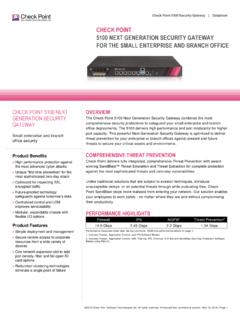
3 4-3. Verifying the Configuration .. 4-11. Chapter 5. Shutting Down the WS5100 . Shutting Down From the Switch Web UI .. 5-1. Shutting Down From the CLI .. 5-2. Chapter 6. Regulatory Information Chapter 7. Part Numbers and Support Chapter 8. End-User License Agreement Introduction The WS5100 Series Switch is the high-performance member of Motorola's Wireless Switch family. The WS5100 Series Switch provides centralized Wireless LAN (WLAN). configuration and management by coalescing network intelligence previously spread across physically distributed access points.
4 By replacing access points with simpler access ports (or thin access points), the WS5100 becomes a WLAN's single point of contact, thus reducing wireless networking complexity by moving management out of the ceiling and into the wiring closet. In addition, through the use of Motorola's patented Virtual AP. architecture, the WS5100 lets you create multiple WLANs without changing or adding to the existing wired network infrastructure. This Installation Guide is written for the network device installer. Package Contents Inspect the package contents and report any missing or damaged items to your sales representative.
5 The package should contain the following: WS5100 Wireless Switch Installation Guide (this document). Rack-mounting brackets (2). Mounting screws (4). Console cable 1-2 WS5100 Series Switch Installation Guide Document Conventions The following graphical alerts are used in this document to indicate notable situations: NOTE: Tips, hints, or special requirements that you should take note of. CAUTION: Care is required. Disregarding a caution can result in data loss ! or equipment malfunction. WARNING! Indicates a condition or procedure that could result in personal injury or equipment damage.
6 Warnings Read all installation instructions and site survey reports. Verify correct equipment installation before connecting the system to its power source. Remove jewelry and watches before installing this equipment. Install the equipment in a rack with adequate dimensions and weight allowances. Verify the rack is anchored and cannot tip over or break away from its mountings. Verify the unit is grounded before connecting it to the power source. Verify any device connected to this unit is properly wired and grounded. Connect all power cords to a properly wired and grounded electrical circuit.
7 Verify the electrical circuits have appropriate overload protection. Attach only approved power cords to the device. Motorola strongly recommends the use of an Uninterruptible Power Supply (UPS) that supports the WS5100 power rating. Not using a UPS can result in data loss or equipment damage due to a power surge or power failure. 1-3. Verify the power connector and socket are accessible at all times during the operation of the equipment. Do not work with power circuits in dimly lit spaces. Do not install this equipment or work with its power circuits during thunderstorms or other weather conditions that could cause a power surge.
8 Verify there is adequate ventilation around the device, and ambient temperatures meet equipment operation specifications. Site Preparation Consult your site survey and network analysis reports to determine specific equipment placement, port capacity, power drops etc. Assign installation responsibility to the appropriate personnel. Identify where all installed components are located. Verify appropriate rack mounting requirements. Provide a sufficient number of power drops for your equipment. Ensure adequate, dust-free ventilation to all installed equipment. Identify and prepare Ethernet and console port connections.
9 Verify cable lengths are within the maximum allowable distances for optimal signal transmission. Verify the WS5100 is powered through a UPS. 1-4 WS5100 Series Switch Installation Guide Specifications Physical Specifications Width cm / in. (with mounting brackets). cm / in. (without mounting brackets). Height cm / in. Depth cm / in. Weight kg / lbs. Max Power Consumption 100 VAC, 50/60 Hz, 3A. 240 VAC, 50/60 Hz, Operating Temperature 10 C - 35 C / 50 F - 95 F. Operating Humidity 5% - 85% without condensation Power Cord Specifications A power cord is not supplied with the device.
10 Use only a correctly rated power cord certified (as appropriate) for the country of operation. 2-2 WS5100 Series Switch Installation Guide Power Protection If possible, use a circuit dedicated to data processing equipment. Commercial electrical contractors are familiar with wiring for data processing equipment and can help with the load balancing of these circuits. Install surge protection. Be sure to use a surge protection device between the electricity source and the Switch . Install an Uninterruptible Power Supply (UPS). A UPS provides continuous power during a power outage.