Transcription of www.mainelectronics
1 TO PROGRAM A DSC SYSTEM A TUTORIALOur goal is to show you how to enter values into the DSC operating system, not to tell you what thosevalues should be (although we will include some examples of values that you may wish to program). We previously based the instructions on a Power 832/PC 5010, and although the new line of DSCpanels is programmed in the same way, there are a few differences. Please note that if you have asystem that pre-dates the "Power Series," you will find significant differences from the valuesdiscussed here (two-digit section numbers, for example).
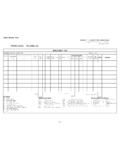
2 However, the same programming methodscan be applied to any DSC system. If you have a 5500 keypad, (either the old LCD5500 or the new PKor RFK5500) so much the better, but none of the programming techniques that will be discussed hereare keypad-dependent, and programming can be accomplished with any important: Before you even attempt to begin programming, you should have a programmingworksheet in front of you. With the old systems, the worksheet was a separate document for the 832and 864, but was contained in the installation manual for the 632.
3 For the new systems, you l wantthe ower Series Installation Guide,also referred to as the nstallation Manual(not the uick document has the Programming Worksheet in the back. (You should probably avoid the new ower Series Programming Guide,a blue-and-white monstrosity that lists all the programming fieldsusing a font that is approximately the size of an amoeba.) Ideally, before you begin programming you'llhave the worksheet filled out with the values you wish to use, but even if you don't, the worksheet is anindispensable roadmap that will guide you through the process.)
4 It also contains the default values forall the programming CODESA lthough the term "Master Code" sounds impressive, the master code is simply an access code whichgives the system owner a little bit more control over the system than he/she would have with anordinary access code. In order to program the system, however, you'll need to use what is known as the"Installer Code." For the old Power 832/PC 5010, the default Installer's Code is 5010. But for theold 632, 864, and ALL the new panels, the default Installer Code is 5555.
5 You can always find thecode in the instruction manual or in the programming worksheet. For maximum security, it's alsorecommended that you change the installer's code to one of your own choosing (but different from themaster code). However, to avoid confusion, it wise to leave the installer code alone untileverything has been programmed, tested, and is working 'S BEGINIn order to program your system, you must enter what is known as "Installer's Programming". Thecommand for this is *8; this is followed by the Installer's Code.
6 So to begin programming you'll enter:*8 Installer Code (default is 5555 or 555555)The rogramlight will flash, and the rmedlight will turn on. This means you are in Installer'sProgramming, and the system is waiting for you to tell it which section you want to program. It is DSC practice to discuss "keypad programming" as the first order of business in the manuals. But unless you are dividing your system into two or more partitions (and if you have to ask what thatmeans, then trust me, you are not using partitions), then it is not essential for you to do keypadprogramming at this time (or perhaps ever).
7 We can talk about it later, but for right now, it quitelikely to get you into hot water. So let's get to the good System Programming begins with zone definitions. Since the definitions themselves areexplained at length in the manuals, I won't bother to go through that here. So let's say you want todefine your Zone No. 1 as an instant zone (which means if that zone is tripped while armed, the systemwill immediately alarm without any warning). The zone definition for instant is 03. The worksheettells you that the definitions for zones 1 through 8 are programmed in section 001 (the new series ofpanels contains zones 1 through 16).
8 So you'll enter001 (to enter that section). The rmedlight will turn off; the eadylight will turn on. Then enter:03 (the definition for zone 1)# (to exit section 001)# (to exit programming completely)So the entire sequence is:*8 Installer Code00103##There! You've just programmed zone 1 as an instant zone. Now let's go further. Let's define zone 1 asInstant (03), zone 2 as Delay 1 (01), zone 3 as Delay, stay/away (06), zone 4 as Standard 24-hour fire(08), and zones 5, 6, 7, and 8 as ullzones (00), which you won be using for now.
9 Here goes:(by switching the 03 and 01 around in the example below you would make zone 1 delayed and zone 2 instant)*8 Installer Code 001 (the section number)03 (Instant for zone 1)01 (Delay1 for zone 2)06 (Delay, stay/away for zone 3)08 (Standard 24-hour fire for zone 4)00 (null for zone 5)00 (null for zone 6)00 (null for zone 7)00 (null for zone 8 )##Now you've defined all eight zones. Please note that you must start with zone 1 and proceed in orderwith the other zones. There is no way, for example, to just start with zone 5.
10 Notice also that we didNOT enter the zone numbers, just the definitions. The system knows that the first two digits youenter in section 001 will be the definition for zone 1, the next two digits will define zone 2, etc. Remember, the worksheet shows you the default, or factory, setting for every value. If you're happywith the way it is, you don't need to change it, but you still need to enter all the zones in order. Youshould also know that the zone definitions used in our example are not conventional and were chosenfor illustrative purposes only.