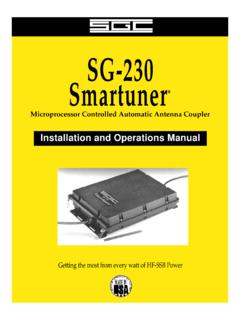
Transcription of Z-100 Automatic Antenna Tuner - LDG Electronics
1 Z-100 Automatic Antenna Tuner Manual Version LDG Electronics 1445 Parran Road, PO Box 48 St. Leonard MD 20685-2903 USA Phone: 410-586-2177 Fax: 410-586-8475 LDG Z-100 Automatic Antenna Tuner Table of Contents Introduction 3 Jumpstart, or Real hams don t read manuals! 3 Features 4 Specifications 4 Getting to know your Z-100 4 Installation 6 An important word about power levels: 6 Operating Instructions 7 Basic operation: 7 Function 1: Bypass mode (Short press) 7 Function 2: Memory Tuning Cycle (Medium press) 7 Function 3: Full Tuning Cycle (Long press) 8 SWR Indication 8 Off Mode 8 Control and Status Indicator Summary 9 Theory of Operation 9 The LDG Z-100 11 Trouble shooting hints 11 Care and Maintenance 12 Technical Support 12 Warranty and Service 12 2 Introduction Congratulations on selecting the LDG Z-100 Tuner . The Z-100 provides fully Automatic Antenna tuning across the entire HF range for less than the cost of many manual tuners.
2 It will tune dipoles, verticals, Yagis or virtually any coax-fed Antenna . It will match an amazing range of antennas and impedances, far greater than some other tuners you may have considered. Also, it consumes very little power making it ideal for battery-powered operations. LDG pioneered the Automatic , wide-range switched-L Tuner in 1995. From its laboratories near the nation s capitol, LDG continues to define the state of the art in this field with innovative Automatic tuners and related products for every amateur need. Jumpstart, or Real hams don t read manuals! Ok, but at least read this one section before you transmit: 1. Connect your Z-100 to a source of 7 - 18 volts DC @ 300mA via the by mm power jack on the back (center positive). 2. Connect the Antenna jack on your transceiver to the Transmitter jack on your Z-100 Tuner using the coaxial cable jumper.
3 3. Connect your Antenna coax lead to the Antenna jack on the back of your Z-100 . 4. Power up your transceiver and select the desired operating frequency. 5. Select AM, FM, CW or PKT mode, then key down to transmit a carrier1. 6. Press and hold the Tune button on the front panel of your Z-100 until the red LED comes on, then release; a tuning cycle will start and the red LED will come on. 7. Wait for the tuning cycle to end (red LED goes out, 1 6 seconds), and then unkey. 8. Reset your transceiver to your desired operating mode. 9. You re ready to transmit. 3 1 You can tune while transmitting up to 125 watts if your transceiver has a roll-back circuit to protect it from high SWR. If it does not have a roll-back circuit, limit power when tuning to 10 watts. Features Automatically matches antennas from 6 800 ohms impedance, or a 10:1 SWR Can be powered by a pair of 9 volt transistor radio batteries in series, providing hundreds of tuning cycles Very low current consumption: 300 mA during turning, nearly zero current (effectively off) when not tuning.
4 Your Z-100 is ideal for battery-powered operations. Uses latching relays, retains tuned setting indefinitely even when power is completely removed Tunes from memory in less than one half second. A full tune will take from 1 to 6 seconds. Specifications Microprocessor controlled, switched L tuning network 200 tune memories for almost instant return to previously tuned frequencies Antenna impedance: 6 to 800 Ohms (approximately 10:1 SWR, 3:1 on 6 meters) Continuous coverage to 54 MHz Power range: - 125 watts, 50 watts on 6 meters. Latching Relays hold tuned setting indefinitely, even when power is removed Tunes nearly any coax fed Antenna . Use optional Balun for long wires. Triple function tune control button Tuning time: 1 to 6 seconds, 3 average ( second minimum in memory mode) DC power requirements: 7 to 18 volts DC @ 300 mA during tune Enclosure sizes: 5 x 5 x Weight: 14 ounces Getting to know your Z-100 Your Z-100 is a quality, precision instrument that will give you many years of outstanding service; take a few minutes to get to know it.
5 Your Z-100 can be used with any transceiver or transmitter with coax output operating in the HF range at no more than 125 watts output. There is only one front panel control: the Tune button. This button begins a tuning cycle, and also places the Tuner in bypass mode; see operating instructions. Two front panel LEDs indicate Tuner activity and SWR. There is no Off button. After tuning, your Z-100 automatically enters a deep sleep state in which it draws nearly zero current, effectively off. Your Z-100 will automatically wake up the next time you start a tuning cycle. Your Z-100 employs latching relays, which hold the tuned setting indefinitely, even when DC power is completely removed. 4 The Z-100 has 200 memories, each of which stores the tuning settings for a specific frequency. When you tune near a previously tuned frequency, you can use Memory Tune to reset the Tuner in only a fraction of a second.
6 The process of storing tuning data in memory is completely Automatic ; your Z-100 learns as you use it, adapting itself to your most-used bands and frequencies. The green LED on the front panel indicates the SWR during the tuning cycle and until RF is removed. On the back panel, there are five connectors: RF in (marked Transmitter , standard SO-239 socket) RF out (marked Antenna , standard SO-239 socket) DC power in ( by mm power jack) Stereo 1/8 jack for connecting a control cable to a compatible transceiver Ground connector (wing nut) 5 Installation Your Z-100 Tuner is intended for indoor use only; it is not water resistant. If you use it outdoors (Field Day, for example) you must protect it from rain. The Z-100 is designed for use with coax-fed antennas. If you wish to use it with longwires or antennas fed with a balanced transmission line ( , ladder line), an external balun is required.
7 The LDG RBA-1:1 balun will work with short random wires and the RBA-1 4:1 balun is suited for longer wires. Connect the HF Antenna jack on your transmitter or transceiver to the Transmitter jack on the back of your Z-100 Tuner using a coax jumper with standard PL-259 plugs. Attach your Antenna lead-in coax to the Antenna jack on the back of your Z-100 Tuner . Your AT-100 Pro can interface directly with several popular transceivers. For Icom radios, it will enable their Tune button to start a tuning cycle and provide power to the Tuner . For Icom radios that are AH-3 or AH-4 compatible, connect the white molex connector into the radio s Tuner port. The power and radio plugs then connect to the Tuner . The tuning process can start by either pressing the tune button on the Tuner or the radio. For Yaesu FT-897 and 857, use the Y-ACC cable and plug the red end marked Radio into the radio s ACC port.
8 Connect the black end marked Tuner into the Tuner s interface jack. The radio does not supply power to the Tuner . The tune button on the Tuner is used for starting the tune process. If you are not using an Icom interface cable for powering the Tuner , connect your Z-100 to a source of DC power capable of providing 7 18 volts DC at 300 mA, using the provided coaxial connector (center positive). You can use two standard 9-volt alkaline transistor radio batteries connected in series (this is very handy for portable operation). If your radio is powered by 12 VDC, you most likely can use the same power supply for the Z-100 . Grounding your Tuner will enhance its performance and safety. LDG recommends that you connect your Tuner to a suitable ground; a dedicated ground rod connected to buried radials is preferred, but a single ground rod, a cold water pipe or the screw that holds the cover on an AC outlet can provide a serviceable ground.
9 Your Z-100 Tuner is ready to use! An important word about power levels: The Z-100 is rated at 125 watts continuous power input, at most. Many ham transmitters and transceivers, and virtually all amplifiers, output well over 125 watts. Power levels significantly exceeding specifications will definitely damage or destroy your Z-100 . Be sure to observe the specified power limitations. 6 Z-100 installations with IC-706 (cable styles may vary) Operating Instructions Basic operation: All functions are controlled through the Tune button. In every case, action occurs when you release the button. Various commands are indicated by the length of time you hold the Tune button before releasing it. There are three lengths of press: short (less than .5 seconds), medium (.5 3 seconds) and long (more than 3 seconds).
10 This sounds a lot more complicated than actually it is; this interface will quickly become familiar and easy. Function 1: Bypass mode (Short press) To place your Z-100 in bypass mode, press the Tune button less than a half-second. The Tuner will switch to bypass. The green LED will blink fast for a half-second to indicate bypass mode has been selected. In bypass mode, RF from your transmitter goes directly to the Antenna with no matching. Function 2: Memory Tuning Cycle (Medium press) If you are tuning near a frequency at which you have already completed a full tuning cycle, you can reset the Tuner very quickly by using a Memory Tuning Cycle. Key your transmitter and press and hold the Tune button for .5 to 3 seconds, then release. The red LED will light in the .5 3 second period to show that you are in the memory tune range of the Tune button.