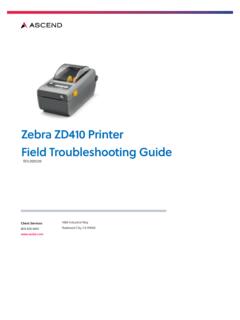
Transcription of Zebra GK420d Label Printer Troubleshooting Guide
1 If you have any questions, please contact Client Services at , Option 1. Zebra GK420d La bel P rinter T roubleshooting Guide STATUS LIGHT ERRORS No Light - Printer not receiving power Check to make sure Power Switch is in the On position Check power connections from wall to adapter to printerSolid Green Light - Printer is idle Check Interface Connectors in the back of the printerDouble Flashing Green - Paused Press the Feed Button to continue printingFlashing Amber - Stopped Turn the Power Switch off and then onFlashing Red - Stopped Check Label roll to make sure it has not run out of labels Check to make sure Label roll is secure on Media Guides (black)/Media Hangers (green) Check to make sure top cover is you have any questions, please contact Client Services at , Option 1.
2 Label Printer Troubleshooting Guide PRINT QUALITY PROBLEMS No print on the Label Check to make sure the Label roll is loaded correctlyThe printed barcode and information does not look right Clean the printhead using an alcohol wipeThe Label is misaligned Check to make sure the Label roll is loaded correctly Contact Clients Services to have Printer calibratedLOADING Label the release latches toward the front of the the Media Guides and hold open the Media the roll between the sure to position the roll so that its printing surface will be up as it passes over themedia some models, close the media guides by turning the Guide adjuster knob to the media Guide edges should touch but should not restrict the edges of the the top cover and press down until the latches snap into the Feed Button to verify that the labels come out