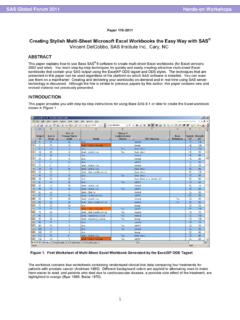
170-2011: Creating Stylish Multi-Sheet Microsoft Excel ...
1 Paper 170-2011 Creating Stylish Multi-Sheet Microsoft Excel Workbooks the Easy Way with SAS® Vincent DelGobbo, SAS Institute Inc., Cary, NC ABSTRACT
Download 170-2011: Creating Stylish Multi-Sheet Microsoft Excel ...

Information
Domain:
Source:
Link to this page:
Documents from same domain

027-2009: Tips and Tricks for Creating the Reports …
support.sas.comPaper 027-2009 TIPS AND TRICKS FOR CREATING THE REPORTS YOUR CLIENTS NEED TO SEE Michael J Molter, INC Research, Raleigh, NC ABSTRACT Advanced reporting tools such as PROC REPORT have progressed by leaps and …

Step-by-Step Programming with Base SAS Software
support.sas.comThe correct bibliographic citation for this manual is as follows: SAS Institute Inc. 2001. Step-by-Step Programming with Base SAS® Software.Cary, NC: SAS Institute Inc.

227-2012: Executing a PROC from a DATA Step - …
support.sas.com2 Using RUN_MACRO to execute a PROC from a DATA step requires writing three blocks of code, described in the Introduction: a macro to execute a PROC, a user-written function to execute the macro, and a DATA step to call the

149-2012: Queries, Joins, and WHERE Clauses, Oh …
support.sas.comPaper 149-2012 Queries, Joins, and WHERE Clauses, Oh My!! Demystifying PROC SQL Christianna S. Williams, Chapel Hill, NC ABSTRACT Subqueries, inner joins, outer joins, HAVING expressions, set operators…just the terminology of PROC SQL might

158-2010: How to Use Arrays and DO Loops: Do I …
support.sas.com1 Paper 158-2010 How to Use ARRAYs and DO Loops: Do I DO OVER or Do I DO i? Jennifer L Waller, Medical College of Georgia, Augusta, GA ABSTRACT

248-2009: Learning When to Be Discrete: …
support.sas.com1 Paper 248–2009 Learning When to Be Discrete: Continuous vs. Categorical Predictors David J. Pasta, ICON Clinical Research, San Francisco, CA ABSTRACT

338-2011: An Introduction to Survival Analysis …
support.sas.com2 (Censored) Study Ends (From Applied Survey Data Analysis, p. 306) Figure 1. Prospective View of Event History Survey Data Time can be regarded as continuous or discrete and this basic distinction affects the analytic approach selected.

Dongsheng Yang and Jarrod E. Dalton - SAS
support.sas.com1 Paper 335-2012 A unified approach to measuring the effect size between two groups using SAS® Dongsheng Yang and Jarrod E. Dalton Departments of Quantitative Health Sciences and Outcomes Research

SAS/STAT 9.2 User's Guide: Introduction to Power …
support.sas.comSAS/STAT ® 9.2 User’s Guide Introduction to Power and Sample Size Analysis (Book Excerpt) SAS® Documentation

249-2012: A Tutorial on the SAS® Macro Language
support.sas.com1 Paper 249-2012 A Tutorial on the SAS® Macro Language John J. Cohen, Advanced Data Concepts LLC, Newark, DE ABSTRACT The SAS macro language is another language layering on top of regular SAS code.
Related documents

Using Microsoft Excel - 2013.net
www.2013.netUsing Microsoft Excel Introduction Microsoft Excel is a spreadsheet application used to create lists, perform calculations, and analyze numbers. It can be used in business, economics, or accounting, etc.
Introduction to Microsoft Excel 2007
www.lfpl.orgThe Microsoft Office 2007 Ribbon Microsoft Office 2007 uses a visual tool called the ribbon to display all of the commands that are used to edit a document.
Introduction to Microsoft Publisher
www.lfpl.orgMicrosoft Publisher 2007 is a desktop publishing program that can be used to create a variety of publications. Using Publisher, you can easily create business cards, greeting
316-2013: Maintaining Formats When Exporting Data from …
support.sas.comPaper 316-2013 Maintaining Formats when Exporting Data from SAS® into Microsoft® Excel® Nate Derby, Stakana Analytics, Seattle, WA Colleen McGahan, BC Cancer Agency, Vancouver, BC
Microsoft Excel VBA Free Training Manual - premcs.com
www.premcs.comP R E M I E R Microsoft Excel 2007 VBA (Macros) Premier Training Limited 4 Ravey Street London EC2A 4QP Telephone +44 (0)20 7729 1811 www.premcs.com

Excel 2007 Free Training Manual - premcs.com
www.premcs.comP R E M I E R Microsoft Excel 2007 Advanced Premier Training Limited 4 Ravey Street London EC2A 4QP Telephone +44 (0)20 7729 1811 www.premcs.com
Paper AD-226 Moving Data and Results Between SAS® and ...
www.stratia.caMoving Data and Results Between SAS® and Microsoft Excel, continued. SESUG 2016 3 DYNAMIC DATA EXCHANGE ( DDE ) DDE was introduced in 1987 …
Introduction to Macros and Visual Basic in Excel
smalpezzi.marginalq.comFor those of you still using Excel/VBA 2003, the steps involved are quite similar: • Select Tools, Macro, Record New Macro. The Record New Dialogue box will appear. • Enter the name of the macro, typed as one word, and the description of the macro in the dialogue box.

Microsoft Excel - staff.uob.edu.bh
staff.uob.edu.bhMicrosoft Excel performs numerous functions and formulas to assist you in your projects. 24 Microsoft Excel allows you to create professional spreadsheets and charts.
Related search queries
Using Microsoft Excel, Using Microsoft Excel Introduction Microsoft Excel, Introduction to Microsoft Excel 2007, Microsoft, 2007, Introduction to Microsoft Publisher, Microsoft Publisher 2007, Maintaining Formats when Exporting, Excel, Microsoft Excel VBA Free Training Manual, Microsoft Excel 2007, Excel 2007 Free Training Manual, 226 Moving Data and Results Between, Moving Data and Results Between, Microsoft Excel, Introduction to Macros and Visual