Advanced Dashboard Getting Started Guide - TD
Log-in to WebBroker 2. Click on in the upper right-hand corner of the window 3. Click 2 3 1 ... Getting Around . At the top of your screen, you'll see the Navigation Pane. 1 1. The Search Symbol box at the top lets you look up symbols quickly and easily by entering a name or symbol. It will also auto-suggest symbols and names as you type. 2.
Download Advanced Dashboard Getting Started Guide - TD

Information
Domain:
Source:
Link to this page:
Documents from same domain

TD BANK GROUP for you
www.td.comTD BANK GROUP 2017 ANNUAL REPORT 19504 FSC Logo ® The TD logo and other trade-marks are the property of The Toronto-Dominion Bank or a wholly-owned subsidiary, in Canada and/or other countries.

Independent Auditors’
www.td.comProcess Guidelines for Issuing Green Bonds (“Principles”) as well as the use of proceeds section of the bonds’

GLOSSARY Financial and Banking Terms - TD
www.td.comGLOSSARY Financial and Banking Terms A non-GAAP financial measure used to assess each of the Bank’s businesses and to measure the Bank’s overall performance. Allowance for Credit Losses: Total allowance for credit losses consists of counterparty-specific, collectively assessed allowance for

oom - TD
www.td.com• The Canadian oil sands have long been criticized for their large carbon foot print. The Alberta govern- ment’s climate change plan will limit emissions in the sector and put a price on carbon, set to begin

Code of Conduct and Ethics. - TD
www.td.comThe Code of Conduct and Ethics (Code) establishes the standards that govern the way we deal with each other, our customers, shareholders, governments, regulators, suppliers, competitors, the media and the public at large.

proVinciAL economic forecAst - TD Bank, N.A.
www.td.com• Since our last Provincial Economic Forecast (PEF) in December, economic prospects have brightened, driving us to upgrade our 2017 growth outlook for nearly all provincial economies. Ontario, B.C. and Alberta received the most significant lift.
Do you have a complaint?
www.td.comIf you have a concern relating to services you have received from TDAM, please contact your relationship manager or a TDAM associate directly. If you are not satisfied with the resolution provided in Step 1, please proceed to Step 2. Step 2: Escalate your complaint You can escalate your complaint in the following ways: 1.

Consolidated Financial Statements - TD
www.td.comTD BANK GROUP ANNUAL REPORT 2020 FINANCIAL RESULTS 125 FINANCIAL RESULTS Consolidated Financial Statements PAGE PAGE ... the consolidated financial statements, TD recognized $9,384 million in allowances for credit losses on its consolidated balance sheet using an expected credit loss model (ECL). The ECL is an unbiased and probability-

Small Business Accounts and - TD
www.td.comSmall Business Accounts Service Plans and related products Business Chequing Account 1 S ervice Plans Our Service Plans for Small Businesses offer convenient banking options and are available in Canadian and U.S. Dollars. This comparison chart can help you decide which plan is best suited to meet your needs. Business Chequing Account Service Plans
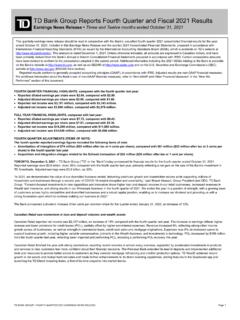
TD Bank Group Reports Fourth Quarter and Fiscal 2021 Results
www.td.comthis document, the Management’s Discussion and Analysis (“2021 MD&A”) in the Bank’s 2021 Annual Report under the headings “Economic Summary and Outlook” and “The Bank’s Response to COVID-19”, under the headings “Key Priorities for 2022” and “Operating Environment and Outlook” for the Canadian Retail, U.S. Retail, and ...
Related documents

SkyDemon Flight-Planning and Navigation User Guide
www.skydemon.aeroNavigation User Guide This documentation will take you through every significant feature of our flight-planning and navigation products. You can refer to a specific topic individually or read the whole thing to gain a deeper understanding of the products as a whole, and to learn tips and tricks to maximise the value you gain from it.

How to Add Publications to Your LinkedIn Profile
www.cambridge.orgTo add your publications, log in to your LinkedIn profile at www.linkedin.com. Click on Profile in the top navigation menu. Then click on Edit Profile. The screen refreshes to show your profile with options to edit the segments. On the right side of the screen you should see a section titled Recommended For You.

myU Portal Login - University of Mississippi Medical Center
www.umc.eduTo view your complete list of courses in Canvas 1) Click [Courses] in the left Global navigation menu 2) Click [All Courses] located in the slide out menu. To enable a course to appear in Canvas or 1. In the my Portal, click the [Faculty] Copy/createtab across top of page 2. Click [Class Info] sub tab at top of page 3.

Michigan Web Account Manager MiWAM Toolkit
www.michigan.govYou will be unable to log on to MiWAM without an authorization code. Q. Will another representative from my company be able to access my account and perform functions on my behalf? A. Yes. When registering for MiWAM you have the option to establish an added user web account. This type of ... navigation tips. BACK TO

Sign Up for E-Delivery of Tax Forms: Account Settings ...
www.stifel.comWealth Tracker, you may create a login by going to www.stifel.com, selecting Log In, and selecting Sign Up for Wealth Tracker. 2. Select Account Settings from the Settings left-hand navigation Menu and change the delivery method to E-mail Delivery for tax forms. Clients must change this election; neither the home
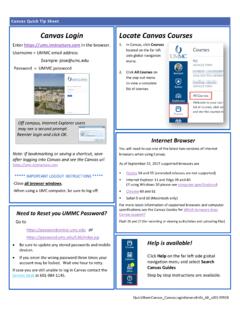
Canvas Log In Instructions and General Information
www.umc.edu-When using a UMC computer, be sure to log off. Locate Canvas Courses 1. In Canvas , click Courses located on the far left menu. 2. Click All Courses on the pop out menu to view a complete list of courses. Help is available! Help on the far left side global navigation menu and select Search Canvas Guides Step by step instructions are available.