AEROSEMI - Olimex
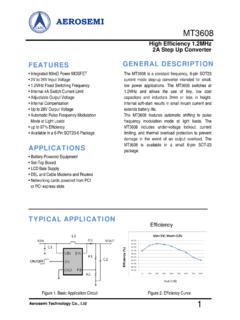
• LCD Bais Supply • DSL and Cable Modems and Routers • Networking cards powered from PCI . or PCI express slots . TYPICAL APPLICATION . Figure 1. Basic Application Circuit . The MT3608 is a constant frequency, 6-pin SOT23 current mode stepup converter i- ntended for small, low power applications. The switches at MT3608
Download AEROSEMI - Olimex

Information
Domain:
Source:
Link to this page:
Documents from same domain

Guangzhou HC Information Technology Co., Ltd. Product Data ...
www.olimex.comProduct’s picture 2. Feature 3. Pins description 4. The parameters and mode of product 5. Block diagram 6. Debugging device 7. Characteristic of test 8. Test diagram 9. AT command set . Guangzhou HC Information Technology Co., Ltd. www.wavesen.com Phone: 020-84083341 Fax: 020-84332079 QQ:1043073574 ...

USB to serial chip CH340 - Olimex
www.olimex.comThe X2 is 12MHz quartz crystal, C6 and C7 are monolithic or high frequency stoneware capacitance with 22pF. If X2 is ceramic with low cost, C6 and C7 must use the recommend value of crystal

AVR-ISP-MK2 programmer USER’S MANUAL
www.olimex.comOLIMEX© 2018 AVR-ISP-MK2 user's manual CHAPTER 2 PROGRAMMER DESCRIPTION 2. Introduction to the chapter Here you would get acquainted with the main parts of the board.

Using ESP32-CAM with Arduino IDE Tutorial
www.olimex.comrunning Linux or COMxx if you run Windows Compile and see if there are no errors: Then Press RESET button on ESP32-CAM, release it and hit Upload button on Arduino IDE.

TECHNICAL DATA MQ-135 GAS SENSOR - Olimex
www.olimex.comRs:sensor resistance at various concentrations of gases. Fig.4 is shows the typical dependence of the MQ-135 on temperature and humidity. Ro: sensor resistance at 100ppm of NH3 in air at 33%RH and 20 degree. Rs: sensor resistance at 100ppm of NH3 at different temperatures and humidities. Fig.4 MQ-135 0.1 1 10 10 100 1000 ppm Rs/Ro AIR CO2 CO ...

SSD1306 - Olimex
www.olimex.comIt is suitable for many compact portable applications, such as mobile phone sub-display, MP3 player and calculator, etc. 2 FEATURES • Resolution: 128 x 64 dot matrix panel • Power supply o VDD = 1.65V to 3.3V, < VBAT for IC logic o VBAT = 3.3V to 4.2V for charge pump regulator circuit o VCC = 7V to 15V ...
Related documents

User Guide - Asus
dlcdnets.asus.comThank you for purchasing the ASUS® LCD monitor! The latest widescreen LCD monitor from ASUS provides a broader, brighter and crystal-clear display, plus a host of features that enhance your viewing experience. With these features, you can enjoy the convenience and delightful visual experience that the monitor brings to you! 1.2 Package contents

Reference Guide - Brother
download.brother.com3. Liquid Crystal Display (LCD) Displays messages to help you set up and use the machine. If the machine is in Ready Mode or COPY Mode, the LCD displays: v a b e d c 100% Auto Stack Copies:01 a. Type of copy b. Number of copies c. Quality d. Contrast e. Copy ratio 4 5 6 4. Menu buttons Menu Press to access the Menu for programming your machine ...

Guia de instalación - L4160 - files.support.epson.com
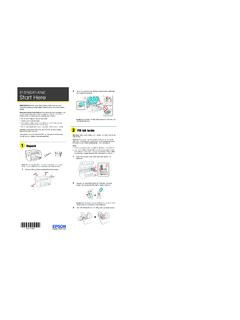
files.support.epson.comNota: Si aparece un mensaje de error, apague el producto y revise que no haya quedado algún material de protección dentro del producto. 10 Pulse o para seleccionar su idioma en la pantalla LCD; luego pulse el botón OK. Siga los pasos 11 y 12 para continuar con la carga de la tinta. Nota: Puede cambiar este ajuste después utilizando el panel de
102 Lift up the scanner unit. Remove all protective ...
files.support.epson.comLCD screen, then press the OK button. ET-4760: Select your language, country, and time. Note: You can change these settings later using the product’s control panel. For more information, see the online User’s Guide. Follow steps 12 and 13 to continue ink charging. 12 When the message to see the Start Here sheet appears on the LCD screen:
LTE Network Extender User Guide - VZW
ss7.vzw.com• The LCD Display shows status information regarding GPS satellites tracked and number of LTE devices connected. • The Display Button toggles additional device information on the LCD display. 1.3 Reset Button The extender’s reset button on the back side of the device, enables you to reset the device back to its original factory state.
EJA510E and EJA530E Absolute and Gauge Pressure Transmitter
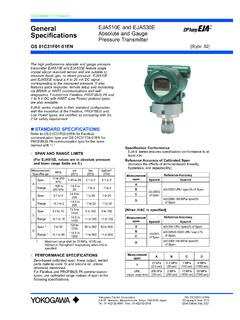
web-material3.yokogawa.comIntegral Indicator (LCD display, optional) “ ” 5-digit numerical display, 6-digit unit display and bar graph. The indicator is configurable to display one or up to three of the following variables periodically; pressure in %, scaled pressure, measured pressure. See also “Factory Settings.” Local Parameter Setting

Troubleshooting SolarEdge Systems, Addendum (Europe & …
www.solaredge.comCPU v3.19xx and later, inlcuding 4.x CPU v3.18xx and before CPU v3.19xx and later, including 4.x 16, 149, 153, 181, 166-168, 170