AMD RAID Quick Start Guide
a. Use the arrow keys to select Select Physical Disks, then press Enter b. To select individual disks, highlight a disk with the arrow keys and press the Space Bar or Enter. Any number of disks may be selected using this method c. To select all disks, use the arrow keys to select Check All, then press Enter d.
Download AMD RAID Quick Start Guide

Information
Domain:
Source:
Link to this page:
Documents from same domain

Command Line Installation - AMD
drivers.amd.comother products described herein. No license, including implied or arising by estoppel, to any intellectual property rights is granted by this document. Terms and limitations applicable to the purchase or use of AMD’s products are as set forth in a signed agreement between the parties or in AMD's Standard Terms and Conditions of Sale.

AMD-RAIDXpert2 User Guide
drivers.amd.comevery precaution has been taken in the preparation of this document, it may contain technical inaccuracies, omissions and typographical errors, and AMD is under no obligation to update or otherwise correct this information. Advanced Micro Devices, Inc. makes no representations or warranties with respect to the accuracy or completeness of the

AMD NVMe/SATA RAID Quick Start Guide for Windows ...
drivers.amd.comSupport includes ATAPI DVD, SATA drives, SATA SSD drives, M.2 SATA drives, NVMe M.2 devices, NVMe HHHL devices or NVMe U.2 devices. The number of disks depends on the number, type, and capacity of the arrays to be created. Max number of NVMe devices 10 Max Controller Count 11: Two controllers with device ID 0x7917, one controller with device ID ...
AMD NVMe/SATA RAID Quick Start Guide for Windows ...
drivers.amd.comc. Select X570/590 Chipset Common Options, then press Enter. d. Select X570/590 Chipset SATA Configuration Options, then press Enter. e. Set X570/590 Chipset SATA0 Enable to Enabled, then press Enter. f. Set X570/590 Chipset SATA1 Enable to Enabled, then press Enter. g. Set X570/590 Chipset SATA Mode to RAID, then press Enter. 6. In the BIOS ...
AMD RAIDXpert User v2.0
drivers.amd.com1 Chapter 1: Introduction This chapter includes the following topics: • RAIDXpert Components (page 2) • Operating System Support (page 3) • Browser Support (page 3)

Fan Control in AMD Radeon Pro Settings
drivers.amd.comThe “Global Tuning” tab contains a number of options related to the “Fan Control Settings” that the user can view and configure at will: • View the current fan speed of the GPU (RPM). • Change the speed configuration from “Automatic” to “Manual”. • Manually set the minimum speed limit using the slider under “Min”.
Related documents

Digipass guide - SEB Group
webapp.sebgroup.comDigipass guide How to use your digipass SEMB0042 2010.09 Activating your digipass When you receive your digipass you will get a temporary PIN from us. Start by changing this code. 1. Press the arrow key The word PIN will appear in the window together with a field for the code. (If the word FAIL appears, press the arrow key once again.) 2.

DYMO LetraTag 100-H
download.dymo.com2. Use the up or down arrow keys to select Set Date, and press . The default date is displayed. 3. Use the left or right arrow key to move the cursor over each setting (month, day, and year) and use the up or down arrow keys to increase or decrease the value. 4. When finished, press .The default time is displayed. 5.

LetraTag User Guide - DYMO
download.dymo.com2. Use the up or down arrow key to select Set Date and press . The default date is displayed. 3. Use the left or right arrow key to move the cursor over each setting (month, day, and year) and use the up or down arrow keys to increase or decrease the value. 4. When finished, press .The default time is displayed. 5.

ARROW TUNING AND M G - Easton Archery
eastonarchery.com4 Arrow Tuning and Maintenance Guide specifications including length, type of material, type and color of serving, etc. The brace height determines the specific point at which the arrow separates from the bowstring and the amount of bend the arrow has when the separation occurs. The best brace height for your recurve or compound bow is
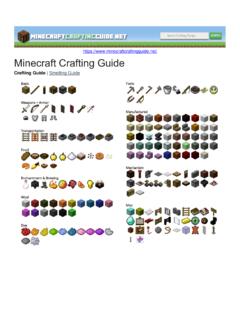
Crafting Guide | Smelting Guide
education.minecraft.netCrafting Guide | Smelting Guide . Basic Recipes Recipe Ingredients Chest Wood Planks Crafting Table Wood Planks Furnace Cobblestone Stick Wood Planks Torches Stick + Coal ... Arrow Flint + Stick + Feather Bow Sticks + String . Recipe Ingredients Damaged Shield Damaged Shield Patterned Shield Shield + Any Banner Shield

Keystrokes - Freedom Scientific
support.freedomscientific.comKeystrokes - 3 Navigation Quick Keys Tip: If you hold down SHIFT before pressing one of the following Navigation Quick Keys, you can move to the previous instance of that element, for example, press A to move to the next radio button, press SHIFT+A to …

Polycom VVX 311 User Guide - Rogers
www.rogers.com4 Polycom VVX 311 User Guide Enable/Disable DND 1. Pres hse t button on the side of the phone 2. Use the down key on the arrow pad to go to the second screen and highlight 3. In the upper right corner of the screen, you will see this symbol which indicates it is active 4. Repeat this process to disable DND (the symbol will no longer appear)