
ARCO - microham.com
After a short while you'll see main screen on display. Touch settings icon in the left bottom corner to enter SETTINGS MENU. On top you'll see several tabs which will be described later, now touch General tab, touch ROTATOR LOCATION button and enter QRA locator or GPS coordinates of the place where rotator is installed in WGS 84 format.
Download ARCO - microham.com

Information
Domain:
Source:
Link to this page:
Documents from same domain
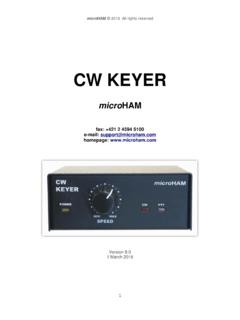
CK English Manual - microHAM
www.microham.commicro HAM © 2016 All rights reserved (4) – REMOTE MiniDIN6 for a PS/2 keyboard or keypad. (5) – USB: USB B connector for computer connection.

MK2 WSJT Setup - microHAM
www.microham.commicroKeyer II and WSJT Setup Router setup: Note: The absolute port numbers do not matter. The key is consistency - the same port number must
USB Interface II - microHAM
www.microham.commicro HAM © 2016 All rights reserved USB Interface II micro HAM fax: +421 2 4594 5100 e-mail: support@microham.com homepage: www.microham.com

microKEYER: 2 Radio - microHAM all for Contesting …
www.microham.commicro HAM © 2016 All rights reserved microKEYER: 2 Radio MK2R+ micro HAM fax: +421 2 4594 5100 e-mail: support@microham.com homepage: www.microham.com

STATION MASTER - microHAM
www.microham.commicroHAM © 2016 All rights reserved STATION MASTER microHAM fax: +421 2 4594 5100 e-mail: support@microham.com homepage: www.microham.com Version 2.1 …

USB Interface III - microham.com
www.microham.comMicroHAM USB Interface III WiMo Antennen und Elektronik GmbH 3 Am Gäxwald 14, D-76863 Herxheim Tel. (07276) 96680 FAX 9668-11 http://www.wimo.com e …

microKEYER II - microham.com
www.microham.commicroHAM © 2007 Alle Rechte vorbehalten Inhalt Kapitel Seite 1. Eigenschaften und Funktionen ..... 3

microKEYER II - microham.com
www.microham.commicroKEYER II . microHAM . Importatore esclusivo . CUBICOM . www.cubitrade.com Versione 7.5 . 23 Febbraio 2009 . Traduzione italiana del manuale operativo originale . a cura Federico Cimarosti IK2TYP

USB Interface III - microHAM
www.microham.commicro HAM © 2016 All rights reserved USB Interface III micro HAM fax: +421 2 4594 5100 e-mail: support@microham.com homepage: www.microham.com

DIGI KEYER II - microHAM
www.microham.commicro HAM © 2016 All rights reserved Independent keying buffers for Power Amplifier and LNA switching extended range solid state output for low voltage T/R lines or QSK
Related documents

PG 1 Operation Guide CT100
assets.cdn.aws.vivint.comTouch to return to the Home screen. DIFF (Used for multiple stage systems only, not on screen for single stage) The differential is the number of degrees between the room temperature and the Target Temperature at which the 2nd stage will be used. DIFF may be set to a different value for HEAT or COOL. Default

XC4140 - Copier Catalog
brochure.copiercatalog.com1. Intuitive color touch screen with new eTask interface A bright 7-inch screen uses familiar swipe and touch gestures, minimizing training time to get users up to speed. 2. Direct printingMicrosoft Office files and other document and image types print right from flash drives. You can even preview jobs on the eTask screen prior to printing. 3.

GUIDE FOR THE USER
www.hantek.comThen, access the “Menu -> Utility -> Calibration” option and follow the directions on the screen. The self calibration routine takes about several minutes. 1.9 Accessories . All the accessories listed below are standard accessories for the oscilloscope: Probe×2 (1.5m), 1:1, (10:1) Passive Probes A USB Cable

Trane XL824 Smart Control User Guide - Nexia | Smart …
www.nexiahome.comof the color touch-screen control represent the ... industry’s leader in residential HVAC systems. This guide will introduce you to the unit’s many features and get you started using your XL824 Smart Control right away. ... Calibration* and Displayed Outdoor Temperature Sensor souce Press to Enable or

Daikin One+ Installation & Commissioning
daikinone.comOffers two-way communication when combined with Daikin's smart inverter HVAC systems. ... screen. The high-resolution touch screen on the left, supports tactile-based ... Calibration. Wait 30 minutes after calibration for the system to stabilize. Status.