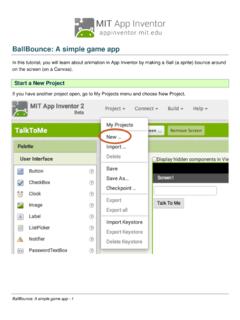
BallBounce: A simple game app
From the Drawing and Animation drawer, drag out a Canvas component and drop it onto the viewer. BallBounce: A simple game app - 2. ... Set the Ball's speed to be the same as the Fling gesture's speed Mouse over the "speed" parameter of the when Ball1.Flung event handler. The get and set blocks for
Download BallBounce: A simple game app

Information
Domain:
Source:
Link to this page:
Documents from same domain

1 Introduction to Design and the Concept Development Process
appinventor.mit.edu1 Introduction to Design and the Concept Development Process ... Design logbooks can be used to record thinking on a project, to capture ideas so they will not be forgotten, to explore and test ideas and to preserve intellectual property. ...

App Inventor Beginner Tutorials
appinventor.mit.eduThe preferred method for getting the AI2 Companion App is to download the app from the Play Store by searching for "MIT AI2 Companion". App Inventor Beginner Tutorials - 10. To download the AI2 Companion App to your device directly (SKIP THIS STEP IF YOU already got the app from Play Store)
App Inventor Beginner Tutorials - App Inventor for Android
appinventor.mit.edutext block away by dragging it to the trash in the lower right corner of the workspace. Test your app! Now your app has two behaviors: When the button is clicked, it will speak out loud whatever words are currently in the Text Box on the screen. (if nothing is there, it will say nothing.) The app will also say "Stop Shaking Me" when the phone ...
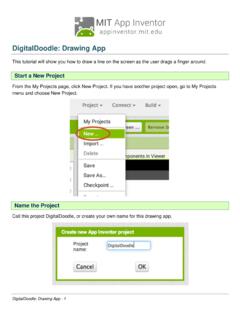
Digital Doodle - MIT App Inventor | Explore MIT App Inventor
appinventor.mit.eduUse the get and set blocks from the Dragged block to fill in the values for the Draw Line block. The Canvas Dragged event will happen over and over again very rapidly while the user drags a finger
Related documents

Lesson: Intro Lesson (Ages 3-7) - ESL KidStuff
www.eslkidstuff.comgesture for them to sit down. It's a good idea to have a cushion for each student (and parent if also taking part) as this makes sitting arrangements easy to organize. Try and arrange the cushions beforehand spaced out in a fan-shape around you. 2. Name Tags Before class prepare some name tags (stickers or pin-on tags) with
The Ontario Curriculum, Grades 1-8: The Arts, 2009 (revised)
www.edu.gov.on.ca(e.g., choreography, gesture, icons, musical notation) to communicate meaning and understanding. Many of these symbols are rooted in a particular social, historical, and cultural context and therefore may have meanings that are different from what one knows THE ONTARIO CURRICULUM, GRADES 1–8 from one’s own culture and time. | The Arts 4

Developmental Milestones: Birth to 5 years
med.stanford.educommands with a gesture! Points to desired object! 15 mos.! Stoops and recovers! Scribbles in imitation! Uses 3–5 words!! Uses spoon and cup!! Turns pages in a book! 18 mos.! Runs well! Builds a tower of 3 cubes! Points to 1–3 body parts! “Helps” in the house! 24 Copies drawing a line mos.!! Throws ball overhand!! Kicks a ball! with ...

Literacy in Early Childhood and Primary Education (3-8 years)
ncca.ieLiteracy in Early Childhood and Primary Education (3-8 years) Commissioned research report Eithne Kennedy, St. Patrick’s College, Dublin Elizabeth Dunphy, St. Patrick’s College, Dublin Bernadette Dwyer, St. Patrick’s College, Dublin Geraldine Hayes, St. Patrick’s College, Dublin Thérèse McPhillips, St. Patrick’s College, Dublin Jackie Marsh, University of Sheffield, UK
Expressing emotion through posture and gesture
people.ict.usc.eduan action, such as drawing a square to represent a frame or mimicking writing. Iconics describe concrete objects and actions while metaphorics represent abstract concepts. Gesture may also convey additional information, although such information is not, strictly speaking, part of the speaker’s intended meaning.

Social-cultural influences on learning John Munro
students.education.unimelb.edu.authe child internalises this meaning and uses the action to gesture, the interpersonal activity has become intrapersonal. Children show trends in their use of signs. Some( iconic signs) are images of what they stand for, for example, a drawing of a bird. Others (indexical signs) have a cause-effect relationship, for
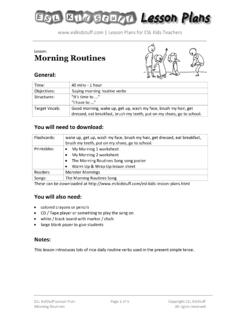
Lesson: Morning Routines - ESL KidStuff
www.eslkidstuff.com"There’s such a lot to do!" – gesture wiping your forehead and looking tired out "I eat my breakfast (eat, eat, eat)" – gesture eating breakfast "I brush my teeth (brush, brush, brush)" – gesture brushing your teeth "I put on my shoes (put on, put on)" – gesture putting on your shoes "It’s time to go to school."

Lesson: Transport & Travel - ESL KidStuff
www.eslkidstuff.comaward a winner for the best drawing and get everyone to clap. Now, erase the pictures on the board (or if using paper move onto the second square) and go onto the next vocab item (e.g. by bike). Again, judge the pictures and select a winner. Go through all of the pictures, each time electing a different winner – try and make sure

Honesty and Integrity Defining Honesty and Integrity
www.redlandsusd.net• Creating their own drawing, comic strip or other visual of how our feelings on the inside connect with the way we act. Consider providing die cut people shapes and having students write how they show (or try to show) integrity on the inside and the outside. • Focusing on one quote from the activity sheet. Or, they could work in groups of