BIG-IP Local Traffic Manager
In addition to the iSeries, F5 offers VIPRION modular chassis and blade systems designed specifically for performance and for true, on-demand, linear scalability without business disruption. VIPRION systems leverage F5’s ScaleN clustering technology so you can add blades without reconfiguring or rebooting.
Download BIG-IP Local Traffic Manager

Information
Domain:
Source:
Link to this page:
Documents from same domain
Gain Agility with the Most Programmable Cloud …
www.f5.comHARDWARE DATASHEET BIG-IP System 2 Standardize Your App Delivery Services BIG-IP ADC appliances can simplify your network and reduce total …

Deploying the BIG-IP system with Oracle WebLogic …
www.f5.comF5 Deployment Guide Deploying the BIG-IP System with Oracle WebLogic Server Welcome to the F5 ® and Oracle WebLogic Server deployment guide. F5 provides a highly effective way to optimize and direct

F5 Improves the Agility, Performance, and Security of IBM ...
www.f5.comMaximo solves these issues by optimizing Maximo delivery over the LAN and WAN, ensuring a fast, secure, and available application experience for users no matter the location or device, enabling users to remain productive.
Optimize Application Deployment with Cisco and F5
www.f5.comscaling of critical network and application services. The joint Cisco and F5 solution offers customers the ability to deploy and deliver applications with the speed, reliability, and security

Navigating a Multi-Cloud World with F5
www.f5.com2 WHITE APER Navigating a ulti-loud World with F5 Contents The Transition to Cloud 3 A New Cloud Reality 3 Multi-Cloud Challenges 4 Wasn’t Cloud Supposed to Be Simple?

Guide to Updating and Upgrading BIG-IP - F5
www.f5.comF5 Deployment Guide 4 Updating or Upgrading the BIG-IP Section 1: Overview This section contains an overview of updating and upgrading your BIG-IP. Reasons to keep your BIG-IP up-to-date Our latest research on the state of applications showed that 97 percent of organizations are managing what is commonly known as

VIPRION - F5
www.f5.com• High-performance interconnection between Ethernet ports and processors. • L4 offload, enabling leading throughput rates and reduced loads on software. • Hardware-accelerated SYN flood protection. • Hardware detection and mitigation of more than 100 types of denial-of-service (DoS) and DDoS attacks.

Deploying the BIG-IP System with VMware Horizon View
www.f5.comF5 Deployment Guide 4 VMware Horizon View Configuration examples and traffic flows In this deployment guide, we show multiple ways of deploying the BIG-IP system with View. Specifically, if View is deployed with VMware Unified Access Gateway, the BIG-IP system can further protect, monitor, and load balance these servers, allowing PCoIP
BIG‑IP Global Traffic Manager - F5
www.f5.comF5 ® BIG-IP Global Traffic Manager™ (GTM) distributes DNS and user application requests based on business policies, data center and cloud service conditions, user location, and application performance. BIG-IP GTM delivers F5’s high-performance DNS Services with visibility, reporting, and analysis; hyper-scales and secures DNS responses
Load Balancing 101: Nuts and Bolts | F5 White Paper
www.f5.comLoad Balancing Basics With this common vocabulary established, let’s examine the basic load balancing transaction. As depicted, the load balancer will typically sit in-line between the client and the hosts that provide the services the client wants to use. As with most things in load balancing, this is not a rule, but more of a best practice ...
Related documents
HP BladeSystem c-Class enclosure
h10032.www1.hp.comWhen a server blade is inserted, it seals into the center air plenum docking collar and the server shut-off door opens to allow airflow across that server blade. Similarly, the fan seals into the center air plenum docking collar and each fan bay includes louvers that automatically open when a fan is installed.

HP ProLiant BL460c Server Blade Maintenance and Service …
h10032.www1.hp.comHP ProLiant BL460c Server Blade Maintenance and Service Guide June 2006 (First Edition) Part Number 405778-001

Command Line Interface Reference Guide HP BladeSystem …
h10032.www1.hp.comCommand Line Interface Reference Guide HP BladeSystem PC Blade Switch Document Part Number: 413354-001 December 2005
Introduction to Microsoft Core licensing
download.microsoft.comServer: A server is a physical hardware system capable of running server software. A hardware partition or blade is considered to be a separate physical hardware system, and, therefore, a separate server. Server farm: A server farm consists of up to two data centers each physically located in the following areas:

Cisco UCS B200 M3 Blade Server Spec Sheet
www.cisco.com4 Cisco UCS B200 M3 Blade Server DETAILED VIEWS DETAILED VIEWS Blade Server Front View Figure 2 is a detailed front view of the Cisco UCS B200 M3 Blade Server. Figure 2 Blade Server Front View s 1 Asset pull handle (a blank asset tag is provided on which you can add your own label or sticker or

Cisco Secure Email and Web Virtual Appliance Installation ...
www.cisco.comOct 28, 2021 · Cisco UCS servers (blade or rack-mounted) are the only supported hardware platform. Minimum requirements for the server hosting your virtual appliances: • Two 64-bit x86 processors of at least 1.5 GHz each • 8 GB of physical RAM • A 10k RPM SAS hard drive disk
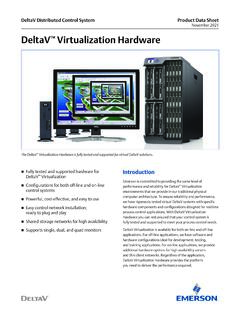
DeltaV Virtualization Hardware - Emerson
www.emerson.com2. Domain Controller and Host Management Blade Server (SE2717V03). This blade server functions as a domain controller and provides host management for the VRTX server cluster. It may also be used to manage DeltaV virtual machines using DeltaV Virtual Studio. This server is a Dell M640 server with Windows Server 2016 operating system.
Server Configuration Guide - VMware
www.vmware.comConfiguring Networking on Blade Servers 76 Troubleshooting 80 Troubleshooting Service Console Networking 80 Troubleshooting Network Adapter Configuration 82 ... 20060925 ESX Server 3.0.1 and VirtualCenter 2.0.1 version of the VMware ...