
Bluetooth headset - Plantronics
User Guide. Contents Overview 3 Headset overview 3 Charge stand (charge stand model only) 4 USB Bluetooth adapter 4 Connect and pair 5 Connect to PC 5 ... • For Skype for Business, press and hold the headset's Call button for 2 seconds to interact (Skype for Business desktop application required).
Download Bluetooth headset - Plantronics

Information
Domain:
Source:
Link to this page:
Documents from same domain

User Guide
www.poly.comVoyager Focus UC User Guide PLANTRONICS + POLYCOM. NOW TOGETHER AS . Contents Overview 3 Headset 3 Charge stand* 4 USB Bluetooth adapter 4 Connect and pair 5 Connect to PC 5 Configure USB adapter 5 Pair to mobile device 5 Pair USB adapter again 6 Fit and charge 7 Wear on the right or left 7 Charge your headset 7
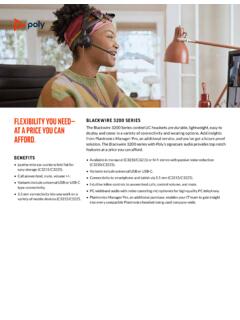
BLACKWIRE 3200 SERIES - Plantronics
www.poly.comSkype for Business *Download the latest release of Plantronics Hub software to get one-touch call answer/end with these softphones. For more information about the Blackwire 3200 Series or other Plantronics products, please visit our website at plantronics.com. GLOBAL CUSTOMER CARE Backed by Plantronics industry-leading global service and support.

Bluetooth headset - Plantronics
www.poly.comBluetooth headset User Guide. Contents Headset overview 3 Be safe 3 USB Bluetooth adapter 4 Charge case overview 5 Charge case to PC or USB wall charger 5 Charge your Headset 6 Check Battery Level 6 Low battery warnings 7 Use charge case 8 Fit 9 9 9 Connect and pair 10 Connect to PC 10

Bluetooth Headset - Plantronics
www.poly.comheadset behavior through advanced settings and options. Pair USB adapter again Typically, your USB adapter is pre-paired to your headset. In the event that your adapter is disconnected or bought separately, you will need to pair the adapter to your headset. 1. Insert the high-fidelity Bluetooth USB adapter into your laptop or computer and wait for

Voyager Legend - poly.com
www.poly.comVoyager Legend supports multipoint technology, which allows you to use one headset with two different Bluetooth mobile phones. To pair your headset to a second phone, see "Pair another

SEE THE DETAILS POLY G7500 YOU NEVER KNEW EXISTED.
www.poly.com• Bluetooth® remote control • Cable bundle • Bundles available with cameras and touch controller VIDEO STANDARDS AND PROTOCOLS • H.264 AVC, H.264 High Profile, H.265 VIDEO INPUT • 1x HDCI • 1x HDMI • 3x USB • Camera switching via touch interface VIDEO OUT • 2x HDMI • Touch display compatible PEOPLE VIDEO RESOLUTION

BLACKWIRE FAMILY COMPARISON GUIDE - Plantronics
www.poly.comto 7 kHz or for multimedia up to 20 Hz to 20 kHz Active noise canceling (ANC), PC wideband, hi-fi stereo Immersive audio (C5220, C5220 USB-C), dynamic EQ, wideband voice, hi-fi stereo, echo cancellation Flexible noise canceling microphone, Dynamic EQ optimized for PC wideband voice telephony up to 6.8 kHz or for multimedia 20 Hz to 20

GO PRO WITH POLY VVX 450 BUSINESS IP PHONE TWELVE …
www.poly.com• IETF SIP (RFC 3261 and companion RFCs) • Two-port gigabit Ethernet switch 10/100/1000Base-TX across LAN and PC ports • Conforms to IEEE802.3-2005 (Clause 40) for Physical media attachment • Conforms to IEEE802.3-2002 (Clause 28) for link partner auto-negotiation • Manual or dynamic host configuration protocol (DHCP) network setup

computer and desk phone Wireless DECT headset system for
www.poly.comDECT products should never be used outside the region in which they were originally purchased and intended to be used. The enclosed DECT wireless product uses restricted wireless radio frequencies which vary by country. Use of this DECT product in unauthorised countries is …
Savi 8210/8220 UC - Plantronics
www.poly.comDECT products should never be used outside the region in which they were originally purchased and intended to be used. The enclosed DECT wireless product uses restricted wireless radio frequencies which vary by country. Use of this DECT product in unauthorised countries is …
Related documents

Polycom VVX 301 and 311 Business Media Phones …
www.polycom.comThe intuitive user interface of the VVX 301 and 311 Business Media Phones make usability and navigation easy ... • Quick Start Guide - Open Source OFFER is included in the box ... • 2200-48350-025—VVX 311 WW PoE • 2200-48300-019—VVX 301 Skype for Business, POE • 2200-48350-019—VVX 311 Skype for Business, POE Weight • Unit weight ...

Surface Pro User Guide
images-eu.ssl-images-amazon.comAs you read through this guide it’s helpful to have your Surface handy so you can try things out. To jump between sections using the Reader app: 1. Swipe down from the top of the screen, tap the More button ( ), and then tap Bookmarks. 2. Tap a bookmark to jump to a section in this guide. To search this guide using the Reader app: 1.
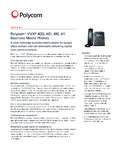
Polycom® VVX® 400, 401, 410, 411 Business Media Phones
www.polycom.comThe intuitive color user interface of the VVX 400 Series makes navigation easy ... • Quick start guide - Open source OFFER is included in the box Size • 7.5 x 6 x 7 in (19 x 15 x 18 cm) (W x H x D) ... VVX 410 WW PoE • 2200-48400-019 – VVX 401 Skype for Business, POE • 2200-48450-019 – VVX 411 Skype for Business, POE • 2200-46157 ...

User Guides
download.microsoft.com• Skype for Business: Include Surface Hub in your Skype for Business meeting request. You can present the Surface Hub screen to remote participants, who can view it in their own Skype for Business window. If a remote user has something to present, it appears on the Surface Hub screen. See Conduct a meeting, below.
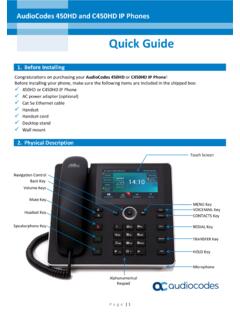
450HD and C450HD IP Phones Quick Guide - AudioCodes
www.audiocodes.comMay 26, 2020 · To sign in with Skype for Business client when using BToE: Refer to the 450HD or the C450HD IP Phone User's Manual. To sign in with a PIN code (excludes access to Microsoft Outlook Calendar): 1. In the Offline idle screen, touch Sign In, and then touch the PIN Code option. 2. Enter the phone number and PIN, and then touch Select.
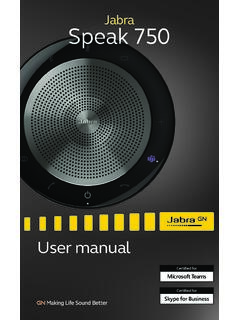
Jabra Speak 750
www.jabra.com10 ENLISH 3.4 Stereo media If you are displaying or viewing stereo media in a meeting or listening to music or media at your desk, two Jabra Speak 750 devices can be

Savi 8210/8220 UC - Plantronics
www.poly.comThe primary user will hear "Conference requested." To accept the request, press the primary user's headset Call button. Both users hear "Conference accepted." View conference call status by going to Poly Lens Desktop App. Exit a conference call. 1. Guest headsets can remain as guests through multiple calls. To remove a guest headset,