
Bose A20 Aviation Headset Quick Reference Guide
Make sure the Secondary Audio Mode selector is in the MUTE or MIX position (not in the OFF position). The power indicator glows green or yellow, depending on the charge level of the battery. (If the light is red, the battery is low and needs replacing.) Note: The first time you turn on the headset, it will automatically go into pairing mode and ...
Download Bose A20 Aviation Headset Quick Reference Guide

Information
Domain:
Source:
Link to this page:
Documents from same domain
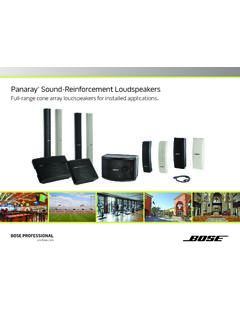
Panaray Sound-Reinforcement Loudspeakers
assets.bose.comPanaray ® Sound-Reinforcement Loudspeakers Full-range cone array loudspeakers for installed applications. 2 From the legendary Bose® 901 ® to the Professional 802 Bose first demonstrated the advantages of full-range cone driver arrays with the revolutionary 901 Direct/Reflecting® high-fidelity loudspeaker. Based on extensive …
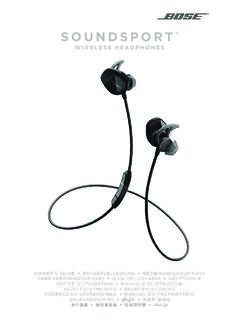
SOUNDSPORT - Bose Corporation
assets.bose.com• ®Unlock the full potential of your SoundSport wireless headphones • Free app compatible with most Apple and Android™ systems • Easily connect and switch between multiple Bluetooth® devices with a single swipe
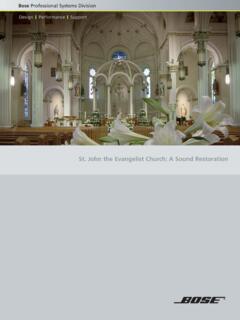
St. John the Evangelist Church: A Sound Restoration
assets.bose.comA major restoration at St. John the Evangelist Catholic Church in Delphos, Ohio, created an unexpected reverberation problem that lasted for more than seven years.
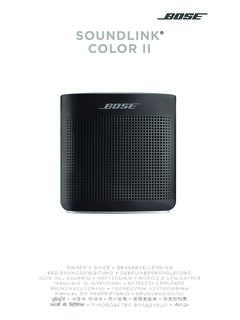
SOUNDLINK COLOR II - Bose Corporation
assets.bose.comBose Corporation hereby declares that this product is in compliance with the essential requirements and other relevant provisions of Directive 2014/53/EU and all other applicable EU directive requirements.
SOUNDLINK - Bose Corporation
assets.bose.comBose Corporation hereby declares that this product is in compliance with the essential requirements and other relevant provisions of Directive 2014/53/EU and all other applicable EU directive requirements.
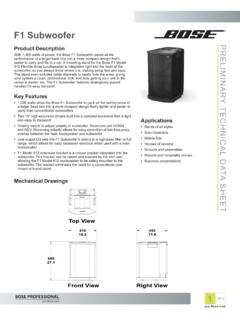
PRELIMINARY TECNICAL DATA SEET - Bose Corporation
assets.bose.com1 OF 3 PRELIMINARY TECNICAL DATA SEET proBosecom F1 Subwoofer Applications • Bands of all styles • Solo musicians • Mobile DJs • Houses of worship • Schools and universities • Resorts and hospitality venues • Business presentations Product Description With 1,000 watts of power, the Bose F1 Subwoofer packs all the
SoundSport Free Wireless - Bose
assets.bose.comWIRELESS. 2 - ENGLISH ITN SE INSINS Please read and keep all safety and use instructions. Important Safety Instructions ... • Do NOT submerge or expose the earbuds for extended period to water, or wear while participating in water sports, e.g., swimming, waterskiing, surfing, etc.
WAVE SOUNDTOUCH PEDESTAL - Bose
assets.bose.comSoundTouch pedestal: • Place the rear feet of the Wave music system into the recesses on top of the SoundTouch pedestal. • Make sure the Wave music system sits flat and the side edges of both parts are aligned. 3. Insert the SoundTouch pedestal’s cable into the Bose link connector. Connect the system to power
Gebruikershandleiding
assets.bose.comDUTCH - 3 WETT CHT UDCH ORMAT ... Apple, het Apple-logo, iPad, iPhone en iPod zijn handelsmerken van Apple Inc., gedeponeerd in de VS en andere landen. App Store is een servicemerk van Apple Inc. Het handelsmerk ‘iPhone’ …
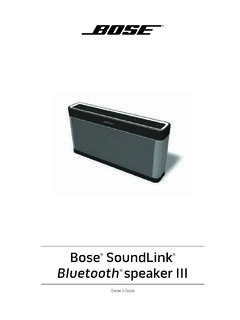
Owner’s Guide - Bose
assets.bose.comPlug the power cord on the AC power supply into the DC connector on the back of the speaker. 3. Plug the AC power supply into a live AC (mains) outlet. The speaker emits a tone to confirm connection to AC power, and charging begins. On the front of the speaker, the battery status indicator blinks yellow to show the battery is charging.
Related documents

Introduction to Pro Tools | First - Avid Technology
akmedia.digidesign.comrecord, edit, and mix audio, as well as how to use MIDI in Pro Tools | First. If you have not yet installed Pro Tools | First, in-stall it now according to the instructions in the Pro Tools | First Installation Guide. For informa-tion on connecting and installing drivers for your audio and MIDI hardware, refer to the manufac-turer’s instructions.

SA727 - Fire Stop Systems - Thermafiber
www.thermafiber.comUser’s Guide This brochure explains: – Where fire stop systems are used – The three types of fire stop systems that USG offers – How to select and specify the appropriate fire stop system Pages Understand Your System 4 Overview Applications Components Performance Testing Select Your System 11 Performance Selector Penetration Fire Tests

Waves Tracks Live User Guide
www.waves.comTh e Multi out mode sends each track to an output port without creating a stereo mix. Tracks go directly to their I/O ports. When Multi Out mode is selected, the Tracks Live mixer is bypassed and is not visible. T he Stereo out mode adds a mixer with a stereo out, providing a 2-track monitor or reference mix that can be sent to an external