Example: bankruptcy
Waves Tracks Live User Guide
Th e Multi out mode sends each track to an output port without creating a stereo mix. Tracks go directly to their I/O ports. When Multi Out mode is selected, the Tracks Live mixer is bypassed and is not visible. T he Stereo out mode adds a mixer with a stereo out, providing a 2-track monitor or reference mix that can be sent to an external
Tags:
Information
Domain:
Source:
Link to this page:
Documents from same domain

Waves Central User Guide
www.waves.comWaves Central User Guide page 1 WAVES CENTRAL USER GUIDE INTRODUCTION Waves Central is an application that lets you install, activate and license your Waves software products (V9.6 and above). Use Waves Central to install and activate all Waves plugins and nearly all Waves …

Software User Guide - Waves Audio
www.waves.comWaves MaxxVolume Software User Guide 3 Introduction MaxxVolume is an all-in-one dynamics processor. Available in both mono and stereo configurations, it performs four different dynamics processing functions: gating, low level

WaveSystem User Guide - Waves Audio
www.waves.com3 Enter Project Name / User Guide Presets . A preset is a complete snapshot of a plugin’s settings. Each preset is a unique file with an “xps” extension. Presets are managed in the Preset Menu.Click on the preset name in the middle of the Toolbar to open the menu.

Waves Nx for Windows and Mac - User Guide
www.waves.comwww.waves.com www.maxx.com - 3 - 1. About Waves Nx Waves Nx is an application that delivers immersive 3D audio on any headphones. Nx combines the worlds highest-quality 3D audio algorithms with state-of-the-art head tracking to deliver realistic 3D sound that recreates the way you hear sound in the world around you.
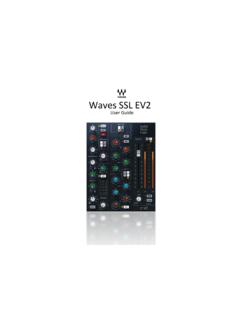
Waves SSL EV2
www.waves.comis selected, the low pass and high pass filters are placed before the dynamics processors in the chain. The equalizer can be switched into the dynamics sidechain to afford simple de-essing and other frequency- controlled dynamics processing by selecting Dyn S-C at the foot of the section. LF and HF shelves can be reshaped to bell curves by pressing

tune from PDF - Waves Audio
www.waves.comperform on all scanned material. Global shift defines a constant shift in equal tempered semitones (half steps.) Default = 0 ; +/- 12 half-steps (semitones.) Formant Correction - The correction type can be set to Formant corrected or Non Formant corrected. For vocals we recommend formant correction to avoid unnatural pitch shifts.
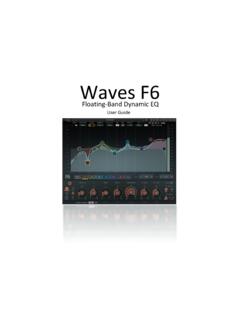
Floating-Band Dynamic EQ - Waves Audio
www.waves.comThe F6 Floating-Band Dynamic EQ is very flexible since the frequency, width, sidechain mode, and EQ type of each band can be set independently of others. This lets you assign separate EQ and dynamic processes to different frequency bands of a signal. With the M/S mode, you can control dynamic EQ processing in different parts of the sound image ...

Free Waves Presets - Waves Audio
www.waves.comTodd Cutler Dave Darlington Chris DeStefano Brad Divens Andrew Fletcher Val Garay Scott Martin Gershin Daniel Gonzalez Paul David Hagar Histibe Donal Hodgson ... Aphex Vintage Aural Exciter API 2500 API 550A API 550B API 560 Butch Vig Vocals C1 Compressor C4 Multiband Compressor C6 Multiband Compressor CLA Drums CLA Effects

Waves VOCAL RIDER - Waves Audio
www.waves.commix positioning, sound character adjustment (Dynamics/EQ/Effects), and gain riding. Vocal gain riding is the final stage, during which the vocal level is fine-tuned by making small changes to its playback level, to make its position in the mix consistent throughout the song.

CLA-2A User Manual - Waves Audio
www.waves.comVariable Release Times In the original modeled hardware, a T4 optical device determines compression behavior. When strong signals are introduced to the compressor input, release time constants lasting several seconds may result. In certain cases, this may cause the same passage to sound different during
Related documents
SA727 - Fire Stop Systems - Thermafiber
www.thermafiber.comUser’s Guide This brochure explains: – Where fire stop systems are used – The three types of fire stop systems that USG offers – How to select and specify the appropriate fire stop system Pages Understand Your System 4 Overview Applications Components Performance Testing Select Your System 11 Performance Selector Penetration Fire Tests

Bose A20 Aviation Headset Quick Reference Guide
assets.bose.comMake sure the Secondary Audio Mode selector is in the MUTE or MIX position (not in the OFF position). The power indicator glows green or yellow, depending on the charge level of the battery. (If the light is red, the battery is low and needs replacing.) Note: The first time you turn on the headset, it will automatically go into pairing mode and ...
Introduction to Pro Tools | First - Avid Technology
akmedia.digidesign.comrecord, edit, and mix audio, as well as how to use MIDI in Pro Tools | First. If you have not yet installed Pro Tools | First, in-stall it now according to the instructions in the Pro Tools | First Installation Guide. For informa-tion on connecting and installing drivers for your audio and MIDI hardware, refer to the manufac-turer’s instructions.