
CEMIS Web Browser - wcedmis.pgwc.gov.za
A screen like below will pop-up Click on “Delete” button The following screen will appear Make sure that the 1st four points are ticked (see above) then click the “Delete” button
Download CEMIS Web Browser - wcedmis.pgwc.gov.za

Information
Domain:
Source:
Link to this page:
Documents from same domain

ABET LEVEL 4 SUMMATIVE ASSESSMENT - CEMIS
wcedmis.pgwc.gov.zaLCEN QP June 2007 Copyright reserved Please turn over 3 SECTION A: (You are advised to spend about one hour on this section)

1002.2 (FINAL) NOV. 2007 1 MEMORANDUM …
wcedmis.pgwc.gov.za1002.2 (FINAL) NOV. 2007 1 MEMORANDUM NOVEMBER 2007 ( 21 pages plus an essay-marking grid) NB Here as elsewhere, be alert to and give credit to …
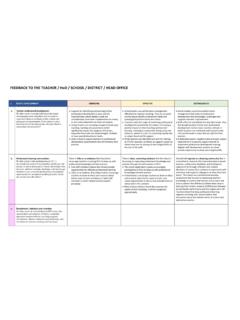
FEEDBACK TO THE TEACHER / HoD / SCHOOL / …
wcedmis.pgwc.gov.zaFEEDBACK TO THE TEACHER / HoD / SCHOOL / DISTRICT / HEAD OFFICE 1. PEOPLE DEVELOPMENT EMERGING EFFECTIVE DISTINGUISHED a. Teacher professional development
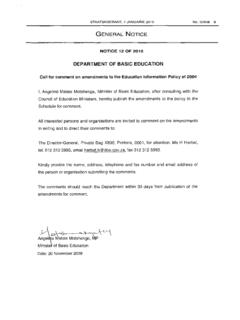
National Education Policy Act: National Education ...
wcedmis.pgwc.gov.zaSTAATSKOERANT, 7 JANUARIE 2010 Amendments to the Education Information Policy GOVERNMENT NOTICE DEPARTMENT OF EDUCATION No. of 2009 AMENDMENT OF EDUCATION INFORMATION POLICY
TO BE COMPLETED BY ALL EDUCATORS - …
wcedmis.pgwc.gov.zaEMIS NUMBER *ASS2017-1* TO BE COMPLETED BY ALL EDUCATORS PURPOSE OF SURVEY This survey seeks to obtain demographic, personal and professional information from educators for

Learner Transport Scheme application guide Information …
wcedmis.pgwc.gov.zaLearner Transport Scheme application guide This guide will help you understand how the Learner Transport Scheme system works and how to assign
Related documents

NOVAtime Technical Library
www.novatime.comNOVAtime Technical Library NOVAtime Professional Services Page 2 of 6 3) In the Delete Browsing History window, enable/disable theoptions as shown below and click on the Delete button.. 4) Close the open browser and start a new browser …

Scotiabank Secure Email Service
www.scotiabank.comScotiabank Secure Email Service . Client User Guide . The Scotiabank Secure Email Service is a secure communication channel for Scotiabank employees to send personal or confidential information to

Infor Xtreme Browser References
www.inforxtreme.comBrowsers Supported The following browsers are recommended for Infor Xtreme: • Internet Explorer 10 and 11 • Microsoft Edge • Google Chrome versions 62 and up.