Chapter 16 - Gantt Charts
Repeat steps 3 and 5 to change Finish date to the Wednesday two-and-a half weeks later Click on [OK] to create the Gantt chart For Your Reference… To create a new Gantt chart: 1. Select File > New > Schedule > Gantt Chart 2. Select the required options 3. Click on [OK] Handy to Know… If you need to change the start or finish date
Download Chapter 16 - Gantt Charts

Information
Domain:
Source:
Link to this page:
Documents from same domain
ARUN - West Sussex County Council
www2.westsussex.gov.ukArun Summary People • Resident Population/working age population in 2008 150,000/58%
Briefing note for CLCs - West Sussex County Council
www2.westsussex.gov.ukAgenda Item 14c Appendix C Background to S106 and S278 requirements Briefing note for CLCs 1 S278 Agreements - Allowing developers to make alterations to the
Reflective Practice Template - West Sussex County …
www2.westsussex.gov.ukReflective Practice Reflective practice is used in professional practice to help individuals examine and look at thoughts, feelings and learning, gained from
Pre Birth Assessment; Guidance and process.
www2.westsussex.gov.ukPre birth guidance December 2016 Page 3 should be treated as per any other assessment whilst the legal power to intervene is not applicable until birth.
STATEMENT OF INVESTMENT PRINCIPLES
www2.westsussex.gov.ukThis Statement of Investment Principles (SIP) outlines how investment decisions are made, the types of investment held, fees paid, risk and the Fund’s approach to corporate governance.

Chapter 1 - Microsoft Project Basics
www2.westsussex.gov.ukMicrosoft Project 2010 - Module 1 © Watsonia Publishing Page 1 Microsoft Project Basics CHAPTER 1 MICROSOFT PROJECT BASICS N Project management software is ...
Chapter 17 - Cross Functional Flowcharts
www2.westsussex.gov.ukMicrosoft Visio 2010 - Module 1 © Watsonia Publishing Page 160 Chapter 17 - Cross Functional Flowcharts ADDING PHASES middle of the chart label to select the last

Chapter 2 - Setting Excel Options
www2.westsussex.gov.ukExcel automatically creates a spreadsheet recovery file at the interval that you specify in minutes. You can specify a time from 1 to 120 minutes. If Excel crashes for any reason, the latest AutoRecover file will open when you next start Excel. You can then save the changes.
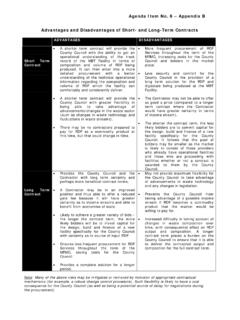
Advantages and Disadvantages of Short- and Long-Term …
www2.westsussex.gov.ukA shorter term contract will provide the County Council with the ability to get an operational understanding of the track record of the MBT Facility in terms of composition and volume of RDF being produced. It can then enter into a more detailed procurement with a better understanding of the technical operational

WPL U101 Microsoft Windows 7
www2.westsussex.gov.ukThe Windows desktop contains a range of desktop icons. Many of these icons are known as shortcuts or links to frequently-used programs, folders and files. You can save quite a bit of time and reduce the number of mouse clicks in a day by creating desktop shortcuts for …
Related documents

Educational Planning: approaches, challenges and ...
www.unesco.orgThe three units of this module therefore examine both the concepts and the context of educational planning. General objective: Module 1 provides an introduction to educational planning, its concepts, current context and framework for action. Course content: • Education sector planning: key concepts, contextual factors and main stages;

TOPIC TITLE: CONTENT AND CONTEXTUAL ANALYSIS OF …
phlconnect.ched.gov.phContent and Contextual Analysis of Selected Primary Sources *Property of STI ... following case points in this module, as well as provide seatworks. Therefore, provide the students with appropriate ... It also provides an understanding of the trends that have happened before. An example is the People

INTERNSHIP REPORT
www.adityatekkali.edu.inunderstanding of the situation of its users and their appliances, software architectures and pervasive communication networks to process and convey the contextual information to ... 6.2 ESP8266 (Wi-Fi Module) 4 6.3 Breadboard & Jump Wires 5 6.4 Power Supply Board 6 ...
UNIVERSITY GRANTS COMMISSION Faculty Induction …
ugc.ac.in3 Using a variety of teaching methods e.g. flipped classrooms, inquiry/problem-based learning, differentiated teaching Handling a diverse classroom Encouraging group work, collaborative learning, self-study habits Designing assessments that are contextual, meaningful, rigorous and fair - formative and

B.E: Electronics & Communication Engineering Program ...
vtu.ac.inmodelling to complex engineering activities with an understanding of the limitations. 6. The Engineer and Society: Apply reasoning informed by the contextual knowledge to assess societal, health, safety, legal, and cultural issues and the ... from each module. 3

‘Getting them reading early’
assets.publishing.service.gov.ukModule 5 (Film 3): Establishing foundations 29 Module 6 (Film 4): Assessment and consolidation of vowel digraphs 30 Module 7 (Film 5): Guiding readers to become good readers 31 Part 3: Inspecting reading 32 Module 8: Inspecting quality 32 Part 4: Contextual information 49 Module 9: Background information on reading and phonics 49

Source-Free Domain Adaptation for Semantic Segmentation
openaccess.thecvf.comtain the contextual information, and the intra-domain patch-level self-supervision module is introduced to exploit patch-level knowledge in target domain. • We demonstrate the effectiveness of our framework on synthetic-to-real and cross-city segmentation scenarios. In particular, it can even achieve competitive results

NATURE AND DETERMINANTS OF DEVELOPMENT
nios.ac.inMODULE - III Human Development ... day-to-day functioning, such as understanding of grammar. Developmental changes are relatively stable. The temporary changes due to ... Development is contextual . It is influenced by historical, environmental and socio-cultural factors. The loss of a parent, an accident, a war, an earthquake and
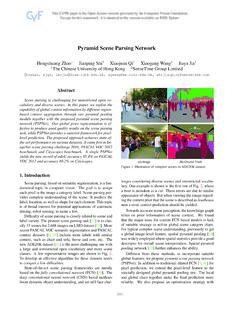
Pyramid Scene Parsing Network
openaccess.thecvf.comtially or completely related to contextual relationship and global information for different receptive fields. Thus a deep network with a suitable global-scene-level prior can much improve the performance of scene parsing. 3.2. Pyramid Pooling Module With above analysis, in what follows, we introduce the pyramidpoolingmodule ...