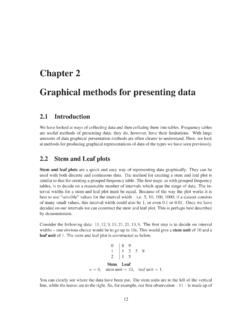
Chapter 2 Graphical methods for presenting data
Stem Leaf n=10, stem unit =10, leaf unit =1. Here, the interval width is too large, resulting in only two intervals for our data. With such few intervals it is difficult to identify any patterns in the data. We can get a better idea about what is going on if we choose a smaller interval width – say 5. Doing so gives the following stem and ...
Download Chapter 2 Graphical methods for presenting data

Information
Domain:
Source:
Link to this page:
Documents from same domain

Analysis of Covariance - Newcastle University
www.mas.ncl.ac.ukMedical Statistics course: MD/PhD students, Faculty of Medicine & MED819: ANCOVA 1 Analysis of Covariance 1. Introduction The Analysis of Covariance (generally known as ANCOVA) is a technique

Data Description, Populations and the Normal …
www.mas.ncl.ac.ukData Description, Populations and the Normal Distribution Introduction This course is about how to analyse data. It is often stressed that it may be totally

Calculating the mean and standard deviation on a calculator
www.mas.ncl.ac.ukMAS1403: Quantitative methods for Business Management Tutorial: Week 3 Calculating the mean and standard deviation on a calculator The following commands show how to calculate the mean and standard deviation by using the STAT

Chapter 6 Using Minitab - ncl.ac.uk
www.mas.ncl.ac.ukChapter 6 Using Minitab ... Programs– Statistical Software– Minitab 16 for Windows– Minitab 16. You should now have a spreadsheet (“data window”) ready to input data. In Minitab, there are two main windows; the Session window and the Worksheet window. The

1 Starting Minitab - Newcastle University
www.mas.ncl.ac.ukStart > All Programs > Minitab > Minitab 16 Statistical Software You will see two windows: a session window and a worksheet. Data are entered into columns labelled C1, C2, C3, etc in the worksheet. 2 Stem and leaf plots Suppose C1contains some data. To obtain a stem and leaf plot of these data you would need to do

Chapter 8 More Discrete Probability Models
www.mas.ncl.ac.ukCHAPTER 8. MORE DISCRETE PROBABILITY MODELS 82 of sixes on the 3 rolls, we have that X has a binomial distribution with parameters n = 3 and p = 1/6, that is

MAS3301 Bayesian Statistics Problems 3 and Solutions
www.mas.ncl.ac.uk(f) Plot a graph showing the prior and posterior probability density functions of on the same axes. (g) Find the posterior probability that <0:6: Notes: The probability density function of a beta(a;b) distribution is f(x) = kxa 1(1 x)b 1 where kis a constant. If X˘beta(a;b) then the mean of Xis E(X) = a a+ b and the variance of Xis var(X) = ab

1 Starting Minitab - Newcastle University
www.mas.ncl.ac.ukMAS1403: Quantitative Methods for Business Management Minitab supplement 6 Cumulative Frequency Polygons (Ogive) This graph can be produced using the following Minitabinstructions: 1. In column C1, enter the end points of the class intervals, as well as the starting point of the smallest class. 2.

Calculation of Positive Predictive Value
www.mas.ncl.ac.ukCalculation of Positive Predictive Value The positive predictive value (PPV) is the probability that an individual with a positive screening result (denoted +) has the disease (denoted D). The sensitivity is the probability that an individual with the disease is screened positive and the specificity is the probability that an
Related documents
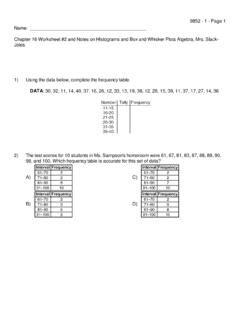
Worksheet #2 on Histograms and Box and Whisker Plots
www.enetlearning.org10) Construct a box-and-whisker graph using the following data: 16, 12, 13, 14, 16, 18, 15, 17, 20, 12, 14, 15, 15 Questions 11 through 14 refer to the following:
Chapter 205 One-Sample T-Test
ncss-wpengine.netdna-ssl.comKurtosis, coefficient of variation, coefficient of dispersion, percentiles, additional normality tests, and a stem-and-leaf plot. Research Questions For the one-sample situation, the typical concern in research is examining a measure of central tendency (location) for the population of interest.
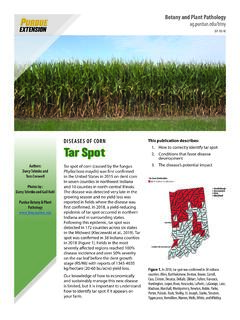
DISEASES OF CORN Tar Spot - Purdue University
www.extension.purdue.eduof leaf wetness (greater than 7 hours) promote infection and disease development. Wind-driven rain ... stem, and husk of the affected corn plant. ... Both hybrids infected with tar spot were in adjacent plots. The hybrid on the left had increased tar spot severity (>40%) leading to rapid ...
6th Grade Unpacked Math TEKS
www.gpisd.orgsame data including line plot, line graph, bar graph, stem and leaf plot, circle graph, and Venn diagram, and justify the selection *8.12 C Same as 7.11 A box and whisker plots, histograms, and Venn diagrams with and without the use of technology
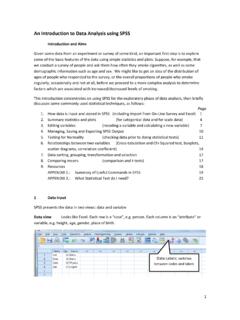
An Introduction to Data Analysis using SPSS
www.lboro.ac.uk‘Plots’ button and deselect ‘Stem-and-leaf ’and select ‘Histogram’, then click Continue and then OK. The table headed Descriptives in the Output window shows a huge number of summary statistics, some of which might be incorporated into a report as part of a brief summary of this data. Next are a

Data Analysis Declare data with Stata Cheat Sheet TIME ...
www.stata.comstem mpg return stem-and-leaf display of mpg summarize price mpg, detail calculate a variety of univariate summary statistics frequently used commands are highlighted in yellow univar price mpg, boxplot calculate univariate summary with box-and-whiskers plot ssc install univar returns e-class information when post option is used