
Composer Pro Getting Started - Control4
• Wireless access point (WAP) or wireless router that supports 802.11 b/g/n (optional) • TCP/IP-based (Ethernet) home network. This usually includes a network gateway, router or switch. • A broadband Internet connection. During initial setup, a broadband Internet connection is required to update the Control4 system and retrieve the media's
Download Composer Pro Getting Started - Control4

Information
Domain:
Source:
Link to this page:
Documents from same domain
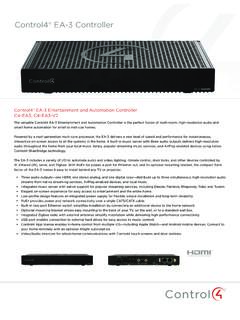
Control4® EA-3 Controller
www.control4.comControl4® EA-3 Controller The versatile Control4 EA-3 Entertainment and Automation Controller is the perfect fusion of multi-room, high-resolution audio and
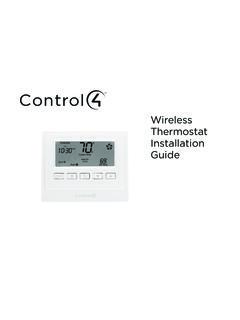
Wireless Thermostat Installation Guide - Control4
www.control4.comSupported Model CCZ-T1-W Wireless Thermostat - White WARNING! Install in accordance with all national and local electrical codes. WARNING! This product is not intended for use with line-voltage baseboard heaters.
Composer HE Getting Started Guide - Control4
www.control4.comComposer HE 2.9.0 Getting Started Guide Legal notices . 2. Legal notices . Control4 disclaimer . Control4 ® makes no representations or warranties with respect to this publication, and specifically disclaims any express or implied

SR-260 System Remote Control Data Sheet
www.control4.comControl4® System Remote Control SR-260 Control4 System Remote Control SR-260 (C4-SR260, C4-SR260-I) The Control4 SR-260 and SR-260-I remotes are …
Control4 System Quick Start Guide
www.control4.comUse a dimmer 1 To use a dimmer, press and hold the top of the dimmer to slowly brighten the light, and press and hold the bottom to slowly dim it That’s all there is to it! 2 You can also use it like an on/off switch, if you’d like Press and release the top of the dimmer to ramp the light up to full brightness Press and release
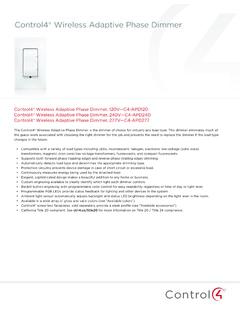
Wireless Adaptive Phase Dimmer Data Sheet
www.control4.comControl4® Wireless Adaptive Phase Dimmer The Control4® Wireless Adaptive Phase Dimmer is the dimmer of choice for virtually any load type. This dimmer eliminates much of the guess-work associated with choosing the right dimmer for the job and prevents the need to replace the dimmer if the load type changes in the future.

CONTROL4® CHIME VIDEO DOORBELL
www.control4.comChime is the first video doorbell designed for the Control4 smart home. Chime allows homeowners to see and talk to visitors while controlling the most important smart home features. Customers can see and hear who’s at the door through the Control4 mobile app or touchscreen, and a 5MP camera with a 180-degree

Control4® Wireless Switch
www.control4.comControl4® Wireless Switch The Control4® Wireless Switch provides on/off control for a variety of load types. With its robust relay and high amperage rating, the Switch can handle even high in-rush loads such as fountain pumps or large banks of fluorescent lights. It can even be used to switch wall outlets.
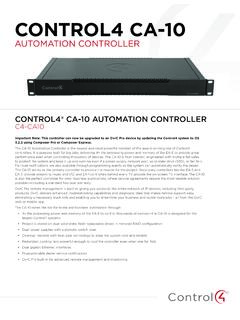
CONTROL4 CA-10
www.control4.com• 4× the processing power and memory of the EA-5 to control thousands of devices—the CA-10 is designed for the largest Control4 systems • Project is stored on dual solid-state, field-replaceable drives in mirrored RAID configuration • Dual power supplies with automatic switch-over
DUAL-WAN GIGABIT VPN ROUTER USER INTERFACE MANUAL
www.control4.comUser Interface Manual About this Manual About this Manual This manual provides installers and end users with current information regarding the installation, setup, use, and maintenance of the product. The symbols below identify important information: Pro Tip – Pro tips provide extra value, utility, or ease of use. Pro tips may also link to extra
Related documents
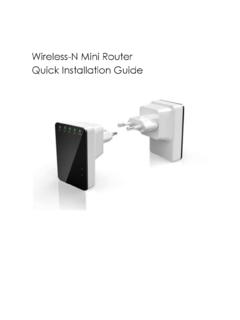
Wireless-N Mini Router Quick Installation Guide
www.accessionx.comWireless-N Mini Router into an electrical wall socket. 2. Connect a PC to the LAN port on the Wireless-N Mini Router with an RJ-45 cable to do the setup of Wi-Fi Repeater mode. Access Point: How Network Infrastructure will look after setup Access Point (AP) mode is used to create a wireless signal, if you have a router without built-in Wi-Fi. The
XPS 8900 Specifications - Dell
downloads.dell.comfrom a router or a broadband modem for network or internet access. The two lights next to the connector indicate the connectivity status and network activity. 3 USB 2.0 ports (2) Connect peripherals such as storage devices, printers, and so on. Provides data transfer speeds up to 480 Mbps. 4 DisplayPort Connect to a DisplayPort on monitor or ...

Wireless Router User Manual - GDI Technology, Inc.
www.gditechnology.comof walls or ceilings between your router and network devices. • Ensure optimum reception by positioning your device so that the signal moves straight through drywall or open doorways instead of at an angle. • Maintain wireless signal strength by positioning your router away from glas s, metal, water, mirrors, brick, and concrete.