
Connected Components Workbench™ Software Guide for …
The Connected Components Workbench software term for going online with a controller is Connect. 1. With the offline project open, check if there is a project (‘connection’) path displayed for the controller.
Download Connected Components Workbench™ Software Guide for …

Information
Domain:
Source:
Link to this page:
Documents from same domain

Studio 5000 Logix Designer Level 2: Basic Ladder …
literature.rockwellautomation.comControlLogix/Studio 5000 Studio 5000 Logix Designer Level 2: Basic Ladder Logic Programming Course Description Photo, screen capture or image Course Number

Stratix Industrial Networks Infrastructure At-a-Glance
literature.rockwellautomation.comStratix Industrial Networks Infrastructure At-A-Glance Switching and Routing Security Appliance Wireless 1783-NATR Network Address Translation Router

PowerFlex 40 Configured AC Drives Installation …
literature.rockwellautomation.comImportant User Information Read this document and the documents listed in the additional resources section about installation, configuration, and

PRODUCT SECURITY VULNERABILITIES - Literature …
literature.rockwellautomation.com1 PRODUCT SECURITY VULNERABILITIES Frequently Asked Questions Vulnerabilities WHAT IS A VULNERABILITY? A vulnerability is a flaw or weakness in a product or system that can be exploited to compromise the product or

Studio 5000 Logix Designer Level 3: Project …
literature.rockwellautomation.comControlLogix/Studio 5000 Studio 5000 Logix Designer Level 3: Project Development Course Description Course Number CCP143 Course Purpose Upon completion of this course, given a functional specification for

1395 Digital DC Drive - Rockwell Automation
literature.rockwellautomation.comChapter 1 Understanding the Basic Principles General This guide is intended to help you define troubleshooting techniques and procedures and help simplify servicing of the Bulletin 1395 DC Drive by identifying likely causes for malfunction.

Industrial Computer and Monitor Specifications …
literature.rockwellautomation.com2 Rockwell Automation Publication IC-TD001I-EN-P - December 2017 Industrial Computer and Monitor Specifications Summary of Changes This publication contains new and updated information as indicated in the following table.

MicroLogix 1100 Programmable Controllers - …
literature.rockwellautomation.comMicroLogix 1100 Programmable Controllers Bulletin 1763 Controllers and 1762 Expansion I/O User Manual

MICROLOGIX PROGRAMMABLE CONTROLLERS - …
literature.rockwellautomation.comMICROLOGIX PROGRAMMABLE CONTROLLERS SELECTION GUIDE BULLETIN 1761 - MicroLogix 1000 BULLETIN 1763 - MicroLogix 1100 BULLETIN 1762 - MicroLogix …

5069 Compact I/O Modules with EtherNet/IP …
literature.rockwellautomation.com[PROJECT NUMBER] [PROJECT NAME] [DATE] [PROJECT LOCATION] I/O Modules with EtherNet/IP Architecture Rockwell Automation 5069-SR002A-EN-P 5 1.08 …
Related documents

Chapter 2: Parametric Analysis in ANSYS Workbench Using ...
alfaproject.irFigure 2.4:The Project Loaded into ANSYS Workbench The project (fluent-workbench-param.wbpj) already has a Fluent-based fluid flow analysis system that includes the geometry and mesh, as well as some predefined parameters.You will first examine and edit parameters within Workbench, then later proceed to define the fluid flow model in ANSYS ...

Industry Workbench/Common Data Model
cloudblogs.microsoft.comIndustry Workbench/Common Data Model CDM driven Analytics Vision at Microsoft Payal Tiwana| Principal Group PM | Azure Global. Volume Variety Velocity. report struggling to become mature users of data* report data silos and data management difficulties as roadblocks*

Reporting Workbench Ref Guide - University of Virginia
hit.healthsystem.virginia.eduWorkbench after the saved results have expired, a window appears where you can delete or resave the results. 1. From a report's results, click Options. 2. Select Save Results. The Save Results window opens. 3. Enter a name and an expiration date for the results. 4. Click Accept. The report results appear in the Saved Results section. 5.

Lecture 1 Introduction to ANSYS Workbench
www.clear.rice.eduANSYS Workbench is a convenient way of managing your simulation projects. Workbench is used to launch the individual software components, and used to transfer data between them. It is easy to see at-a-glace how a model has been built, and determine which files were used for a particular simulation (pairing geometry files to solver runs)

Chapter 1: Introduction to Using ANSYS Fluent in ANSYS ...
www.fm.energy.lth.seANSYS Workbench saves the project with a .wbpj extension and also saves supporting files for the project. Note that the fluid flow analysis system is composed of various cells (Geometry, Mesh, etc.) that represent the workflow for performing the analysis. ANSYS Workbench is composed of multiple

ANSYS Workbench – a short guideline
www.kth.seANSYS Workbench – a short guideline This document is a guidline on how to use ANSYS Workbench 2.0 as a tool to solve the second computer workshop in the course SE1025 FEM for engineering applications. You are supposed to have read the problem descriptions before proceeding with this document.
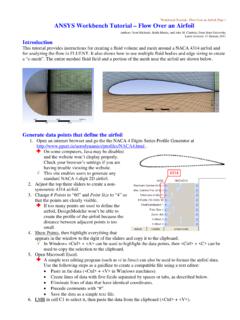
ANSYS Workbench Tutorial – Flow Over an Airfoil
www.me.psu.eduWorkbench Tutorial – Flow Over an Airfoil, Page 3. on the circle next to “Meter”, then OK. If this prompt does not appear, your version of DM was set to always use a certain unit of length. If this is the case, Tools-Options-Units, and set . Display Units Pop-up Window. to “Yes”. 3. Concept-3D Curve. In . Details View, Not Selected