
ConsumerCellular
5 6 1 Getting started..... 1.1 set-up Removing or installing the back cover Inserting or removing the sIm card The SiM card and battery are normally pre-installed for you.
Download ConsumerCellular

Information
Domain:
Source:
Link to this page:
Documents from same domain

WIRELESS CUSTOMER AGREEMENT - Consumer …
www.consumercellular.comConsumer Cellular, Incorporated ConsumerCellular.com

ROADSIDE ASSISTANCE TERMS AND CONDITIONS
www.consumercellular.comreimbursement up to $80. ROADSIDE ASSISTANCE TERMS AND CONDITIONS. To receive reimbursement, you must contact the Motor Club first before securing service then submit ... you are responsible for the cost of services you request. The cost of Roadside Assistance Services requested will be provided to you prior to dispatch and is subject to your ...

Samsung Galaxy J3 J320A User Manual - Consumer Cellular
www.consumercellular.comINSTRUCTION MANUAL SHALL BE CONSTRUED TO CREATE AN EXPRESS OR IMPLIED WARRANTY ... change when you upgrade the device. Legal Information ... When you subscribe to a cellular network, you are provided with a plug-in SIM card. During activation,

Samsung Galaxy S9 | S9+ G960U/G965U User Manual
www.consumercellular.comany running apps. 2. Wait for the device to cool down, and then begin charging the device again. • If the lower part of the device overheats, check for damage to the connected USB cable. Replace the damaged USB cable with a new Samsung-approved cable. • If using a wireless charger, do not place foreign materials between the device and the
moto g stylus User Guide - Consumer Cellular
www.consumercellular.comJan 01, 2020 · to reopen it. Double tap to quickly switch between your recent apps. To remove an app from the recent list, swipe it up. To scroll the list, swipe right or left. » Google Assistant: Touch and hold Home . to launch the Google Assistant. Learn more about The Google Assistant™. For Home screen, swipe up. To go back, swipe toward the middle. For ...
Help - Consumer Cellular
www.consumercellular.com6 • PRIVACY: Please note that you must respect the laws and regulations in force in your jurisdiction or other jurisdiction(s) where you will use your phone regarding

Wireless Home Phone Base - Consumer Cellular
www.consumercellular.comConsumer Cellular service and DOES NOT use your home phone’s wall jacks. The Wireless Home Phone Base uses Consumer Cellular service, running on the AT&T Network, to provide phone service to your corded or cordless home phone(s). Place it anywhere in your house where you have a wireless signal. It does not require the use of a
Samsung Galaxy S20 FE 5G G781U User Manual
www.consumercellular.comsamsung.com. NOTE Your device is IP68 rated for dust and water resistance. To maintain the water-resistant and dust-resistant features of your device, make sure that the

At a glance Start Home screen & apps Control & customize ...
www.consumercellular.com•WF-i ni etwork : For faster internet access or to conserve data use, swipe the status bar down with two fingers, tap , and then tap Wi-Fi. There’s more in “ Wi-Fi networks”. • Accounts: To add, edit, or delete accounts, tap Apps > Settings > Accounts, then tap Add account. To set up email accounts, see “Email”.
moto g play User Guide - Consumer Cellular
www.consumercellular.comJan 01, 2020 · and slide the Ring volume bar. Press a volume button when your phone is ringing to silence a call. » Earpiece volume: Press the buttons during a call. Tip: For more on volume control, see . Volume. Insert the SIM and microSD cards. To activate phone service, you might need to insert a SIM card, or this may have been . done for you.
Related documents
Tools >
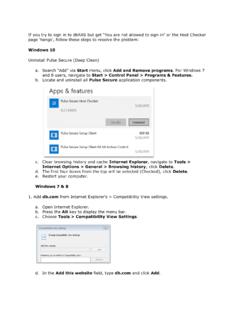
dbrasweb.db.comAdd db.com from Internet Explorer’s > Compatibility View settings. a. Open Internet Explorer. b. Press the Alt key to display the menu bar. c. Choose Tools > Compatibility View Settings. d. In the Add this website field, type db.com and click Add. 2. Perform a Deep Clean of the system. This will completely remove Host Checker and

My Passport Wireless Pro & My Passport Wireless SSD
documents.westerndigital.comNote: Compatibility may vary depending on your computer’s hardware configuration and operating system. For highest performance and reliability, always install the latest software update. Web Browsers Internet Explorer 10.0 and later on supported Windows computers Safari 6.0 and later on supported Mac computers

NVIDIA NVS 310 GPU: The New Vision in Productivity
images.nvidia.comand display settings for systems spread across your corporate environments. Every NVS 310 is tested on leading business applications and designed with the ideal balance of performance and power to meet your most demanding business needs. Enjoy full compatibility with industry-leading business applications such as Microsoft Office

ProTools Shortcuts Guide - Avid Technology
resources.avid.comPro Tools Shortcuts Guide iii ... Options, and Settings that appear on-screen are in a different font. The following symbols are used to highlight important information: ... uals, browse the Compatibility documents for system requirements, search the online Knowledge Base or

User guide - VZW
ss7.vzw.com4 5 The Basics Phone Overview -- Open View 1 Earpiece - Allows you to hear the caller and automated prompts. 2 Soft Keys - Allows you to select the corresponding command at the lower left or right displayed in the screen. 3 Send Key - Allows you to make and answer calls. Press from standby mode to access your call history (all calls, missed calls, dialed calls and received …

STEPS for correcting Compatibility view settings
tslhr.tatasteel.co.inSTEPS for correcting Compatibility view settings 1. Click on Tools 2. Click on Compatibility View Settings . 3. If website field is blank, Copy paste the link of the website, if website link is already there move to step 4 4. Click on Add 5. Click on …

U-Verse® TV, Internet and Phone User Guide | ATT102410735 …
www.att.comFix it now! Support tools. 3 Select Manage my Wi-Fi.e’ll display the information right there W for you! Go . Wi-Fi 1. Go to your computer’s Wireless Network Settings and refresh the network list . 2. Select your Wi-Fi Network Name from the list . 3. Enter the Wi-Fi Password in the Password field to connect to your network .

Government Travel Charge Card (GTCC) Training Guide
www.dcms.uscg.milTo change this in Internet Explorer, you need to click on Tools, Compatibility View Settings. When the screen below appears, ensure that the site is not listed in the “Websites you’ve added to Compatibility View:” and that the two boxes below for “Display intranet sites in Compatibility View” and “Use