
Creating an APA Style Reference List Guide
Feb 23, 2022 · web browser. • Do not add a period after the DOI or URL. • DOIs and URLs can be either blue and underlined (usually the default setting for hyperlinks) or plain text that is not underlined. Avoid the following common mistakes when writing reference list entries. Author Element • Use the word “and” between two authors’ names
Download Creating an APA Style Reference List Guide

Information
Domain:
Source:
Link to this page:
Documents from same domain
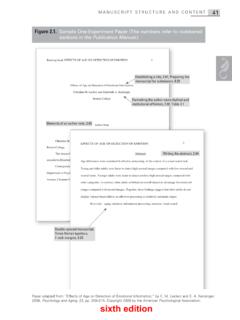
Sample Paper: One-Experiment Paper
apastyle.apa.org42 SAMPLE PAPERS EFFECTS OF AGE ON DETECTION OF EMOTION 3 Effects of Age on Detection of Emotional Information Frequently, people encounter situations in their …
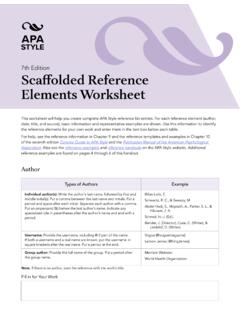
7th Edition, APA Style, Scaffolded Reference Elements ...
apastyle.apa.org7th Edition Scaffolded Reference Elements Worksheet This worksheet will help you create complete APA Style reference list entries. For each reference element (author,
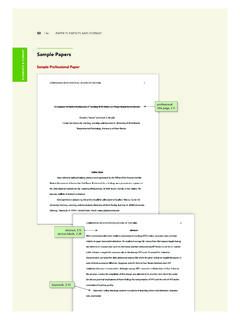
ELEMENTS & FORMAT Sample Papers
apastyle.apa.orgSample Professional Paper (continued) journal article reference without a DOI, 10.1 journal article reference, 10.1 reference list, 2.12, Chapter 9; section labels, 2.28 letters used after the year for multiple works with the same author and year, 9.47 book reference, 10.2
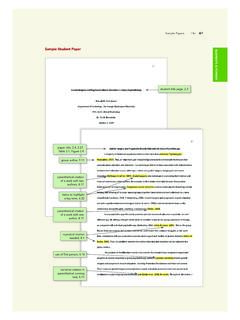
Sample Student Paper
apastyle.apa.orgSample Student Paper (continued) 66 • PAPER ELEMENTS AND FORMAT . ELEMENTS & FORMAT . journal article reference, 10.1 YouTube video reference, 10.12 short URL, 9.36 book reference, 10.2 report reference, 10.4 blog post reference, 10.1 conference presentation reference, 10.5 edited book chapter reference, 10.3 shortDOI, 9.36
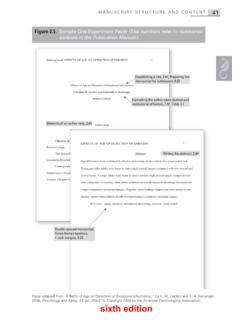
Sample Paper: One-Experiment Paper - APA Style
apastyle.apa.orgSample One-Experiment Paper (The numbers refer to numbered sections in the Publication Manual.) ... Regions of the brain thought to be important for emotional detection remain relatively intact with aging (reviewed by Chow& Cummings, 2000). Thus, it is plausible that the detection
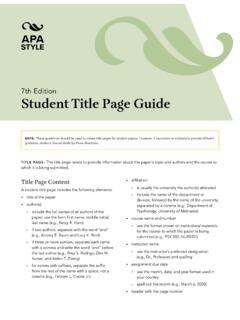
Student Title Page Guide, APA Style 7th Edition
apastyle.apa.orgMar 06, 2020 · TITLE PAGE: The title page needs to provide information about the paper’s topic and authors and the course to which it is being submitted. Title Page Content. A student title page includes the following elements: • title of the paper • author(s) ° include the full names of all authors of the paper; use the form first name, middle initial,
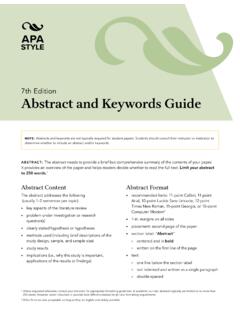
Abstract and Keywords Guide, APA Style 7th Edition
apastyle.apa.orgThe abstract needs to provide a brief but comprehensive summary of the contents of your paper. It provides an overview of the paper and helps readers decide whether to read the full text. Limit your abstract to 250 words. 1. Abstract Content . The abstract addresses the following
Paraphrasing and Citation Activities, APA Style 7th Edition
apastyle.apa.orgActivity 3: Writing a Long Paraphrase. This activity consists of three steps: 1.Read the following published paragraphs and summarize them in your own words in two to three sentences (a long paraphrase). Do not repeat every idea. Instead, highlight important findings and accurately represent the meaning of the original.
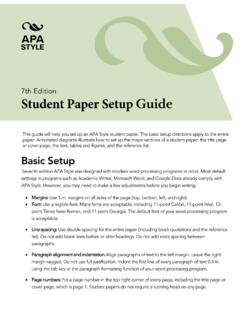
Student Paper Setup Guide, APA Style 7th Edition
apastyle.apa.orgThis guide will help you set up an APA Style student paper. The basic setup directions apply to the entire paper. Annotated diagrams illustrate how to set up the major sections of a student paper: the title page or cover page, the text, tables and figures, and the reference list. Basic Setup
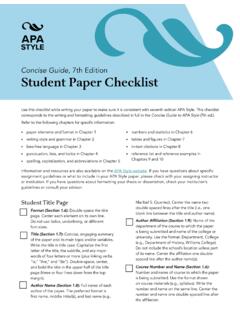
Concise Guide, 7th Edition Student Paper Checklist
apastyle.apa.orgThis checklist corresponds to the writing and formatting guidelines described in full in the Concise Guide to APA Style (7th ed.). Refer to the following chapters for specific information: • paper elements and format in Chapter 1 • writing style and grammar in Chapter 2 • bias-free language in Chapter 3 • punctuation, lists, and italics ...
Related documents

GO virtual Quick Guide
go.state.gov3.5.2 Chrome Browser..... 7 1 Overview This document serves as a quick guide for new GO virtual users. Additional information, such as detailed instructions with screenshots, can be located in the full GO virtual User Guide. This document is applicable

Secure Browser Guide - media.ssbcdn.com
media.ssbcdn.comBrowser Guide. 2 of 9 Getting Started In order to access Treasury Navigator®, you must have the Treasury Navigator® Secure Browser on your PC. The Treasury Navigator® Secure Browser is a java-based application that runs on a user’s computer and provides a captive, safe environment for accessing Treasury Navigator® and other web sites or ...
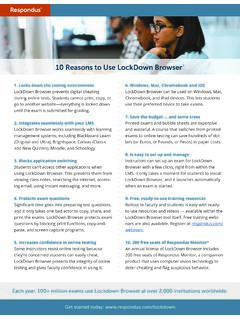
10 Reasons to Use LockDown Browser - web.respondus.com
web.respondus.comBrowser with just a few clicks, right from within the LMS. It only takes a moment for students to install LockDown Browser--and they can simply launch the browser to take a test. 9. Ready-to-use training resources Rollout to faculty and students is easy with ready-to-use resources, including demonstration videos,
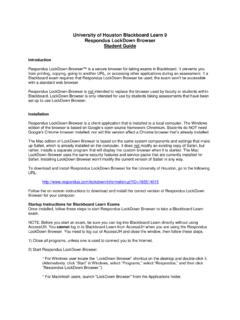
University of Houston Blackboard Learn 9 Respondus ...
www.uh.eduRespondus LockDown Browser Student Guide Introduction Respondus LockDown Browser™ is a secure browser for taking exams in Blackboard. It prevents you from printing, copying, going to another URL, or accessing other applications during an assessment. If a

Fios Home Wi-Fi Extender USER GUIDE - Verizon
www.verizon.comES 01 / INTRODUCTION 1.0 Package Contents 6 1.1 System Requirements 6 1.2 Features 6 1.3 Getting to Know Your Fios Home Wi-Fi Extender 8 02 /