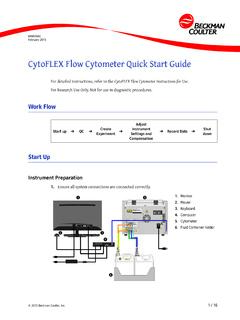
CytoFLEX Flow Cytometer Quick Start Guide
CytoFLEX Flow Cytometer Quick Start Guide Instrument QC 2. Log on to the computer and double-click to start CytExpert. a. Ensure that the Connected icon on the Status Bar near the bottom-left side of the display is green. b. If the icon is not green, ensure that the instrument USB is securely connected to the computer and restart the computer. 3.
Download CytoFLEX Flow Cytometer Quick Start Guide

Information
Domain:
Source:
Link to this page:
Documents from same domain

Nutrition and Athletic Performance - NYU Langone …
med.nyu.eduNutrition and Athletic Performance ABSTRACT It is the position of the American Dietetic Association, Dietitians of Canada, and the …

Please do not submit this page with your application ...
med.nyu.eduPlease do not submit this page with your application. Postdoctoral Fellows Rent Prices 201819 Locations, apartment types, and rents are subject to change and availability.

Biyu Jade HE CV 2017 10 public - NYU Langone Health
med.nyu.eduBiyu Jade He, Ph.D. Updated Oct 4, 2017 3 18. Jennifer Rengachary, Biyu J.He, Gordon Shulman, Maurizio Corbetta.A behavioral analysis of spatial neglect and its recovery after stroke.

NYU Department of Population Health
med.nyu.eduNYU Department of Population Health May 19, 2015 . Presentation Title Goes Here 2 o Formative Assessment o Intervention Development o Next Steps . HHAP: A Place-Based CHW Initiative in Public Housing 3 FORMATIVE ASSESSMENT Study Design • Qualitative focus groups designed to …

Hungry bone syndrome - NYU Langone Health
med.nyu.eduIs the treatment of choice in patients with severe HPT which failed medical therapy: --persistently high serum PTH levels (>800pg/ml) in the presence of hypercalcemia and/or
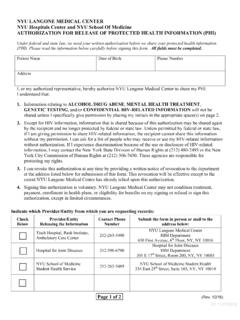
AUTHORIZATION FOR RELEASE OF PROTECTED HEALTH …
med.nyu.eduInclude information relating to (initial beside each applicable category): Alcohol or Drug Treatment. Mental Health Treatment Genetic Testing Information Psychotherapy Notes (If yes, please complete the additional authorization form for this purpose) HIV-Related information (If yes, please complete an official NYSDOH HIV release form)
Frozen Tissue Preparation Web copy - NYU Langone Health
med.nyu.eduTissue preparation and cryopreservation with sucrose -- for frozen tissue sections The purpose of cryopreserving tissues is to help prevent ice crystal formation in tissues when water freezes and expands. Ice crystals break cell membranes and produce holes within cells and loose extracellular matrix (“Swiss Cheese” artifacts).
GENETIC MODIFICATION: THE ETHICAL AND SOCIETAL ...
med.nyu.eduworld of genetic modification with a specific focus ... has entirely changed the genome engineering sector by providing a cheap and efficient way to alter DNA. The ... DC 1/27/2020. animals and humans, and enhancing varieties of crops. Its use in humans also poses a number of ethical dilemmas. B. How the Technology Works.

What is Research and How Can Research Benefit Your ...
med.nyu.eduObjective: To evaluate the effectiveness of genetic education pre- counseling workshops for pregnant women and women of child- bearing age Data Collection Approach : Quasi-experimental design; pre-post survey data was collected from intervention and control group participants on knowledge, attitudes