
DediProg SF Software User Manual
Four software icons will appear on your desktop after installation. Icon “DediProg Engineering” is the engineering GUI, “DediProg Production” is the production GUI, “DpCmd” is the command line interface and “DediProg Help” is the user manual. 3.1 Environment Preparation 3.1.1 Connect the programmer to the PC through an USB cable.
Download DediProg SF Software User Manual

Information
Domain:
Source:
Link to this page:
Related documents
PHOTOSHOP 7 BASIC USER MANUAL
tolweb.orgAug 14, 2002 · Photoshop 7 Basic: User Manual 8 Practice Steps: 1. Open Test.psd 2. Menu > File > Save for Web 3. Save a GIF that is 100k or smaller with the name Work01.gif in the workshop folder on the desktop. 4. Next save a jpeg of 75 k or smaller as Work01.jpg in workshop folder on desktop 5. Now go to workshop folder and check that files are in folder ...

User’s Manual - Apricorn
apricorn.comAdding a New User PIN There are two ways to establish a User PIN: Admin-generated while in Admin Mode, and User-generated while Padlock DT is ADMIN-GENERATED USER PIN 1.Enter the Admin Mode by holding + 0 for five seconds; With RED LED blinking, enter the Admin PIN and press the UNLOCK button. The BLUE LED will glow solidly. 2.

ASUS GPU Tweak II User Manual
dlcdnets.asus.comApr 26, 2017 · user manual for details on installing its driver. 2. Locate the ASUS GPU TweakII driver folder and double-click the setup.exe file to start the installation. 3. Follow the onscreen instructions to finish the installation.

User Manual - D-Link
support.dlink.comD-Link DWA-131 User Manual 4 Section 1 - Product Overview Introduction The DWA-131 Wireless N Nano USB Adapter is a convenient wireless connectivity solution for desktop or notebook PCs. Instead of stringing Ethernet cables to your PC or dismantling your desktop computer case, the DWA-131 can enable 802.11n wireless
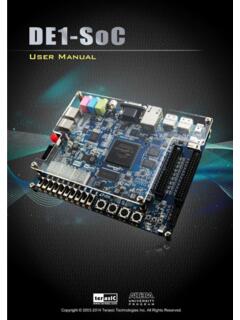
DE1-SoC User Manual www.terasic
www.intel.comDE1-SoC User Manual 9 www.terasic.com April 21, 2016 2.2 oBBllocckk DDiaggrraamm hooff -tthee rDDEE11-SSooCC BBooaardd Figure 2-3 is the block diagram of the board. All the connections are established through the
Portable Series User Manual - Seagate.com
www.seagate.comThe User’s Manual contains detailed information about features and instructions on using your Portable Series External Hard Drive. Using this Manual Carefully read and understand the “Handling Precautions” section before using the product. ... USB cable to the desktop/laptop computer as shown in Figures 3 and 4:

User ManUal - T-Mobile
www.t-mobile.comUser Interface screen appears. Access Using USB Cable 1. Connect your Mobile Hotspot to the PC with USB cable. 2. Power on your device. 3. The OS detects and recognizes new hardware and finishes the installation automatically. After successful installation, the web connection icon will appear on your desktop.