
Dell EMC PowerEdge RAID Controller Command Line …
Displays information on all controllers present on the host. cx. Specifies the controller where . x. is the controller index. ex. The enclosure ID..<file extension> Specifies the file required for a particular command. sx. The drive slot ID of the controller. 3. Working with the PERC Command Line Interface Tool 7. System commands. Controller ...
Download Dell EMC PowerEdge RAID Controller Command Line …

Information
Domain:
Source:
Link to this page:
Documents from same domain

Dell Optimizer Version 2.0 User's Guide
dl.dell.comOct 10, 2020 · Dell Optimizer is a software application that intelligently optimizes the performance of your system by using artificial intelligence and machine learning. Dell Optimizer dynamically configures your system settings to optimize the performance of your applications.

Dell Docking Station WD19DCS Dual Cable User Guide
dl.dell.comStation WD19DCS to supported Dell systems, the dock button works like your system's power button and you can use it to power on/sleep/force shutdown the system. NOTE: The dock button is not functional when connected to unsupported Dell systems or non-Dell systems. 4. 8 Identifying Parts and Features

Inspiron 15-3505 Laptop Users Guide - Dell
dl.dell.comViews of Inspiron 3505. Right. 1. SD-card slot. Reads from and writes to the SD card. The computer supports the following card types: Secure Digital (SD)

Inspiron 15 7000 Gaming Setup and Specifications
dl.dell.comInspiron 15 7000 Gaming Setup and Specifications Computer Model: Inspiron 15-7567 Regulatory Model: P65F Regulatory Type: P65F001

XPS 13 9310 Re-imaging guide for Windows - Dell
dl.dell.comExpanded compatibility Fixed device issues Support for new features However, if your computer is operating normally and there are no driver issues or updates being prompted by Windows, driver updates may be unnecessary. Updating drivers unnecessarily may create new problems.

XPS 15 9510 Re-imaging guide for Windows - Dell
dl.dell.comExpanded compatibility Fixed device issues Support for new features However, if your computer is operating normally and there are no driver issues or updates being prompted by Windows, driver updates may be unnecessary. Updating drivers unnecessarily may create new problems.

Dell Wyse USB Imaging Tool
dl.dell.comsupport for Windows 10 Enterprise LTSC 2019 (64-bit) on Wyse 5070 Thin Client, Wyse 5470 Thin Client and Wyse 5470 All-in-One Thin Client. Key features USB Imaging Tool has the following key features: Provision to push an Image from a network.

Precision 3560 Setup and Specifications
dl.dell.comS4 (Hibernate) - The computer consumes the least power compared to all other sleep states. The computer is almost at an OFF state, expect for a trickle power. The context data is written to hard drive. S5 (OFF) - The computer is in a shutdown state. 10 Views of Precision 3560

Dell Precision 5560
dl.dell.comConnect the 8K display directly to a Thunderbolt port on your computer. Power on the display and than turn off the power on the display. Daisy chain two 4K monitor via WD19TB series cannot reach 4K resolution. Question. When two 4K display is connected by Daisy chain via WD19TB series docking station, it cannot reach resolution upto 4K *2 @60 ...

Dell EMC OpenManage Enterprise Release Notes
dl.dell.comOct 01, 2021 · Enterprise's system management and monitoring is best suited for enterprise LANs and is not recommended for usage over WANs. For information about supported browsers, see the OpenManage Enterprise Support Matrix available on the support site. With OpenManage Enterprise, a web-based one‑to‑many systems management application, users can:
Related documents

eXtensible Host Controller Interface for Universal Serial Bus …
www.intel.comeXtensible Host Controller Interface for Universal Serial Bus (xHCI) Requirements Specification May 2019 Revision 1.2
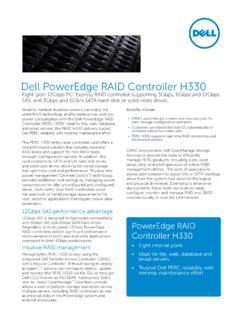
Dell PowerEdge RAID Controller H330
i.dell.comviews from the system host down to the logical and physical drive level. Extending to enterprise deployments, these tools can scale to easily configure, monitor and manage RAID and JBOD volumes locally or over the LAN network. Dell PowerEdge RAID Controller H330 PowerEdge RAID Controller H330 • Eight internal ports

EP1501 Intelligent Controller - Panasonic
www.security.us.panasonic.comThe EP1501 intelligent controller provides decision making, event reporting and database storage for the Mercury hardware platform. Two reader interfaces configured as paired or alternate readers provide control for one physical barrier. Host communication is via the on-board 10-BaseT/100Base-TX Ethernet port.

Intel USB 3.0 eXtensible Host Controller Driver
downloadmirror.intel.comUSB 3.0 eXtensible Host Controller Driver. It covers Release Kit Summary, Bug Fixes, and Known Issues. 1.2 System Requirements . The Intel ® USB 3.0 eXtensible Host Controller Driver contains support for the following Intel Chipsets: • Intel ® 8 Series Chipset Family • 4th Generation Intel ® Core™ Processors • Intel ®
SJA1000 Stand-alone CAN controller - NXP
www.nxp.comDec 15, 1997 · Stand-alone CAN controller Application Note AN97076 11 3. SYSTEM For connection to the host controller, the SJA1000 provides a multiplexed address/data bus and additional read/write control signals. The SJA1000 could be seen as a peripheral memory mapped I/O device for the host controller. 3.1 SJA1000 Application

PowerEdge RAID Controller H730P - Dell
i.dell.comhost, controller and disk enclosure down to the logical and physical drive level. Extending to enterprise deployments, these tools can scale to easily configure, monitor and manage RAID and JBOD volumes locally or over the LAN network. PowerEdge RAID Controller H730P • 12Gbps SAS Support • Doubling of IOPs performance capabilities
FUSB302B - FUSB302B Programmable USB Type‐C Controller …
www.onsemi.comUSB Type‐C Controller w/PD FUSB302B Description The FUSB302B targets system designers looking to implement a DRP/SRC/SNK USB Type-C connector with low amount of ... Type-C device knows that a Type-C host has been attached, it needs to determine what type of termination is applied to each CC pin. The software determines if an Ra or Rd
M4-CG Series General Purpose Application Controller …
cgproducts.johnsoncontrols.comdesired space so that the controller mounts in the horizontal position. 2. Pull the two bottom mounting clips outward from the controller to the extended position (Figure 4 or Figure 5). 3. Hang the controller on the DIN rail by the hooks at the top of the (DIN rail) channel on the back of the controller (Figure 4 or Figure 5), and position the