Dell OptiPlex 3070 Micro
• Micro computer view. Front view. 1. Power button and power light/diagnostic LED 2. Hard drive activity light 3. Headset/Universal audio jack port (3.5 mm headphone/microphone combo port) 4. Line-out port 5. USB 3.1 Gen 1 ports (2) 2. Chassis 7. Front view. Micro computer view
Download Dell OptiPlex 3070 Micro

Information
Domain:
Source:
Link to this page:
Documents from same domain

Dell Optimizer Version 2.0 User's Guide
dl.dell.comOct 10, 2020 · Dell Optimizer is a software application that intelligently optimizes the performance of your system by using artificial intelligence and machine learning. Dell Optimizer dynamically configures your system settings to optimize the performance of your applications.

Dell Docking Station WD19DCS Dual Cable User Guide
dl.dell.comStation WD19DCS to supported Dell systems, the dock button works like your system's power button and you can use it to power on/sleep/force shutdown the system. NOTE: The dock button is not functional when connected to unsupported Dell systems or non-Dell systems. 4. 8 Identifying Parts and Features

Inspiron 15-3505 Laptop Users Guide - Dell
dl.dell.comViews of Inspiron 3505. Right. 1. SD-card slot. Reads from and writes to the SD card. The computer supports the following card types: Secure Digital (SD)

Inspiron 15 7000 Gaming Setup and Specifications
dl.dell.comInspiron 15 7000 Gaming Setup and Specifications Computer Model: Inspiron 15-7567 Regulatory Model: P65F Regulatory Type: P65F001

XPS 13 9310 Re-imaging guide for Windows - Dell
dl.dell.comExpanded compatibility Fixed device issues Support for new features However, if your computer is operating normally and there are no driver issues or updates being prompted by Windows, driver updates may be unnecessary. Updating drivers unnecessarily may create new problems.

XPS 15 9510 Re-imaging guide for Windows - Dell
dl.dell.comExpanded compatibility Fixed device issues Support for new features However, if your computer is operating normally and there are no driver issues or updates being prompted by Windows, driver updates may be unnecessary. Updating drivers unnecessarily may create new problems.

Dell Wyse USB Imaging Tool
dl.dell.comsupport for Windows 10 Enterprise LTSC 2019 (64-bit) on Wyse 5070 Thin Client, Wyse 5470 Thin Client and Wyse 5470 All-in-One Thin Client. Key features USB Imaging Tool has the following key features: Provision to push an Image from a network.

Precision 3560 Setup and Specifications
dl.dell.comS4 (Hibernate) - The computer consumes the least power compared to all other sleep states. The computer is almost at an OFF state, expect for a trickle power. The context data is written to hard drive. S5 (OFF) - The computer is in a shutdown state. 10 Views of Precision 3560

Dell Precision 5560
dl.dell.comConnect the 8K display directly to a Thunderbolt port on your computer. Power on the display and than turn off the power on the display. Daisy chain two 4K monitor via WD19TB series cannot reach 4K resolution. Question. When two 4K display is connected by Daisy chain via WD19TB series docking station, it cannot reach resolution upto 4K *2 @60 ...

Dell EMC OpenManage Enterprise Release Notes
dl.dell.comOct 01, 2021 · Enterprise's system management and monitoring is best suited for enterprise LANs and is not recommended for usage over WANs. For information about supported browsers, see the OpenManage Enterprise Support Matrix available on the support site. With OpenManage Enterprise, a web-based one‑to‑many systems management application, users can:
Related documents

24 (61.0 CM) MICROWAVE DRAWER INSTALLATION …
images.thdstatic.comMICRO-ONDES DE 24 PO (61,0 CM) Table of Contents/Table des matières. W11103357A TINSKB239MRR0 MICROWAVE DRAWER SAFETY ... Check that a household fuse has blown, or a circuit breaker tripped. Replace the fuse or reset the circuit breaker. If the problem continues, call an electrician. ...

PanelView 300 Micro Terminals - Rockwell Automation
literature.rockwellautomation.comThe PV300 Micro terminal connects to a 24V dc power source. The table below shows the electrical ratings for the DC versions of the terminals. Electronic circuitry and an internal fuse protect the terminals from reverse polarity and over-voltage conditions. PV300 Micro terminal is designed for safe use when installed in a suitably rated
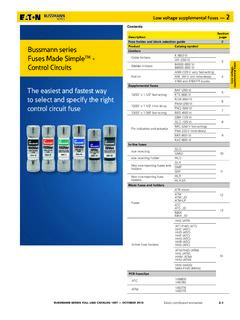
Bussmann series Fuses Made SimpleTM ControlCircuits The ...
www.eaton.comKTK fast-acting 13/32" x 1-1/2"supplemental fuse Fast-acting supplemental fuse. Black color code (600 Vac max). For superior protection, Eaton recommends upgrading to Bussmann series Low-Peak Class CC fuses. See data sheet no. 1023. Ratings Fuse amp range IR at rated voltage Agency information 600 Vac UL CSA 1/10 to 30 100 kA X X Agency information

MICROTEMP Thermal Fuses - Emerson Electric
www.emerson.comTh = Maximum temperature of the thermal fuse, measured at the case end, at which the thermal fuse can be maintained for a period of at least168 hours without opening Tm = Maximum overshoot temperature. Temperature up to which the open thermal fuse will not change state G4 MICROTEMP Product Information Before Operation After Operation F REF. A B ...

MICROWAVE OVEN BUILT-IN TRIM KIT INSTALLATION …
www.kitchenaid.comwith a fuse or circuit breaker. Recommended: A time-delay fuse or time-delay circuit breaker. A separate circuit serving only this microwave oven. Prepare Microwave Oven 1. Unplug microwave oven before proceeding with installation. 2. Remove any loose items inside microwave oven. 3. Gently turn microwave oven onto its top, with the door facing
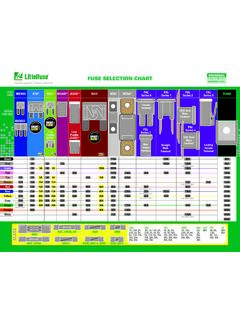
FUSE SELECTION CHART - Littelfuse
www.littelfuse.comfuse selection chart micro 2 only micro 2 only micro 2 only pal series 0 only pal series 0 only pal series 0 only pal series 2only pal series 2only pal series 2 pal series 4only agu agy, sfe30 glass agc, sfe20, uk sfe14 agx agw, sfe7.5, sfe9 sfe6 aga, sfe4 aga 1a, 1.5a, 2a, 2.5a, 3a, 5a, 6a, 7.5a, 10a, 15a, 20a,

1750-U049-D1 19.9.02 .bersetzt - VFDs
www.vfds.comdelay fuse* (*See Section 7). This equipment must not be used as an ‘emergency stop mechanism’ (see EN 60204, 9.2.5.4) If motor thermal protection is required, then an external PTC must be used. (Refer to Section 2.2.5.) Lowering the fan tray on Frame Size C MICROMASTER exposes rotating parts. Power must be isolated prior to this operation ...