
DeviceInstaller User Guide
Add a Device to the List . As an alternative to using the . Search. tool to add devices to the device list, add individual devices manually to the list. To add a device to the list manually: 1. From the . Device. menu, select . Add Device. The . Add Device. window displays. 2. Enter the IP address for the device and click . OK. DeviceInstaller ...
Download DeviceInstaller User Guide

Information
Domain:
Source:
Link to this page:
Documents from same domain

MSS Installation Guide - Lantronix
www.lantronix.comIntroduction TCP/IP Support 1-3 TCP/IP Support The MSS supports the TCP/IP network protocol. A network protocol is a method of communicating over

xPicoEmbedded Device Server User Guide - Lantronix
www.lantronix.comUser Guide . xPico ® Embedded Device ... firmware license to use and distribute the binary firmware image provided, only to the ... Quick Start Provides the steps ...

UDS1100/2100 Family - Lantronix
www.lantronix.com+ Provides a simple and cost effective serial-to-Ethernet connectivity solution for virtually any device with an RS-232/422/485 serial interface

CoBox-FL User Guide - Lantronix
www.lantronix.comDeclaration of Conformity (according to ISO/IEC Guide 22 and BS 7514) Manufacturer’s Name & Address: Lantronix, 15353 Barranca Parkway, Irvine, CA 92618 USA

SLC™ 8000 - Lantronix
www.lantronix.comLantronix SLC 8000 Features and Specifications Device Access _____ • KC and CCC for select models only.
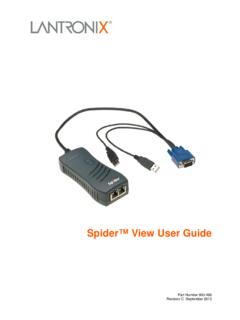
Spider™ View User Guide - Lantronix
www.lantronix.comSpider™ View User Guide 4 Introduction The Lantronix® Spider™ View product is a Windows®- based application designed to facilitate the
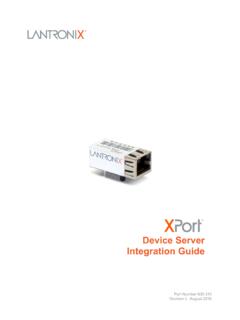
XPort Pro Device Server Integration Guide - Lantronix
www.lantronix.comJuly 2010 I Minor corrections; updated Table 2-5 Recommended ... About the Integration Guide _____ 6 Additional Documentation _____ 6 ... Board User Guide . Provides information needed to use the XPort on the demo board. DeviceInstaller User

UDS1100 User Guide - Lantronix
www.lantronix.comUDS1100 Device Server User Guide 3 Operation of this equipment in a residential area is likely to cause interference, in which case the user, at his or her own expense, will …

MSS User Guide - Lantronix
www.lantronix.comMSS User Guide 1: Introduction to the MSS Family 1-3 Domain Name Service (DNS) is a protocol that allows a network nameserver to translate text node names into numeric IP addresses. For WINS support, the MSS can be configured to announce itself as a WINS node. Note: MSS products support B-node functionality only The MSS also implements basic Simple Network Management Protocol (SNMP)
DeviceInstaller User Guide - Lantronix
www.lantronix.com3. On the Assignment Method page, select . Assign a specific IP address. and click . Next. The IP Settings window displays. 4. Enter the following information: IP address . An IP address that will be unique and valid on your network. There is no default. Note: Enter the IP address in dot-quad notation. Do not use leading zeros in the fields for ...
Related documents

Reference Guide - GOV.UK
assets.publishing.service.gov.ukMHRA Device Registrations Reference Guide 10 | P a g e Version October 2021 v1 Add devices using GMDN 1. Select the appropriate device type for the medical device to be registered. 2. Entering an appropriate word(s) into the ‘GMDN Code/Term’ text box will give you a shortlist of GMDN Terms to choose from.

MyChart | Your Interactive Health Record Steps to Upload ...
mychart.clevelandclinic.orgAdd Images or Documents Using a Mobile Device 1. Once you reach the Upload page: • Tap Add a document or Image to upload an image or document for your upcoming appointment. You will need to have image or document files on your mobile device. If you do not have images available, you will have the option of capturing images or ...
Apple Deployment Programs Device Enrolment Program …
www.apple.comGetting started with the Device Enrolment Program Once your enrolment is complete, you can go to deploy.apple.com to prepare settings for your institution-owned devices. You will then need to complete the following steps: Step 1: Add administrators. You can add administrator accounts for individuals who are authorised by your
Data Sheet - Cisco
www.cisco.comcan select coverage on a device-by-device basis, so you get the flexible coverage you need. All options include anytime, global access to the Cisco TAC and award-winning Cisco. com resources. Plus you have flexibility of choosing the coverage you want on a device-by-device basis. The Cisco SMARTnet Service options are shown in Table 1.

How to Unbind Device from Hik-Connect Account
www.hikvision.com1) Open Hik-Connect app, tap the ADD icon. 2) Add device by scanning device QR code which is on the label of the device or input device serial number manually. 3) The app would pop up the message and unbind button. Press the unbind button to continue. 4) Input the password of HIKVISION device. 5) Tap finish to unbind device.

How to add device into Hik-Connect App
www.hikvision.comto add the device. If the mobile phone and the device are in the public network, the device needs to be mapped to the public network, and the public IP and port can be used to add the device in Hik-Connect. (2) The devices added through IP are different from those added through Cloud P îP domain