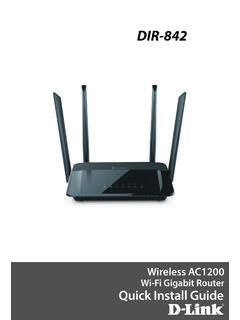
DIR-842 - D-Link
need to set it to “bridge” mode so the DIR-842 router can work properly. Please contact your ISP or refer to the user manual for your modem/router device. Before you Start 1 Unplug the power to your DSL or Cable modem. 2 Connect an Ethernet cable from the Internet port of the router to the Ethernet port on your DSL or Cable modem. Modem
Download DIR-842 - D-Link

Information
Domain:
Source:
Link to this page:
Documents from same domain

Quick Install Guide - D-Link
support.dlink.comDAP-1325 N300 Wi-Fi Range Extender Wi-Fi Configuration Card Quick Install Guide If any of the above items are missing, please contact your reseller. • Make sure the area that you want to plug the extender into has a strong connection to your router. Use a wireless laptop, tablet, or mobile phone in that area to test the connection to verify.

DGS-1100 Series EasySmart Switch User Manual B1 v1
support.dlink.comPress the Reset button for 1to 5 seconds to reboot the Switch. Press the Reset button for 6to10 seconds to reset the Switch back to the default settings. The LED will light up solid amber for 2 seconds. When pressing the Reset button for longer than 10 seconds, the device will enter loader mode and the LED will light up solid green for 2 seconds.

User Manual - D-Link
support.dlink.comH.264 Codec for Smooth, Space-Efficient Video This camera supports use of the H.264 video codec, which gives you high-quality video with reduced bandwidth requirements. This means that you can enjoy smoother, more reliable video streaming over the Internet, and less disk space is required to save recordings.
User Manual - D-Link
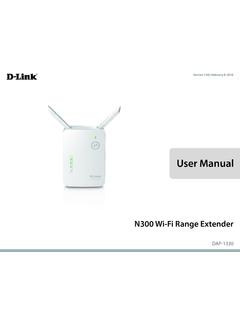
support.dlink.comMar 08, 2021 · The DAP-1330 N300 Wi-Fi Range Extender lets you easily extend a secure wireless network with a press of a button. Connect the DAP-1330 to a router via Wi-Fi or Ethernet and share your high-speed Internet access in more places throughout your home or small office. High-speed Wireless Performance With Wireless 802.11n Technology
User Manual - D-Link
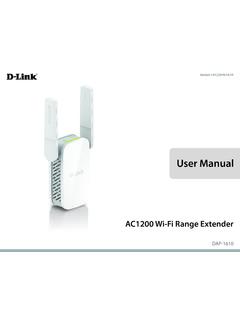
support.dlink.comDec 19, 2019 · D-Link DAP-1610 User Manual 2 Section 1 - Product Overview Network Requirements • A wireless router with an active Internet connection. • IEEE 802.11ac, 802.11n, 802.11g, 802.11b, or 802.11a

User Manual - D-Link
support.dlink.comSep 15, 2020 · D-Link DCS-8525LH User Manual 14 Section 3 - mydlink Camera Presets Save and quickly access up to 5 different camera views. The button is your Home Point. To set other viewpoints, tap the button, then tap the live view screen and use the arrows to set your view preset. Long press on the button to save a snapshot of that location.

Quick Install Guide - D-Link
support.dlink.comQuick Install Guide If any of the above items are missing, please contact your reseller. • Make sure the area that you want to plug the extender into has a solid connection to your router. Use a wireless laptop, tablet, or mobile phone in that area to test the connection to verify.

User Manual - D-Link Technical Support
support.dlink.com1 Reset Button Press and hold the reset button on the side of DAP-1720 for 10 seconds to restore the factory default settings. 2 Power Switch Use the power switch to power off the DAP-1720 when it will not be in use for an extended period of time. The factory default is ON. 1 2

User Manual - D-Link
support.dlink.comD-Link DWA-131 User Manual 4 Section 1 - Product Overview Introduction The DWA-131 Wireless N Nano USB Adapter is a convenient wireless connectivity solution for desktop or notebook PCs. Instead of stringing Ethernet cables to your PC or dismantling your desktop computer case, the DWA-131 can enable 802.11n wireless
User Manual - D-Link
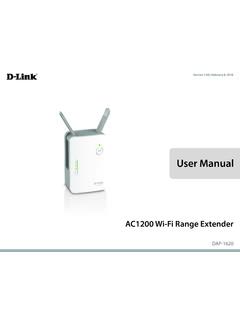
support.dlink.comThis device is an Energy Related Product (ErP) with High Network Availability (HiNA), and automatically switches to a power-saving Network Standby mode within 1 minute of no packets being transmitted. If it is not needed during certain periods of time, it can be unplugged to save energy. Network Standby: 3.54 watts
Related documents

FASTER, WHOLE-HOME WI-FI
amplifi.comNot Just a Wi-Fi Router, It's a Wi-Fi System AmpliFi is more than a common home router: it’s the ultimate Wi-Fi system. With turbocharged 802.11AC Wi-Fi, AmpliFi utilizes multiple self-configuring radios and advanced antenna technology to bring ubiquitous Wi-Fi coverage to any home. System Specifications Max. TX Power 26 dBm Radios 6 MIMO ...

AmpliFi HD Quick Start Guide
amplifi.comWi-Fi Standard 802.11ac Power Save Supported Wireless Security WPA2-PSK AES/TKIP Operating Temperature 14 to 131° F (-10 to 55° C) Operating Humidity 5 to 95% Noncondensing Certifications FCC / CE / IC Supported Data Rates 802.11ac 13 Mbps to 1300 Mbps (MCS0 - MCS9, VHT 20/40/80) 802.11n 6.5 Mbps to 450 Mbps (MCS0 - MCS23, HT 20/40)
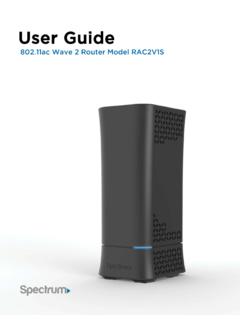
User Guide
d15yx0mnc9teae.cloudfront.netUser Guide 802.11ac Wave 2 Router Model RAC2V1S . Trademarks ... • Gigabit Connections. Transfers files at blazing fast speeds with Gigabit Ethernet technology. • IPv6 enabled. Built with IPv6 technology, the RAC2V1S supports ... information which you will need to install the router. User Guide Model RAC2V1S 1
CGA4131 BUSINESS GATEWAY OPERATIONS GUIDE
mediacomcc.custhelp.comis a DOCSIS® 3.1 broadband gateway offering triple-play services: up to Gigabit speeds, business VoIP and next generation 802.11ac Wi-Fi. The device can be configured using a web page user interface accessible by the user or remotely by the MSO by SNMP/TR-069. The Technicolor CGA4131 offers the following features:

CompTIA A+ Certification Exam: Core 1 Objectives
comptiacdn.azureedge.net• 802.11ac • Frequencies - 2.4Ghz - 5Ghz • Channels - 1–11 • Bluetooth • NFC • RFID • Zigbee • Z-Wave • 3G • 4G • 5G • LTE 2.0 Networking Compare and contrast TCP and UDP ports, protocols, and their purposes. Compare and contrast common networking hardware devices. Given a scenario, install and configure a basic wired ...

USER MANUAL - iiNet
help.iinet.net.auThe Gigabit Ethernet WAN port allows you to use your TG-789 Gateway as local router. For more information, see “2.1 Connecting the TG-789 Gateway to your service provider’s network” on
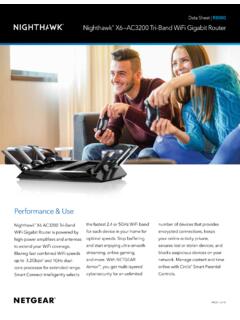
Data Sheet R8000 - Netgear
www.downloads.netgear.comNighthawk® X6—AC3200 Tri-Band WiFi Gigabit Router Circle is the smart way for families to manage content and time online, ... • Pause Internet by device or by user with a press of a button ... Up to 3200 Mbps wireless speeds achieved when connecting to …
CISCO SWITCH CATALYST 3650 SERIES DATA SHEET - Router …
www.router-switch.comRouter-switch.com 2 OVERVIEW The Cisco ® Catalyst 3650 Series is the next generation of enterprise-class standalone and stackable access-layer switches that provide the foundation for full convergence between wired and wireless on a single platform.
HP 255 G8 Notebook PC
www8.hp.combased encryption keys to help secure your data, e-mail, and user credentials. Get fast connections with Gigabit LAN, optional gigabit-speed Wi-Fi 6, and an optional WLAN 802.11ac/Bluetooth® 5.0 combo. 2 3 3 1 4,5 6,7 8 4 ,679