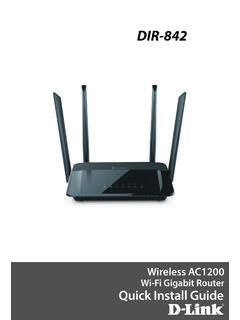
DIR-842 - D-Link
need to set it to “bridge” mode so the DIR-842 router can work properly. Please contact your ISP or refer to the user manual for your modem/router device. Before you Start 1 Unplug the power to your DSL or Cable modem. 2 Connect an Ethernet cable from the Internet port of the router to the Ethernet port on your DSL or Cable modem. Modem
Download DIR-842 - D-Link

Information
Domain:
Source:
Link to this page:
Documents from same domain

Quick Install Guide - D-Link
support.dlink.comDAP-1325 N300 Wi-Fi Range Extender Wi-Fi Configuration Card Quick Install Guide If any of the above items are missing, please contact your reseller. • Make sure the area that you want to plug the extender into has a strong connection to your router. Use a wireless laptop, tablet, or mobile phone in that area to test the connection to verify.

DGS-1100 Series EasySmart Switch User Manual B1 v1
support.dlink.comPress the Reset button for 1to 5 seconds to reboot the Switch. Press the Reset button for 6to10 seconds to reset the Switch back to the default settings. The LED will light up solid amber for 2 seconds. When pressing the Reset button for longer than 10 seconds, the device will enter loader mode and the LED will light up solid green for 2 seconds.

User Manual - D-Link
support.dlink.comH.264 Codec for Smooth, Space-Efficient Video This camera supports use of the H.264 video codec, which gives you high-quality video with reduced bandwidth requirements. This means that you can enjoy smoother, more reliable video streaming over the Internet, and less disk space is required to save recordings.
User Manual - D-Link
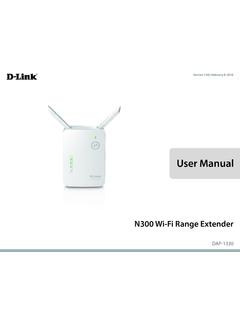
support.dlink.comMar 08, 2021 · The DAP-1330 N300 Wi-Fi Range Extender lets you easily extend a secure wireless network with a press of a button. Connect the DAP-1330 to a router via Wi-Fi or Ethernet and share your high-speed Internet access in more places throughout your home or small office. High-speed Wireless Performance With Wireless 802.11n Technology
User Manual - D-Link
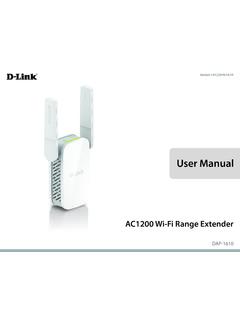
support.dlink.comDec 19, 2019 · D-Link DAP-1610 User Manual 2 Section 1 - Product Overview Network Requirements • A wireless router with an active Internet connection. • IEEE 802.11ac, 802.11n, 802.11g, 802.11b, or 802.11a

User Manual - D-Link
support.dlink.comSep 15, 2020 · D-Link DCS-8525LH User Manual 14 Section 3 - mydlink Camera Presets Save and quickly access up to 5 different camera views. The button is your Home Point. To set other viewpoints, tap the button, then tap the live view screen and use the arrows to set your view preset. Long press on the button to save a snapshot of that location.

Quick Install Guide - D-Link
support.dlink.comQuick Install Guide If any of the above items are missing, please contact your reseller. • Make sure the area that you want to plug the extender into has a solid connection to your router. Use a wireless laptop, tablet, or mobile phone in that area to test the connection to verify.

User Manual - D-Link Technical Support
support.dlink.com1 Reset Button Press and hold the reset button on the side of DAP-1720 for 10 seconds to restore the factory default settings. 2 Power Switch Use the power switch to power off the DAP-1720 when it will not be in use for an extended period of time. The factory default is ON. 1 2

User Manual - D-Link
support.dlink.comD-Link DWA-131 User Manual 4 Section 1 - Product Overview Introduction The DWA-131 Wireless N Nano USB Adapter is a convenient wireless connectivity solution for desktop or notebook PCs. Instead of stringing Ethernet cables to your PC or dismantling your desktop computer case, the DWA-131 can enable 802.11n wireless
User Manual - D-Link
support.dlink.comThis device is an Energy Related Product (ErP) with High Network Availability (HiNA), and automatically switches to a power-saving Network Standby mode within 1 minute of no packets being transmitted. If it is not needed during certain periods of time, it can be unplugged to save energy. Network Standby: 3.54 watts
Related documents
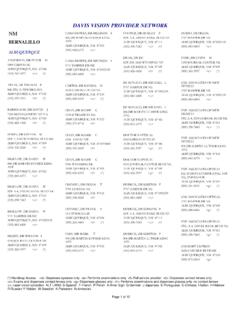
DAVIS VISION PROVIDER NETWORK - BCBSNM
www.bcbsnm.com(505) 842-6575 <c> albuquerque, nm 87102 cano-howes, dr melinda a 5757 harper dr ne (505) 883-6800 <c> albuquerque, nm 871092129 carter, dr randal d 2630 carlisle blvd ne (505) 889-3339 <c> (*) albuquerque, nm 87110 chan, dr mamie c 1510 b tramway ne (505) 271-8718 <f> albuquerque, nm 87112 chan, dr mamie c 6501 4th st nw
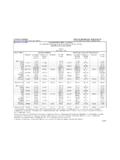
CONSUMER PRICE INDEX – CALIFORNIA
www.dir.ca.govFeb 10, 2022 · 2020 May N/A 276.842 N/A 301.317 106.899 256.394 2020 June 284.835 278.121 300.032 N/A N/A 257.797 ... Computed by the Department of Industrial Relations, Office of the Director - Research Unit from indexes issued by the U.S. Department of Labor. b Source: U.S. Department of Labor, Bureau of Labor Statistics. Beginning with the November 2017 data,

How to file a declaration of readiness to proceed
www.dir.ca.gov842 Nervous system -Psychiatric/psych 850 Respiratory system -lungs, trachea, etc. 860 Skin dermatitis, etc. 870 Reproductive systems 880 Other body systems 900 COVID-19 999 Unclassified -insufficient information to identify body parts

DIR-842 - D-Link
www.dlink.com.brDIR-842 AC1200 MU-MIMO Wi-Fi Gigabit Router User Manual Overview CHAPTER 2. OVERVIEW General Information The DIR-842 device is a wireless dual band gigabit router with a built-in 4-port switch. It provides a fast and simple way to create a wireless and wired network at home or in an office.
Connecticut Judicial Branch
www.jud.ct.govCall 711 or 1-800-842-9710 Voice Callers: Call 711 or 1-800-833-8134 The Connecticut Judicial Branch Directory is provided to you by the External Affairs Division and is published by the Commission on Official Legal Publications of the Information Technology Division. It is updated regularly and available online. Cheryl MacDonald, Editor (860 ...

UNTERRICHTSMATERIAL - Welthungerhilfe
www.welthungerhilfe.deLiga der Land- Grabber! Reiß dir 5 Länder unter den Nagel, indem du sie mit der Maus in den Einkaufswagen ziehst. Ackerland, Wasser, Korruption - sicher dir die Länder mit den höchsten Punktzahlen. Aber achte auf negative Ereignisse, die deinen Score ... Warum 842 Millionen Menschen hungern und wie wir helfen können.