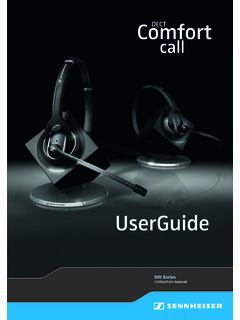
DW series - User Guide - Sennheiser
DECT DW Series Instruction manual. DW Series - User Guide | 1 ... The headset system can be used for ca lling and – together with a computer (VoIP) and/or a telephone – for audio input/output and is intended for professional office or call center use. It is considered improper use when th is product is used for any application
Download DW series - User Guide - Sennheiser

Information
Domain:
Source:
Link to this page:
Documents from same domain

MOMENTUM Wireless M2 AEBT - Sennheiser
assets.sennheiser.comThe MOMENTUM Wireless (M2 AEBT) Bluetooth The MOMENTUM Wireless (M2 AEBT) headphones comply with the Bluetooth technology 4.0 standard and are compatible with all Bluetooth 1.1, 1.2, 2.0, 2.1, 3.0 and 4.0 devices with the following profiles: • Headset Profile (HSP) 1.2 - provides the basic functionalities used by the

CX True Wireless - assets.sennheiser.com
assets.sennheiser.comNotes on the ingress protection rating of the earbuds The earbuds feature an IPX4 ingress protection rating which means they are protected from the ingress of water (according to the Inter-national Protection Rating (IP code), IEC standard 60529, tested under laboratory conditions). The earbuds can be used in the rain, for example. However ...
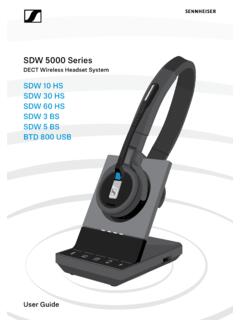
SDW 5000 Series - Sennheiser
assets.sennheiser.comDepending on the variant you can plug in the headset system to your fixed line phone and/or your computer. Via the Bluetooth dongle BtD 800 UsB you can connect mobile phones or Bluetooth headsets. Additionally you can plug a UsB headset or speakerphone in the UsB port or the busy light UI 10 BL in the back of the

PXC 550 - Sennheiser
assets.sennheiser.com2 | PXC 550 Important safety instructions Important safety instructions X Read this instruction manual carefully and completely before using the product. X Always include this instruction manual when passing the product on to third parties. X Do not use an obviously defective product. Preventing damage to health and accidents X Protect your hearing from high volume …

HD 4.50BTNC/HD 4 - Sennheiser
assets.sennheiser.com2 | HD 4.50BTNC/HD 4.50R Important safety instructions Important safety instructions X Read this instruction manual carefully and completely before using the product. X Always include this instruction manual when passing the product on to third parties. X Do not use an obviously defective product. X Only use the product in environments where Bluetooth® wireless …
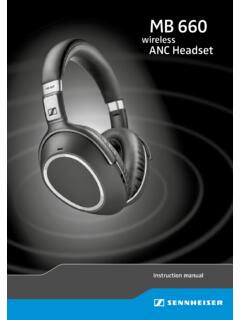
MB 660 wireless ANC headset
assets.sennheiser.comto the HSP. If a function, such as voice control, is not supported by the HSP profile, the HFP takes place. • Audio/Video Remote Control Profile (AVRCP) 1.5 – used to control music on the Bluetooth device from the headset (play, pause, skip music track, etc.). • Advanced Audio Distribution Profile (A2DP) 1.3 – used by a Bluetooth device

HD 450BT - Sennheiser
assets.sennheiser.comThe LED dis-plays the charge status: Right R 2 HRS USB-A USB-C LED Off * Using the headphones 12 | HD 450BT Connecting the headphones to a Bluetooth device To be able to use the Bluetooth connection, you must register both devices (headphones and e.g. smartphone) once. This process is

GSP 670 Gaming Headset with low latency connection and ...
assets.sennheiser.comAug 30, 2019 · the headset complies with the Bluetooth 5.0 standard. Bluetooth de vices need to support the “hands free profile” (hFP), the “headset profile” (hsP) or the “advanced audio distribution profile” (A2DP). the headset can save up to eight paired devices. If you pair the headset with a ninth device, the first

Digital Wireless Headphone System - Sennheiser
assets.sennheiser.comSennheiser head-phones sound exceptionally good at low and medium volume levels. ... – operated only within the permissible temperature range, ... Separate the transmitter and other wireless devices in a room by at least 50 cm/20” to avoid interference.

MOMENTUM True Wireless - Sennheiser
assets.sennheiser.comMOMENTUM True Wireless | 5 Product overview Charging case M3IETW C LED displays the charging process/charge status of the rechargeable battery of the charging case or of the earbuds (when inserted into the charging case) Input for USB-C connector for charging the rechargeable batteries LED button activates the LED display for 5 seconds
Related documents

CELLULAR MOBILE COMMUNICATION - Bharath Institute of ...
www.bharathuniv.ac.inCordless Telephone System To Connect a Fixed Base Station to a Portable Cordless Handset Early Systems (1980s) have very limited range of few tens of meters [within a House Premises] Modern Systems [PACS, DECT, PHS, PCS] can provide a limited range & mobility within Urban Centers PSTN Fixed Base Station Cordless Handset 17
SDW 5000 Series - Sennheiser
assets.sennheiser.comsDW 5000 series headset system 9 ConneCtInG tHe BAse stAtIon Connecting the base station the base station controls the wireless communication to the headset. Depending on the variant you can plug in the headset system to your fixed line phone and/or your computer. Via the Bluetooth dongle BtD 800 UsB you can connect mobile phones or Bluetooth ...
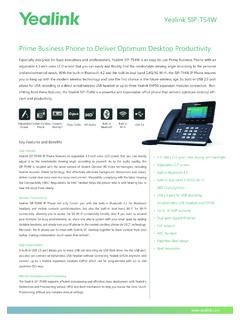
Yealink SIP-T54W Datasheet
www.yealink.comyour horizons for busy environments, or, share one phone system with your small team by adding multiple handsets, just simply turn your IP phone to the corded-cordless phone via DECT technology. Moreover, the IP phone can function with Yealink VC Desktop together to share content from your laptop, making collaboration much easier than before(1).
Internet of Things (IoT) - University of California, San Diego
cseweb.ucsd.edu3. Complex system –A diverse set of dynamically changing objects 4. Size considerations –Scalability 5. Time considerations –Billions of parallel and simultaneous events 6. Space considerations –Localization 7. Everything-as-a-service –Consuming resources as a service 8
Savi 8210/8220 UC - Plantronics
www.poly.comWireless DECT headset system for computer User guide. Contents DECT information 3 DECT Enhanced security 3 Overview 4 Headset basics 4 DECT USB adapter 4 Charge stand 5 Fit and charge 6 Customise your headset 6 Charge your headset 6 Talk time 6 Headset battery status 6 Connect to PC 7
Gigaset DX600A isdn
gse.gigaset.comBluetooth, Ethernet-, DECT- und FAX-Anschluss Verbinden Sie Ihr Gigaset über Ethernet mit Internet und PC. Nutzen Sie öffentliche und private Telefonbücher im Internet (¢S. 62). Halten Sie das Telefonbuch am Gigaset, das Adressbuch Ihres Bluetooth-Mobiltelefons und Ihr Adressbuch am PC auf demselben Stand.

Jabra Engage 65
www.jabra.com• World’s lightest DECT headset 18 grams (convertible) • Avoid disturbances Built-in Busylight • Use all day long Up to 13 hours talk time (stereo/mono) Up to 9 hours talk time (convertible) • Take calls anywhere in the office Up to 150 meters/490 feet range (stereo/mono) Up to 100 meters/325 feet range (convertible)