
EASY Touch Control
The EASY Touch Control will automatically upload the software update into the EASY Touch Control. • The display will flash white for approximately one minute then yellow text will scroll on the screen for one minute. • The Harman logo or Language Selection will appear when complete. • Remove the USB drive from the EASY Touch Control. Step 10:
Download EASY Touch Control

Information
Domain:
Source:
Link to this page:
Documents from same domain

The Finishing Touch - Hearth N Home
downloads.hearthnhome.comVerTical VenTing gas TerminaTion cap High Wind Vertical Termination Cap This rugged cap is built to withstand high wind speeds, without sacrificing drafting
Owner’s Manual - Hearth N Home
downloads.hearthnhome.com2 Heat & Glo • COSMO42-IFT, COSMO32-IFT Owner’s Manual • 2491-981 Rev. E • 6/18 Listing Label Information/Location A. This Congratulations
Installation & Owner’s Manual - Hearth N Home
downloads.hearthnhome.comInstallation & Owner’s Manual Installation, Care and Operation INSTALLER: Leave this manual with party responsible for use and operation. OWNER: Retain this manual for future reference.
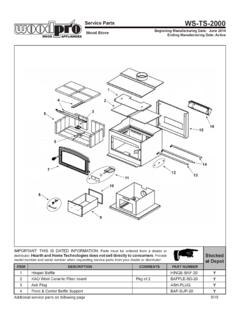
Service Parts WS-TS-2000 - Hearth N Home
downloads.hearthnhome.comService Parts Beginning Manufacturing Date: June 2014 Ending Manufacturing Date: Active WS-TS-2000 IMPORTANT: THIS IS DATED INFORMATION.Parts must …
Installation & Owner’s Manual - downloads.hearthnhome.com
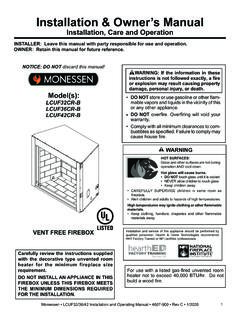
downloads.hearthnhome.comInstallation & Owner’s Manual Installation, Care, and Operation INSTALLER: Leave this manual with party responsible for use and operation. OWNER: Retain this manual for future reference.
Installation & Owner’s Manual - downloads.hearthnhome.com
downloads.hearthnhome.comInstallation & Owner’s Manual Installation, Care and Operation INSTALLER: Leave this manual with party responsible for use and operation. OWNER: Retain this manual for future reference.
JADE 42 - downloads.hearthnhome.com
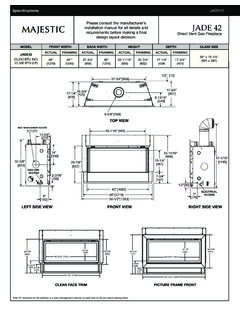
downloads.hearthnhome.comSpecifications JADE42 MAJ_JADE42_1018 Lakeville, MN Phone: (800) 927-6841 Web: www.majesticproducts.com Product information provided is not complete and is subject to change
JADE SERIES - downloads.hearthnhome.com
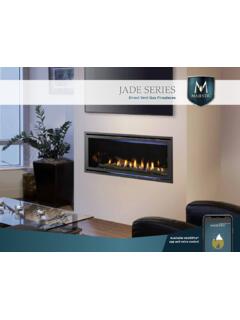
downloads.hearthnhome.comThe Jade fireplace helps you unwind and rebalance with a ribbon of continuous flame and a soothing style. With its great looks, many features, easy operation and the reliability of Majestic, life is better. Sit back, relax and enjoy your home with the Jade fireplace from Majestic.
Owner’s Manual - downloads.hearthnhome.com
downloads.hearthnhome.comINSTALLER: Leave this manual with party responsible for use and operation. OWNER: Retain this manual for future reference. Contact your dealer with questions on installation, operation, or service.

Installation Manual - downloads.hearthnhome.com
downloads.hearthnhome.com3 Heat & Glo • MEO36-BST-B, MEO48-BST-B, MEO60-BST-B, MEO72-BST-B Installation Manual • 2300-973 Rev R • 1218 Installation Standard Work Checklist
Related documents

Commercial Kitchen Hood Installation and Maintenance …
larkinhoods.comInstall light bulbs in light fixtures (bulbs by others). Use any well-recognized brand with a maximum of 100 watts. Install exhaust ductwork. Exhaust duct ... easy installation if installed in the most direct and simple manner. NFPA-96 requires that the exhaust duct must
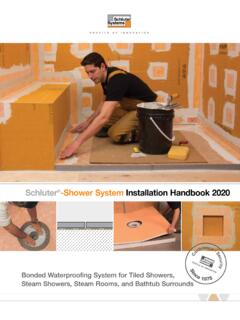
Schluter -Shower System Installation Handbook 2020
pdf.lowes.com• Pliable, easy to install, and guarantees uniform thickness for reliable performance • Suitable for use in showers, bathtub surrounds, and intermittent-use steam showers • Use 2 m wide roll to seamlessly waterproof up to the standard showerhead height Schluter®-KERDI-DS waterproofing membrane over solid backing

Easy Setting Box - Samsung Display Solutions
displaysolutions.samsung.comEasy Setting Box Install/Uninstall 07 6 Click Install. 7 Click Finish to complete the installation. 8 The executable Easy Setting Box icon is created on the desktop when installation is complete. To start the program, double-click the icon.

KVM Virtualization in RHEL 7 Made Easy - Dell
linux.dell.comin-depth discussion of virtualization or KVM, but rather an easy-to-follow step-by-step description of how to install and manage Virtual Machines (VMs) on a physical server. Perhaps the biggest advantage of virtualization is cost savings. Even with the simplest deployment you will save hardware ($$) and management (time) costs.

How to Install CAC Reader on your Personal Computer
militarycac.comThrough MilitaryCAC.com •Visit: https://MilitaryCAC.com •Download the software from Installation Steps or via the Software & Install button at top

Install the Drivers & Software - Canon Global
support.usa.canon.comThe selected software will be installed Make sure that the software you want to install is selected, and then click [Next] MP Drivers User's Manual My Printer My Image Garden Quick Menu Easy-WebPrint EX XPS Driver Estimated installation time: 10 to 15 minutes Back 260 MB Drive C 186056 MB free space Total used space: 1064 Select All Clear All 680

THE ORIGINAL - Versetta Stone
versettastone.comwith a G-90 galvanized nail strip* that allows for easy installation with mechanical fasteners. UNIVERSAL CORNER The Universal Corner panels are the same size and shape as Flat panels but have finished ends. Universal Corner panels fit neatly with Flat panels and are designed for use on end wall terminations and for inside and outside corners.

Installing your AT&T Internet made easy
www.att.comFour easy steps . 1. Register. If you’ve already preregistered your Internet service, skip to step 2. • Download the . AT&T Smart Home Manager. ... Install Phone Filters. If you have digital phone service, skip to s tep 3. Install filters for traditional home phone service. A. Gateway and phone:

Breathe Easy with Fresh Air in the Home - Energy Star
www.energystar.govBreathe Easy with Fresh Air in the Home Without mechanical ventilation to provide fresh air, moisture, odors, and other pollutants can build up inside a home. Mechanical ventilation systems circulate fresh air using ducts and fans, rather than relying on airflow through small holes or cracks in a home’s walls, roof, or windows.