
EASY Touch Control
• Unplug the stove from the power outlet. • Insert the new USB drive. • Plug the stove cord back into the power outlet. The software will update as explained in Step 10. Place the USB in the progamming port on the side of the EASY Touch Control. Go to menu page 3/3 and press the the USB icon. On the USB screen, press the Firmware Update icon
Download EASY Touch Control

Information
Domain:
Source:
Link to this page:
Documents from same domain

The Finishing Touch - Hearth N Home
downloads.hearthnhome.comVerTical VenTing gas TerminaTion cap High Wind Vertical Termination Cap This rugged cap is built to withstand high wind speeds, without sacrificing drafting
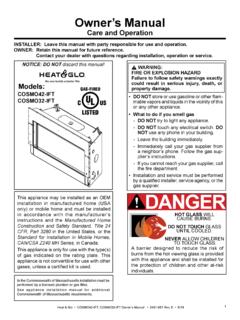
Owner’s Manual - Hearth N Home
downloads.hearthnhome.com2 Heat & Glo • COSMO42-IFT, COSMO32-IFT Owner’s Manual • 2491-981 Rev. E • 6/18 Listing Label Information/Location A. This Congratulations
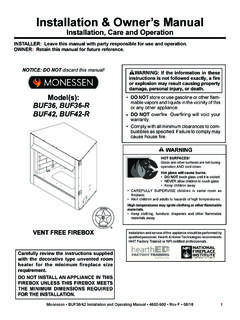
Installation & Owner’s Manual - Hearth N Home
downloads.hearthnhome.comInstallation & Owner’s Manual Installation, Care and Operation INSTALLER: Leave this manual with party responsible for use and operation. OWNER: Retain this manual for future reference.
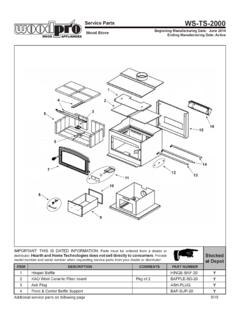
Service Parts WS-TS-2000 - Hearth N Home
downloads.hearthnhome.comService Parts Beginning Manufacturing Date: June 2014 Ending Manufacturing Date: Active WS-TS-2000 IMPORTANT: THIS IS DATED INFORMATION.Parts must …
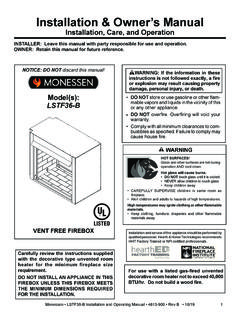
Installation & Owner’s Manual - downloads.hearthnhome.com
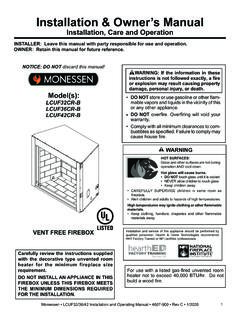
downloads.hearthnhome.comInstallation & Owner’s Manual Installation, Care, and Operation INSTALLER: Leave this manual with party responsible for use and operation. OWNER: Retain this manual for future reference.
Installation & Owner’s Manual - downloads.hearthnhome.com
downloads.hearthnhome.comInstallation & Owner’s Manual Installation, Care and Operation INSTALLER: Leave this manual with party responsible for use and operation. OWNER: Retain this manual for future reference.
JADE 42 - downloads.hearthnhome.com
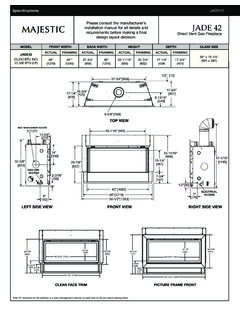
downloads.hearthnhome.comSpecifications JADE42 MAJ_JADE42_1018 Lakeville, MN Phone: (800) 927-6841 Web: www.majesticproducts.com Product information provided is not complete and is subject to change
JADE SERIES - downloads.hearthnhome.com
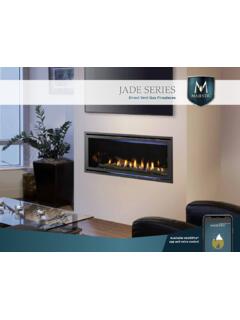
downloads.hearthnhome.comThe Jade fireplace helps you unwind and rebalance with a ribbon of continuous flame and a soothing style. With its great looks, many features, easy operation and the reliability of Majestic, life is better. Sit back, relax and enjoy your home with the Jade fireplace from Majestic.
Owner’s Manual - downloads.hearthnhome.com
downloads.hearthnhome.comINSTALLER: Leave this manual with party responsible for use and operation. OWNER: Retain this manual for future reference. Contact your dealer with questions on installation, operation, or service.
Installation Manual - downloads.hearthnhome.com
downloads.hearthnhome.com3 Heat & Glo • MEO36-BST-B, MEO48-BST-B, MEO60-BST-B, MEO72-BST-B Installation Manual • 2300-973 Rev R • 1218 Installation Standard Work Checklist
Related documents

love stove hive five sleeve drive wave olive shave cave move …
mommyspeechtherapy.comlove stove hive five sleeve drive wave olive shave cave move give have microwave above carve weave leave glove alive /v/ final words Created by Heidi Hanks, M.S.CCC ...

Pellet Stove MODELS 25-PDVC / 55-SHP10 / 55-TRP10
pdf.lowes.cominspection of your stove’s installation. 2. Read and comply with the instructions in this manual. 3. This unit should be tested (dry run) before loading pellets for 20 minutes. The stove should automatically shut itself off after the 20-minute dry run. 4. Your stove is designed to burn Wood Pellets only. Burning pea coal, cherry pits, or anything

INSTALLATION & OPERATION MANUAL
pdf.lowes.comThis stove is equipped with a six inch (6”) TOP EXHAUST FLUE COLLAR. Therefore, the connector pipe should be six inches (6”) and never less in diameter than the collar on the stove. Your unit may require an adapter (AC-1677) which will …

Rocket Stove Design Guide - BioEnergy Lists
www.bioenergylists.orgdimensions as the stove box bottom - and placing it on the stove. There are 2 options for the placement of the metal top The first option is to sink the top so that it is 50 mm below the top edge of the stove body. It is imperative that the metal top sits just below the pot legs. Do NOT raise the pot stand up to accommodate the 3-legged pots.

Owner’s Manual
downloads.hearthnhome.comStove. The Harman® Accentra pellet stove you have selected is designed to provide the utmost in safety, reliability, and efficiency. As the owner of a new pellet stove, you’ll want to read and carefully follow all of the instructions contained in this owner’s manual. Pay special attention to all cautions and warnings.

Answer - Travis Industries
www.travisindustries.comWood Stove/Insert (EPA 2020 Compliant) Manual Freestanding Stove Mobile-Home Approved Alcove Approved Hearth-Stove Approved Masonry Fireplace Insert Zero-Clearance (Metal) Fireplace Insert Save these instructions for future reference SAFETY NOTICE: If this appliance is not properly installed, a house fire may result.
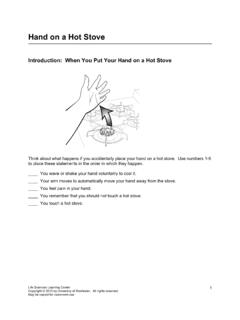
Hand on a Hot Stove - University of Rochester
www.urmc.rochester.edustove, you use your brain for things that are not reflexes, such as conscious sensations, voluntary movements, and memories. In Part 3 you will use the Body Diagram and Wikki Stix to show neuron pathways involved in complex behaviors. 1. You feel pain when impulses reach the _____ of the cerebrum.