ELECTRONIC ADJUDICATION MANAGEMENT SYSTEM …
System (EAMS). Presently, electronic access is limited to those with a PC running Internet Explorer (IE), and Version IE-7 or a newer version is best. The compatibility view, located under the IE menu toolbar, must be set to “display all websites in compatibility view.” Your eform login and Uniform Assigned Name - has two functions.
Download ELECTRONIC ADJUDICATION MANAGEMENT SYSTEM …

Information
Domain:
Source:
Link to this page:
Documents from same domain
DIVISION OF LABOR STANDARDS ENFORCEMENT
www.dir.ca.gov1.1 This Public Works Manual is designed as a training tool for the Division of Labor Standards Enforcement (“DLSE” or “Division”) staff to better understand the

Division of Workers’ Compensation
www.dir.ca.govEmployers must have workers’ compensation insurance California law requires employers to have workers' compensation insurance, …
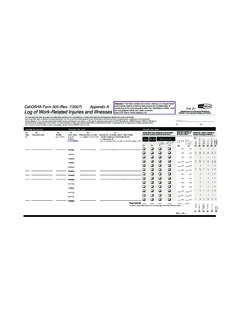
Cal/OSHA Form 300-Log of Work-Related Injuries …
www.dir.ca.govDepartment of Industrial Relations Division of Occupational Safety and Health Cal/OSHA Form 300 (Rev. 7/2007) Appendix A Year 20__ __ Log of Work-Related Injuries and Illnesses
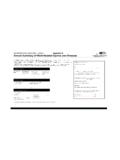
Cal/OSHA Form 300A-Annual Summary of Work …
www.dir.ca.govDepartment of Indus rial Relationst Division of Occupational Safety & Health Cal/OSHA Form 300A (Rev. 7/2007) Appendix B Year 20 __ Annual Summary of Work-Related Injuries and Illnesses
Workers’ Compensation Claim Form (DWC 1) & …
www.dir.ca.govRev. 1/1/2016 Page 2 of 3 your employer or the claims administrator has not created or selected an MPN. Disclosure of Medical Records: After you make a claim for workers'
STATE OF CALIFORNIA DWC DISTRICT OFFICE …
www.dir.ca.govSTATE OF CALIFORNIA DWC DISTRICT OFFICE DOCUMENT COVER SHEET Please check unit to be filed on ( check only one box ) Is this a new case? Companion Cases
Principles of Machine Guarding
www.dir.ca.govPart One: The Principles The purpose of machine guarding is to protect against and prevent injury from.... Points of operation
DEPARTMENT OF INDUSTRIAL RELATIONS …
www.dir.ca.govSTATE OF CALIFORNIA Edmund G. Brown Jr., Governor DEPARTMENT OF INDUSTRIAL RELATIONS
California Prevailing Wage Laws - California …
www.dir.ca.govCalifornia Prevailing Wage Laws. iii . Title 2. Government of the State of California Division 3. Executive Department Part 10b. State Building Construction Chapter 3.14.
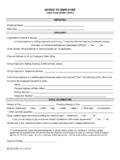
EMPLOYEE EMPLOYER - California Department of …
www.dir.ca.govDLSE-NTE (rev 9/2014) NOTICE TO EMPLOYEE Labor Code section 2810.5
Related documents
Installation Guide - FedEx
www.fedex.com• A dialing prefix (typically, dialing 9 for an outside line). Note: If you plan to use LAN Internet access to connect to FedEx, talk to your network administrator before installation. Turn off any virus protection or firewall programs on your PC. Close all open files and programs. Network administrator tips
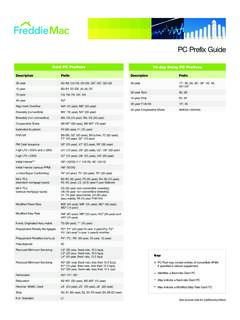
PC Prefix Guide - Freddie Mac
www.freddiemac.comPC Prefix Guide 75-day Delay PC Prefixes Description Prefix 30-year 17°, 26, 29, 30°, 36°, 43, 46, 53°–55° 30-year Strip 80, 90 15-year Strip 82, 92 30-year FHA/VA 14°, 45 30-year Cooperative Share 884000–884999 Key: # PC Pool may consist entirely of convertible ARMs if specified in related supplement + Identifies a fixed-rate Giant PC

Voyager 1200g/1202g/1202g-BF User s Guide
aidc.honeywell.comTitle: Voyager 1200g/1202g/1202g-BF User s Guide Author: Honeywell Scanning & Mobility Subject: User s Guide for Voyager 1200g, 1202g, and 1202g-BF

ROBOMASTER TT - dl.djicdn.com
dl.djicdn.comTello IP: 192.168.10.1 - >> PC / Mac / Mobile UDP Server: 0.0.0.0 UDP PORT:8890 Remark 3: Complete the operations in Remark 1 and Remark 2 before proceeding. Set up a UDP server on the PC, Mac, or mobile device to receive messages from IP 0.0.0.0 via UDP port 8890. * For the detailed status information, see 5. Tello Status. Receiving Tello ...

2.4G Wireless Barcode Scanner Quick Start Guide
images-na.ssl-images-amazon.comInsert charater as prefix (1)Step 1: scan the set up code (Add prefix) below: Add prefix (2)Step 2: scan the needed character code (character-table is on page 15) E.g. To add prefix " RST", scan the character R , S ,T one by one. 1082 R 1083 S 1084 T Now the "RST" will be,added then scan the normal bar code.

Voyager 1250g Single-Line Laser Scanner User's Guide
www.honeywellmanual.comThis product is intended to be supplied by a Listed Direct Plug-In Power unit marked "Class 2" or "LPS" and rated 5 Vdc - 5.2 Vdc, 1A. Canada Industry Canada ICES-003

LS1203 Product Reference Guide - Zebra Technologies
www.zebra.comxii LS1203 Product Reference Guide • Chapter 8, Symbologies describes all symbology features and provides the programming bar codes necessary for selecting these features for the scanner. • Chapter 9, 123Scan (PC based scanner configuration tool) provides the bar code that must be scanned to communicate with the 123Scan program.

Advanced Data Formatting Programmer Guide
www.zebra.com123Scan utility (see the scanner’s Product Reference Guide) which allows programming the device with ADF rules. Avoid using ADF formatting with bar codes containing more than 60 characters. To add a prefix or suffix value for such bar codes, use the Add Prefix/Suffix setting from the scanner’s Product Reference Guide. Using ADF

PRACTICE Script Language Reference Guide
www2.lauterbach.com• “PRACTICE Script Language User’s Guide” (practice_user.pdf) For information about literals, operands, operators, and operator precedence, refer to: † “PowerView User’s Guide” (ide_user.pdf). Alternatively, choose Help menu > Index, and then enter the search item. For information about functions, refer to: