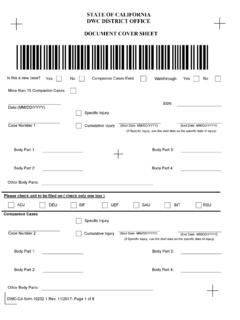
Transcription of ELECTRONIC ADJUDICATION MANAGEMENT SYSTEM …
1 ELECTRONIC ADJUDICATION MANAGEMENT SYSTEM (EAMS) REFERENCE GUIDE and INSTRUCTIONAL MANUAL for ELECTRONIC FILING E-FORM FILERS Page 1 of 89 Back to Table of Contents Rev 2013-12 TABLE OF CONTENTS (Click on the blue heading to go to that section) Page I. INTRODUCTION .. 5 II. GENERAL GUIDELINES .. 6 Reason for the Guide .. 6 EAMS Hours .. 6 EAMS Links and Email Addresses .. 6 EAMS Basics .. 6 III. FILING PROCEDURE .. 11 Preparation .. 11 Login ..11 Structured E-form .. 12 Attachments to Structured E-form .. 13 Submitting Your Structured E-form .. 13 Unstructured E-form.
2 14 Confirmation of Filing .. 14 IV. GENERAL TOPICS .. 16 ADJ Home Page Applicant Defendant Section .. 16 Addresses .. 16 Archived Case .. 17 Asbestos Cases .. 17 Attachments .. 17 Batch ID and a Deleted Batch .. 18 Batch ID Number Blank .. 18 Body Part Codes .. 19 Case Number .. 19 Central Registration Unit .. 20 Change of Address .. 20 Change of Claims Administrators Office .. 20 Change of Handling Location .. 22 Change Of Primary/Alternate Administrator .. 23 Companion Cases .. 24 Correcting Information in EAMS .. 24 Cover Letters .. 24 Cross-Examination of Rater .. 25 Date of Injury .. 25 Dismissal of Attorney.
3 25 Document Titles .. 25 Duplicate Filings .. 26 Page 2 of 89 Back to Table of Contents Rev 2013-12 Emails .. 26 Error Messages .. 27 Events .. 28 External Request For Action .. 28 External Users Page Views .. 29 Field Information .. 29 In-camera Review and Petition to Seal Documents .. 29 Labeling Scanned Attachments .. 30 Legally Uninsured .. 31 Medical Reports .. 31 Names Person and Employer .. 32 Notice of Application Incorrect Injured Worker .. 32 Notice of Representation-Substitution of Attorney-Dismissal of Attorney .. 33 OCR Filing .. 34 One Case Per Batch One Product Delivery Unit Per Batch.
4 35 Order Suspending Action on Settlement .. 35 Petitions .. 35 Petition for Commutation .. 35 Proof of Service .. 36 Proposed Orders .. 36 Punctuation in Names/Addresses .. 36 Radio Buttons .. 37 Reconsideration Or Removal .. 37 Request for Commutation .. 39 Request for Factual Correction .. 39 Searching for a Case in EAMS .. 39 Self-Insured Employer .. 40 Service of Notices .. 41 Service Of Your E-Form .. 41 Signature S Signature .. 41 Subpoenaed Records .. 43 Substitution of Attorney .. 43 Trial Brief .. 43 Trial Exhibits .. 43 Venue .. 45 Which WCJ Is Assigned For My Hearing .. 46 Withdrawal of Notice and Request for Allowance of Lien.
5 46 Writ of Review .. 46 V. SELECTED STRUCTURED FORM SPECIFICS .. 47 Document Coversheet .. 47 Document Separator Sheet .. 48 Case Opening Documents .. 49 Application for ADJUDICATION of Claim .. 50 Page 3 of 89 Back to Table of Contents Rev 2013-12 Amended Application .. 51 Death Application .. 52 Notice of Application .. 53 Answer to Application .. 53 Application for Discretionary Payments from the UEBTF .. 54 Disability Evaluation Unit .. 54 Declaration of Readiness to Proceed .. 55 DOR For Satellite District Office .. 58 Expedited DOR .. 58 General Public Request for Information .. 58 Notice and Request for Allowance of Lien.
6 58 Return to Work Supplemental Job Displacement Benefit Unit .. 61 Settlement Documents .. 62 Subsequent Injury Benefit Trust Fund Application .. 65 Unstructured E-forms .. 66 VI. EAMS HELP DESK AND THE UDQ OPERATOR .. 67 Help Desk .. 67 UDQ Operator .. 68 VII. TIPS AND TRICKS .. 70 Batch ID MANAGEMENT .. 70 Form Preparation Efficiency .. 70 General .. 70 Organize your Trial Exhibits .. 71 Remove Auto Update On Date In Microsoft Word 71 Uniform Assigned Name Online Database .. 72 User Name and Password .. 72 View All of the Documents In FileNet .. 72 View Your Document In Filenet .. 73 VIII. TROUBLE SHOOTING.
7 75 IX. APPENDIX .. 77 ELECTRONIC ADJUDICATION MANAGEMENT SYSTEM E-Forms Agreement .. 77 Website Links and Email Addresses .. 78 Address Abbreviations .. 80 Sample of Defective Highlighted OCR Form .. 82 External User Request for Action .. 83 External Users Page Views .. 84 Glossary .. 85 Page 4 of 89 Back to Table of Contents Rev 2013-12 I. INTRODUCTION ELECTRONIC filing provides for faster submission of your forms and documents. Once submitted, and assuming there are no errors, your documents are filed with the District Office, generally as soon as the next batch run has completed.
8 To be an ELECTRONIC filer requires that you submit an Eforms Agreement to the Division of Workers Compensation (DWC), and that the agreement be approved by DWC after all requirements are met. (See Appendix A) This application, along with training materials, can be found at: The completed agreement is sent by email to with e-form agreement in the subject line. Filing electronically requires a login consisting of a user name and password. Upon completion of the required training, new participants to the e-form filing will receive a login which allows them ELECTRONIC access to ELECTRONIC ADJUDICATION MANAGEMENT SYSTEM (EAMS).
9 Presently, ELECTRONIC access is limited to those with a PC running Internet Explorer (IE), and Version IE-7 or a newer version is best. The compatibility view, located under the IE menu toolbar, must be set to display all websites in compatibility view. Your e-form login and Uniform Assigned Name has two functions. First it allows you to submit documents into a case. You submit documents using your eform logon, through an eform link on your home page. Second it allows you to review all pertinent case information, including the ability to review and if necessary print or save documents previously filed if you are a case participant.
10 Page 5 of 89 Back to Table of Contents Rev 2013-12 II. GENERAL GUIDELINES Reason for the Guide This is to provide you with a key word and key phrase searchable resource to help you achieve as error free and efficient e-filing as possible. The headings in the Table of Contents are hyperlinks that will take you directly to that heading. At the bottom of each page is a hyperlink to return you to the Table of Contents. EAMS Hours Monday Saturday: 6:00 8:00 Sunday: Closed EAMS is available during the hours posted above. If DWC conducts scheduled SYSTEM maintenance, the e-file administrator will be notified.