
Email Etiquette Quick Reference - CustomGuide
Email Etiquette Quick Reference Author: CustomGuide Subject: Handy Email Etiquette cheat sheet with helpful tips and best practices. Free for personal and professional training. Keywords "Email Etiquette Quick Reference, Email Etiquette Cheat Sheet, Email Etiquette, Email Etiquette Reference Card" Created Date: 2/28/2022 4:10:04 PM
Download Email Etiquette Quick Reference - CustomGuide

Information
Domain:
Source:
Link to this page:
Documents from same domain

Microsoft PowerPoint 2013 - CustomGuide
www.customguide.comMicrosoft® PowerPoint 2013 Quick Reference Card The PowerPoint 2013 Screen Keyboard Shortcuts The Fundamentals To Create a New Presentation: Click the File tab, click New.

Word 2013 Quick Reference - SharePoint Training
www.customguide.comMicrosoftWord 2013 ® Quick Reference Card The Word 2013 Screen Keyboard Shortcuts General Open a Document Ctrl + O Create New Ctrl + N …

Quick Reference Card Visit: qr.customguide
www.customguide.comMicrosoftWord 2016 ® Quick Reference Card The Word 2016 Screen Keyboard Shortcuts General Open a Document Ctrl + O Create New Ctrl + N …

Windows 10 Quick Reference - CustomGuide
www.customguide.comMicrosoft® Windows 10 Quick Reference Card Start Menu Keyboard shortcuts Basic Commands Start Menu Copy a Folder/File Ctrl + C Cut a Folder/File Ctrl + X

Your Organization’s Name Here - SharePoint Training
www.customguide.com©CustomGuide 2015 3 Table of Contents Table of Contents ..... 3

Project 2013 Quick Reference - CustomGuide
www.customguide.comMicrosoft® Project 2013 Quick Reference Card Project 2013 Screen Common Views To Display a View: Select the View tab and choose from the Task Views available.

Windows 8 Quick Reference - CustomGuide
www.customguide.comicrosof inos uic eference Car For Personal Use Only ustomuide Contact Us at info@customguide.com for organizational use. Free Quick References! Visit: qr.customguide.com The Start Screen

Word 2007 Quick Reference - SharePoint Training
www.customguide.comMicrosoft® Word 2007 Quick Reference Card Word 2007 Screen [Grab your reader’s attention with a great quote from the Shortcuts The Fundamentals Open a Document …

uic eference Car Free Quick References! - …
www.customguide.comicrosof nc uic eference Car For Personal Use Only ustomuide Contact Us at info@customguide.com for organizational use. Free Quick References! Visit: qr.customguide.com The Lync 2013 Window

Excel 2013 Quick Reference - CustomGuide
www.customguide.comMicrosoftExcel 2013 ® Quick Reference Card The Excel 2013 Screen Keyboard Shortcuts Close button General Open a Workbook Ctrl + O Create New Ctrl + N
Related documents
www.MeritBadge
usscouts.orgc b. Practice good golf etiquette. c c. Show respect to fellow golfers, committee, sponsor, and gallery. When working on merit badges, Scouts and Scouters should be aware of some vital information in the current edition of the Guide to Advancement (BSA publication 33088). Important excerpts from that publication can be downloaded from

Yammer Success Guide
resources.techcommunity.microsoft.comCustomize email templates, handouts, and posters for your organization Pro tip: Pair your Yammer launch so it supports an existing initiative, campaign or event like the launch of Office 365, company rebrand, or the start of new senior leadership.

Introduction to Email - Poplar Bluff
www.poplarbluff.orgcover essential email basics, etiquette, and safety tips. Setting up your own email account If you want to sign up for your own email account, we suggest choosing from one of the three major webmail providers. Practice using an email program Keep in mind that this tutorial will not show you how to use a specific email account.

Writing a Formal Email - Menlo College
menlo.eduWriting a Formal Email In the information age, email has become the dominant form of communication. Being able to write a polished, professional email is now a critical skill both in college and the workplace. Below are some key distinctions between formal and informal writing, as well as some

Email Etiquette Guide - Carey Business School
carey.jhu.eduEtiquette: Basic Set-up •Use your jhu email account for all academic and professional communication. Note that you can change the settings on your account to reflect your English name, if you use one. ywu281@jhu.edu → alice.wu@jhu.edu •Make sure your phone and computer are set to English, otherwise your email will come through in
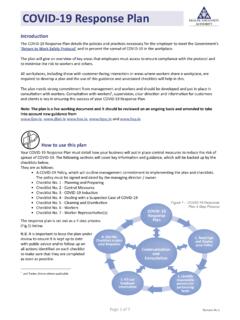
COVID-19 Response Plan - Health and Safety Authority
www.hsa.ieIntroduction The COVID-19 Response Plan details the policies and practices necessary for the employer to meet the Government’s ‘Return to Work Safely Protocol’ and to prevent the spread of COVID-19 in the workplace. The plan will give an overview of key areas that employers must assess to ensure compliance with the protocol and

Microsoft Teams Etiquette
www.imerseyside.nhs.ukThis guide covers some everyday etiquette for using MS Teams. Following these guidelines should ensure you and your colleagues have a better Teams experience by keeping things clean, organised and productive. Every day Etiquette Joe Bloggs

EVERYDAY ETIQUETTE IN MICROSOFT TEAMS
webfiles.dti.delaware.govcolleaguesvia separatetoolslike email, file shares, and phones. As with any new tool, the best practices on how to use it are still developing. But it’s safe to say the community of Teamsusers has quickly learned the rules that help everyonemake the most of Teams.

BUSINESS ETIQUETTE GUIDE - Occidental College
www.oxy.eduB. Email etiquette, although new, has some specific guidelines. 1. Email is appropriate to use, but never use all caps and watch for typos. 2. Always include a subject line in your message. 3. Make the subject line meaningful. 4. Use correct grammar and spelling. 5. Always use a signature if you can; make sure it identifies who you are and includes