
Enabling TLS 1.2 in Web Browsers and Java
Internet Explorer: 1. In Internet Explorer, click on “Tools” in the top menu bar of the IE browser 2. Click on “Internet Options” 3. Click on the “Advanced” tab within the Internet Options window 4. Scroll down in the “Advanced” tab and enable “Use …
Download Enabling TLS 1.2 in Web Browsers and Java

Information
Domain:
Source:
Link to this page:
Documents from same domain
Treasury and Trade Solutions - CitiDirect® …
www.citidirectonline1.citidirect.citicorp.comCitiDirect BE® Payments User Guide May 2017 Treasury and Trade Solutions
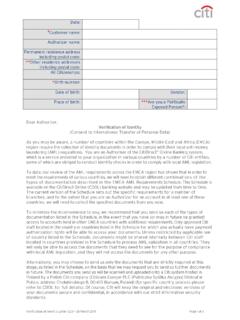
Verification of Identity Letter - CitiDirect® …
www.citidirectonline1.citidirect.citicorp.comEMEA AML VoI v1.13 04January2016 Date: Customer name: Authorizer name: Permanent residence address incl. ZIP code: Other residence addresses incl. ZIP code**:
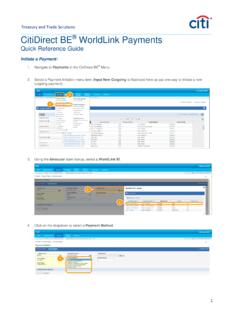
Treasury and Trade Solutions CitiDirect BE WorldLink Payments
www.citidirectonline1.citidirect.citicorp.comTreasury and Trade Solutions 2 5. In the Payment Method form, select the Debit Account and Payment Currency using the binocular icons to look up the desired values. Required fields are indicated by a red asterisk (completing optional fields as desired). 6.

Citi WorldLink Payment Services
www.citidirectonline1.citidirect.citicorp.comWorldLink® Payment Services For over 30 years, WorldLink has set the standard for reliable and convenient cross-border payments. Whether you want checks in 30 currencies, cross border ACH in 22 currencies, SEPA credit transfers to 33 countries, funds transfers in 133 currencies and cash in 190 countries and
Related documents
Making AKO Work with Internet Explorer Color - MilitaryCAC
militarycac.comInternet Protocol Version 4 (TCP/IPv4), then click Properties 6. Select the option Use the following DNS server addresses:. This is where you manually configure your DNS servers: NOTE: It is up to you if you want to use Open DNS, Quad 9, or Cloudflare.You might try each of them separately. Quad 9 - enter 9.9.9.9
OPERA Property Management - Oracle
docs.oracle.comInternet Explorer options. Depending on your browser version, the steps below may differ. Note: OPERA 5 requires the use of Microsoft Internet Explorer. ... Use TLS 1.2 check box. Note: Older releases of OPERA 5 may also require SSLv3 or TLS1.0 to function. 3. Click . Apply. 4.

VMware Horizon Client for Windows Installation and Setup ...
docs.vmware.comVMware Horizon Client for Windows Installation and Setup Guide This guide, VMware Horizon Client for Windows Installation and Setup Guide, describes how to install, configure, and use VMware Horizon® Client™ software on a Microsoft Windows client system. This information is intended for administrators who need to set up a Horizon deployment that

DiskStation DS918+ - Synology
global.download.synology.com• Internet file access is simplified by the encrypted FTP server and Synology File Station, a web-based file explorer. HTTPS, firewall, and IP auto-block support ensure file sharing over the Internet is protected with a high level of security. • Application Privileges controls access to applications and packages based on each

Synology DiskStation User's Guide
global.download.synology.comautomatically from the Internet. You can also stream videos to your iPhone or iPad for playback. Share Photos, Videos, and Blogs with Photo Station . Photo Station gives you the freedom to share photos and videos over the Internet without complicated upload steps. Album control ensures the content is shared with the right persons.
External Supplier/Partner/Customer Login Instructions
login.myngc.comSection II – Recommended Browser Settings for Internet Explorer 1. Go to Tools\Internet Options 2. Click on Advanced tab 3. In Security Menu a. Ensure TLS 1.0, TLS 1.1 and TLS 1.2 are checked. b. Ensure SSL 2.0 and SSL 3.0 are unchecked.
Microsoft Windows Server 2019 Inside Out - …
ptgmedia.pearsoncmg.comiii Contents at a glance Chapter 1 Administration tools. . . . . . . . . . . . . . . . . . . . . . . . . . 1 Chapter 2 Installation options ...

Version 2.00 www.opm.gov/e-qip/ SETTINGS INTERNET ...
www.dcsa.mil(outside AOL) and set the options for Active Scripting and TLS 1.0 following the instructions above; or directly within AOL, go to the top menu in AOL, then: • Select SETTINGS • Select INTERNET PROPERTIES • Under RELATED SETTINGS, select INTERNET EXPLORER SETTINGS, then the ADVANCED tab • Scroll down to SECURITY